262
262
Picture Function Operations
Other Operations
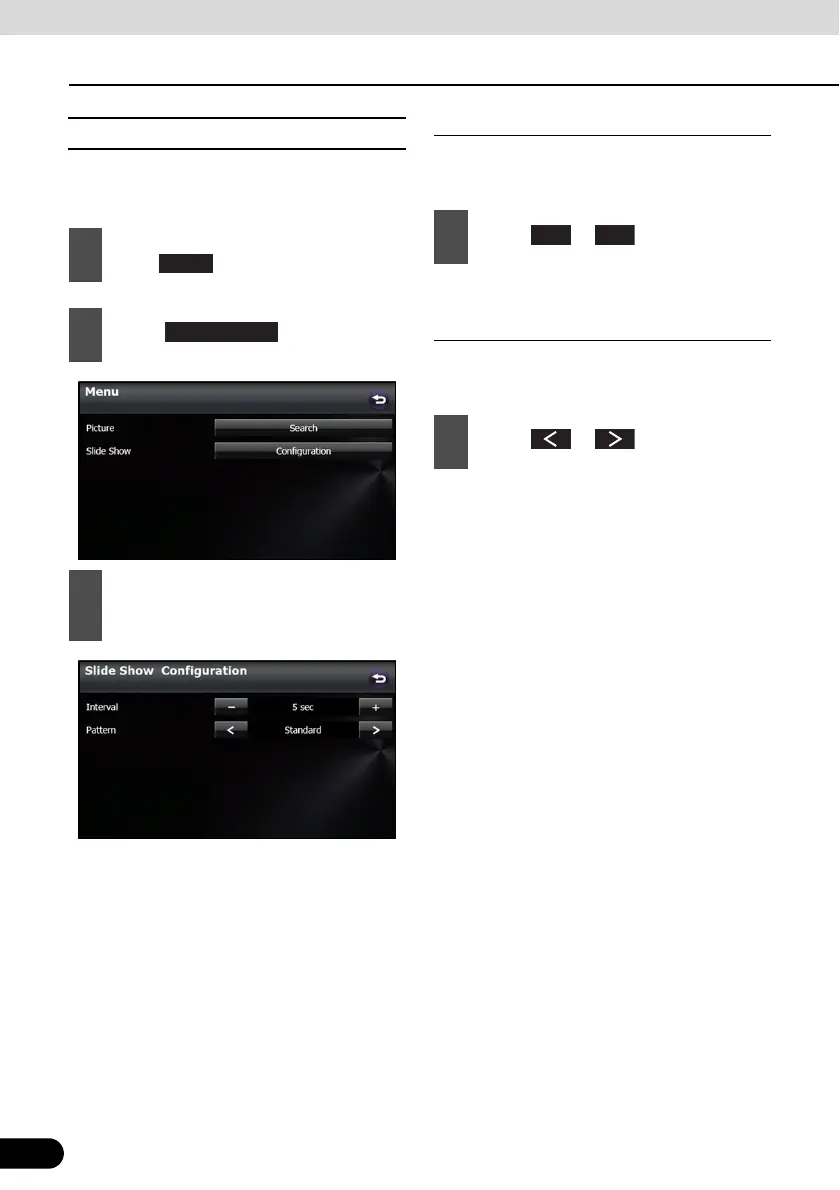
■ Slide show setting
On the Slide Show Configuration screen, you
can set a slide show.
Interval setting
You can change the display interval of the
slide show.
● 5 sec 10 sec 15 sec
Pattern setting
You can change the pattern of the slide
show.
● Standard Effect 1 Effect 2 Effect 3
Effect 4 Random Standard ...
1
On the picture operations screen,
touch .
2
Touch in Slide Show.
3
You can perform the following settings
by touching the setting switches for
each item.
Menu
Configuration
1
Touch or .
1
Touch or .
+



 To Next Page