57
57
● “Another device already connected.
Disconnect this device?” appears on the
screen. Touch or .
● The cancellation of the mobile phone
connection is complete. The Bluetooth
signal icon, battery level indicator, roaming
area icon (only when in a roaming area),
and reception indicator disappear from the
screen.
On the Connect Phone screen, touch
to register a mobile phone.
■ Making a call
You can make calls from the unit by entering
a telephone number, using a stored number
(phone book or Speed Dial), or calling from
the incoming (missed call) or outgoing call
history.
Making a call by entering a telephone
number
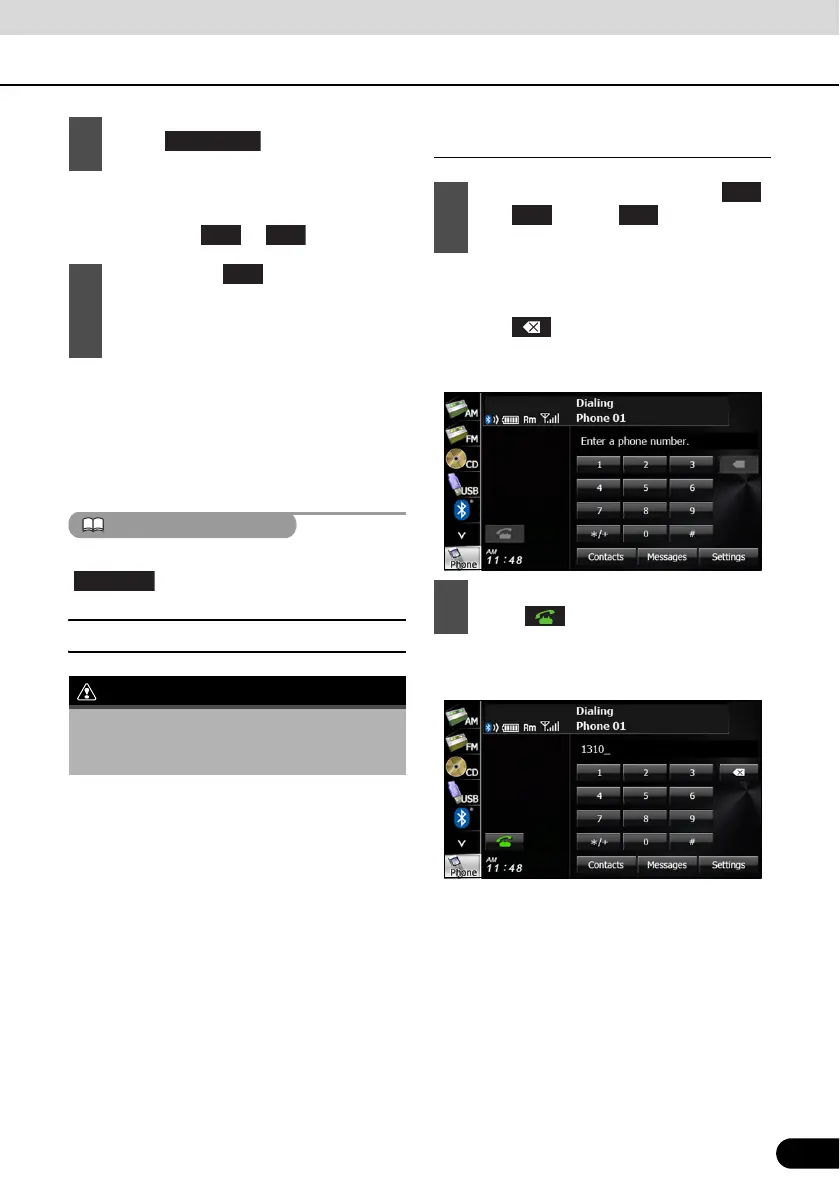
● You can enter telephone numbers of up to
24 digits.
● Touch to delete 1 digit from the
entered number. Touch for 1 second or
more to delete the digits continuously.
● A call is made to the entered telephone
number.
4
Touch .
5
After touching , when the
cancellation is complete, “Connection
with the mobile telephone was
disconnected.” appears.
Do not make a call while driving. Be sure to
park the vehicle in a safe location and apply
the parking brake before making a call.
1
On the handsfree screen, touch
and through to enter the
telephone number.
2
After entering the telephone number,
touch .
0
1



 To Next Page