69
69
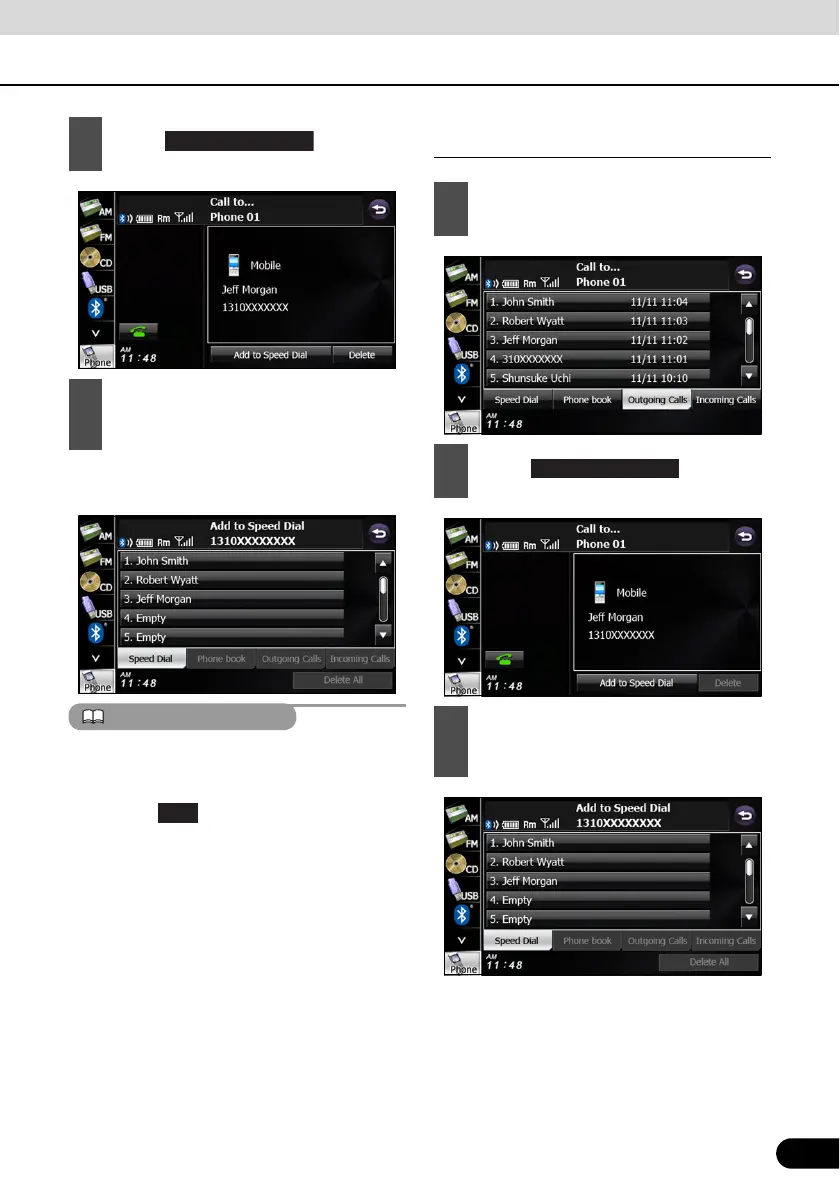
● “Speed Dial Saved.” appears and the
Speed Dial registration is complete.
If Speed Dial data already exists for the
number, “Are you sure you want to overwirte
the entry?” appears. To overwrite the existing
data, touch .
Registering a Speed Dial number from a
history
● “Speed Dial Saved.” appears and the
Speed Dial registration is complete.
2
Touch .
3
Touch the number in the Speed Dial
list where you want to register the
telephone number.
1
On the history screen, touch the data
item that you want to register.
2
Touch .
3
Touch the number in the Speed Dial
list where you want to register the
telephone number.
Add to Speed Dial



 To Next Page