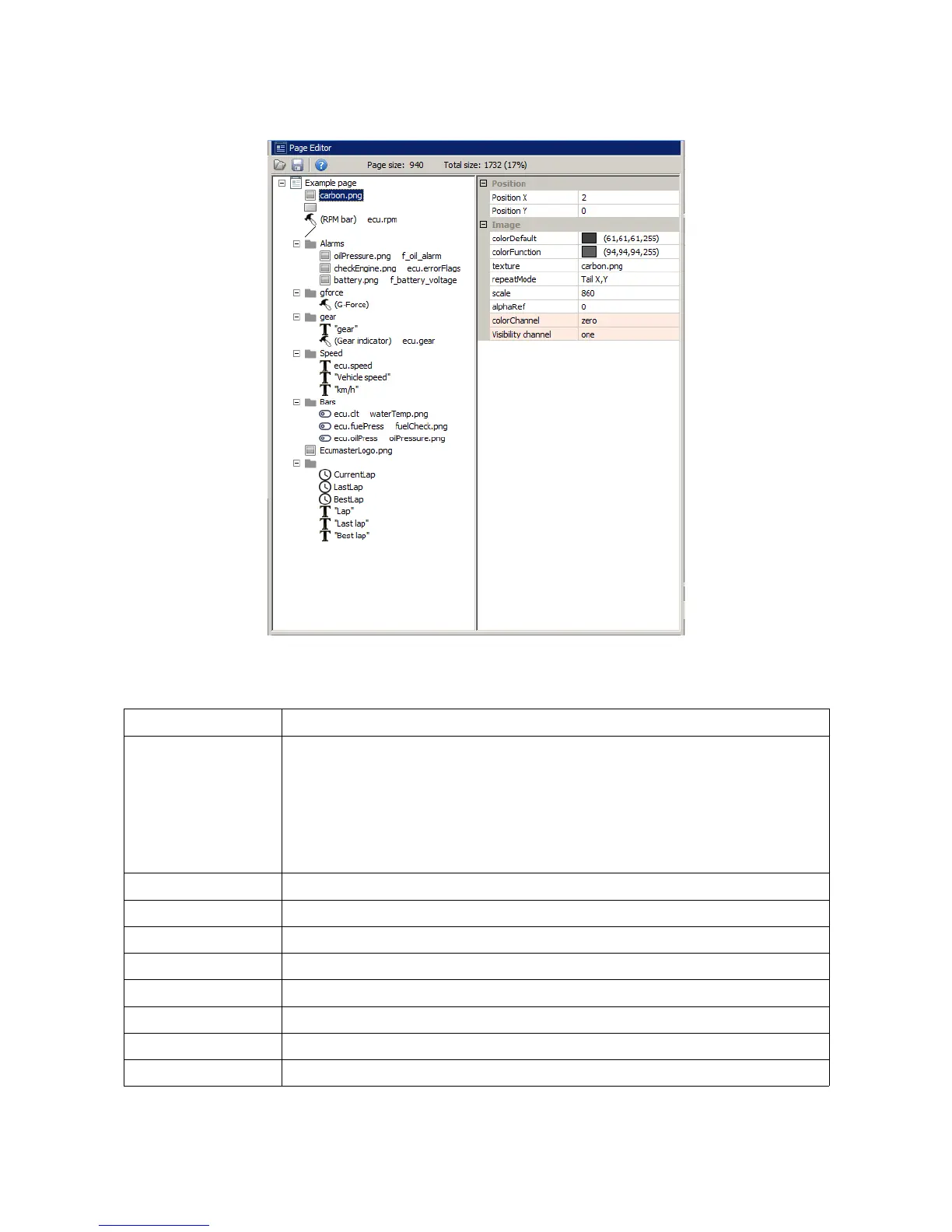
The preview screen works in conjunction with the page editor (3) which allows you to add and edit
the graphic elements on a page. More information about pages is provided in the Pages chapter.
Another important element of the interface is the status bar (4), which contains important
information on the status of a connected device.
Connection status Specifies, whether a device is connected.
CAN interface Shows the CAN to USB interface type. The following interface types are
supported:
- USBtoCAN - an interface by ECUMASTER
- PCAN-USB - a interface by Peak System
- Kvaser - an interface by Kvaser
CAN 1 status The status of the CAN 1 bus from the USB to CAN interface
CAN 2 status The status of the CAN 2 bus read from Can controller of the ADU display
Board temperature Device temperature
FV Version Internal firmware version
Device type Device type - 5” or 7”
Used resources The number of functions used
Tables The memory available for 2D and 3D user maps
Names The memory available for item names (can inputs, functions, etc.)
Page 29/137


 To Next Page