EnGenius EOC1650 Wireless Access Point / Client Bridge Version 2.0
18
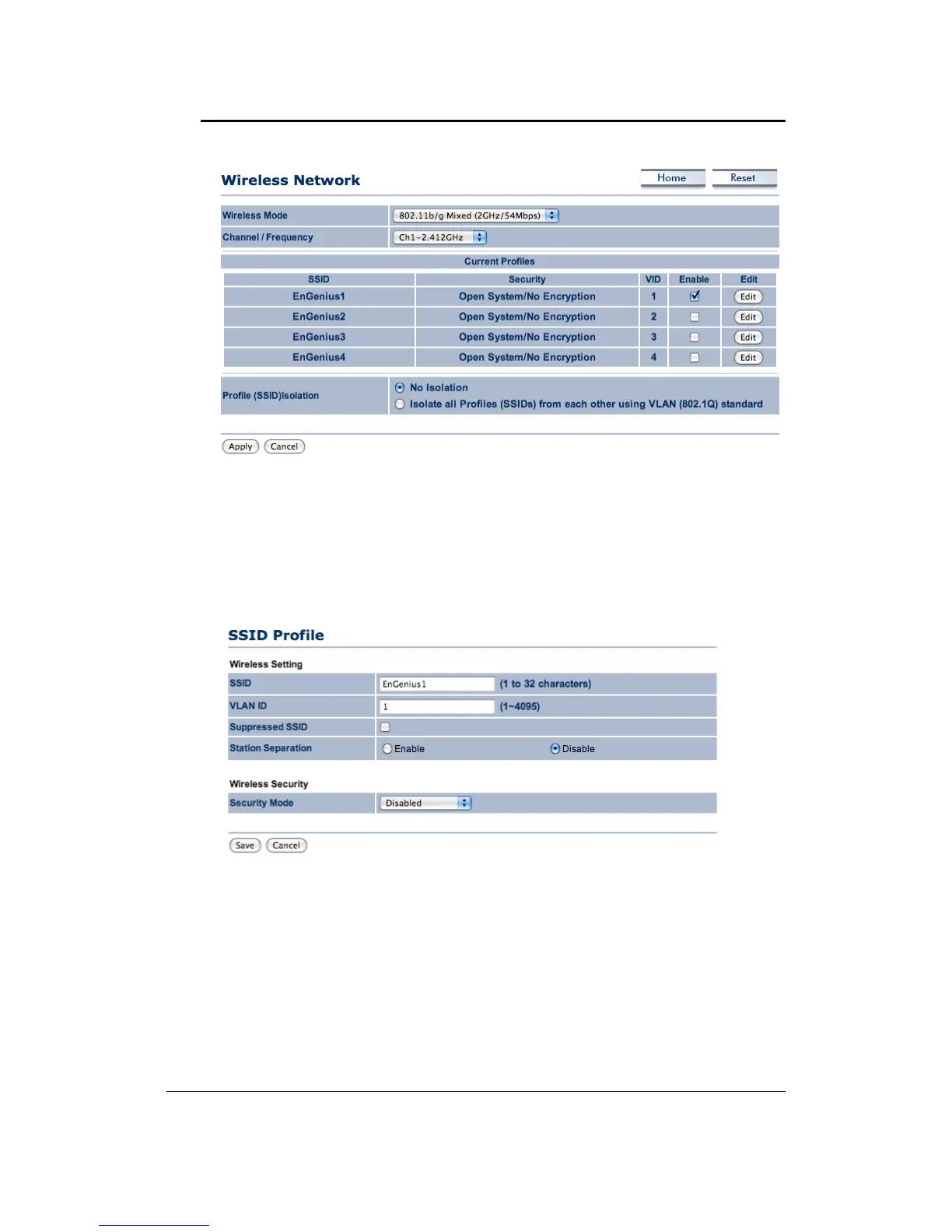
Wireless Mode: Depending on the type of wireless clients that are connected to the network,
youmay selectB,G orB/G‐mixed.Ifyouarenotsureaboutwhichclientswillbe accessingthe
wirelessnetworks,itisrecommendedthatyouselectB/G‐mixedforthebest
performance.
Channel/Frequency:Selectachannelfromthedrop‐downlist.Thechannelsavailablearebased
onthecountry’sregulation.
CurrentProfiles:UsercansetupSSIDconfigurationinthisitem.EOC1650supports4SSIDs,user
candecide touse howmany SSIDvia “Enable”or not.Whenclick “Edit”button, youcan setup
detail,includeSSID,VLANIDandSecurityMode.
`WirelessSecurity–SecurityMode:WEP



 To Next Page