Operating of the Machine
Paraquda Startup & Safety © Essemtec AG
4-67
0000003/11 / November 4, 2014
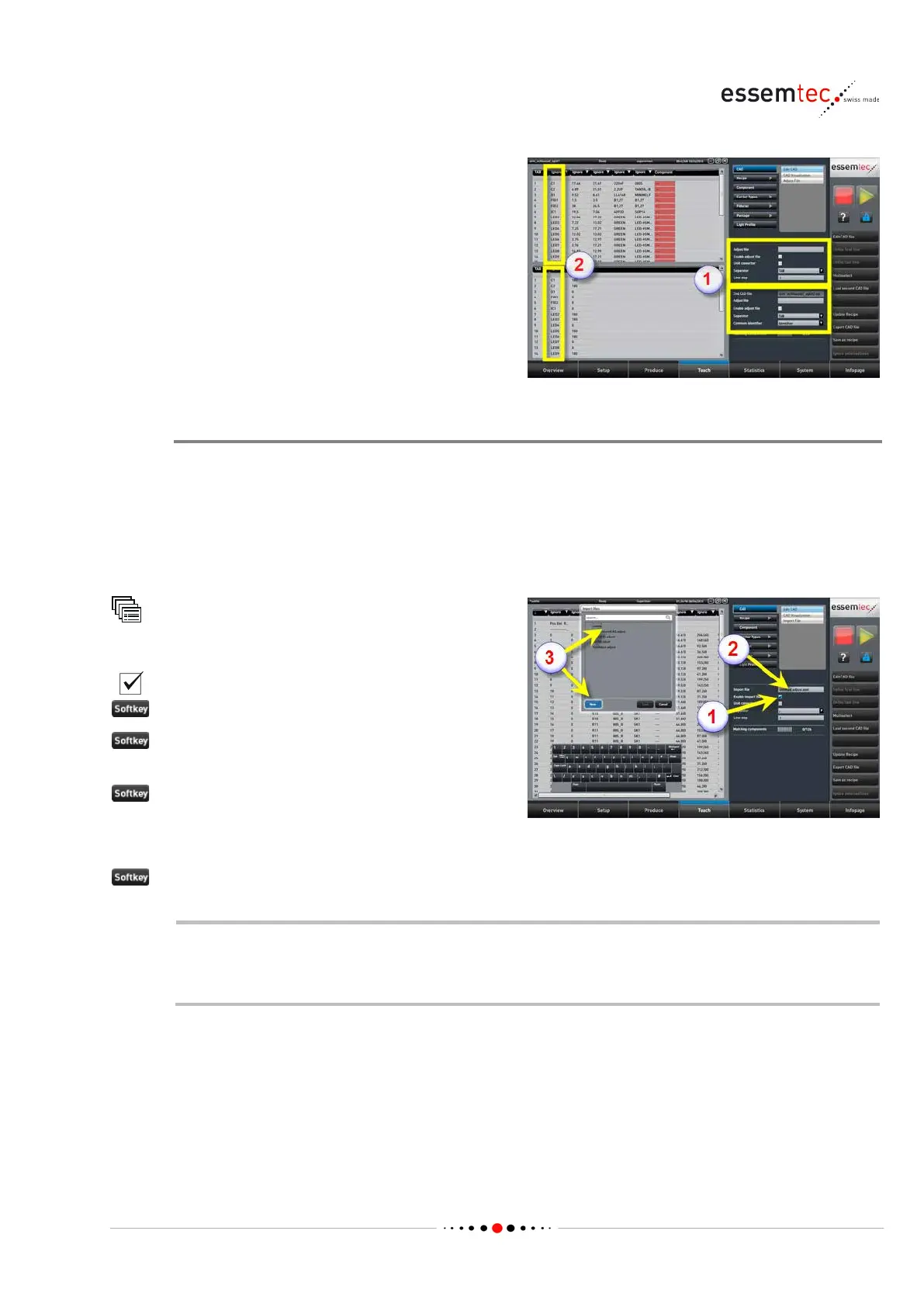
For high flexibility, the second CAD file has its
own adjust file and its own separator (1).
hical section the second CAD file is
now visible. Make sure the first and the second
CAD file have a common identifier for
synchronization of both files (2).
Recording Adjust File
If no adjust file exists a new one can be recorded. The adjust file is used to translate application
related CAD data (package-, value-, rotation- designation) into machine related library data
(already taught). For example, application CAD value of a component: 7.5k, machine known value
of same component: 7k5. The adjust file also records the column assignment to the corresponding
designator. With the help of the adjust file, a later CAD conversion with CAD files of exactly the
same structure can be done quickly and easily.
CAD
Edit CAD
(1)
Adjust file (2)
(3) to record a new adjust file. Type in the
name of the new adjust file.
to enter the new file name
If an adjust file already ex
ist ignore 'New' just
select an existing one (3).
to load the new or the existing adjust file.
As long as the adjust file is enabled, the enforced replacements (column designator,
column separator, package, value, rotation) are recorded to build up or to extend the file.
The file will be stored after changing the menu or a tab.



 To Next Page