Operating of the Machine
4-68 © Essemtec AG Paraquda Startup & Safety
0000003/11 / November 4, 2014
Assign Columns to corresponding Designator
CAD
Edit CAD
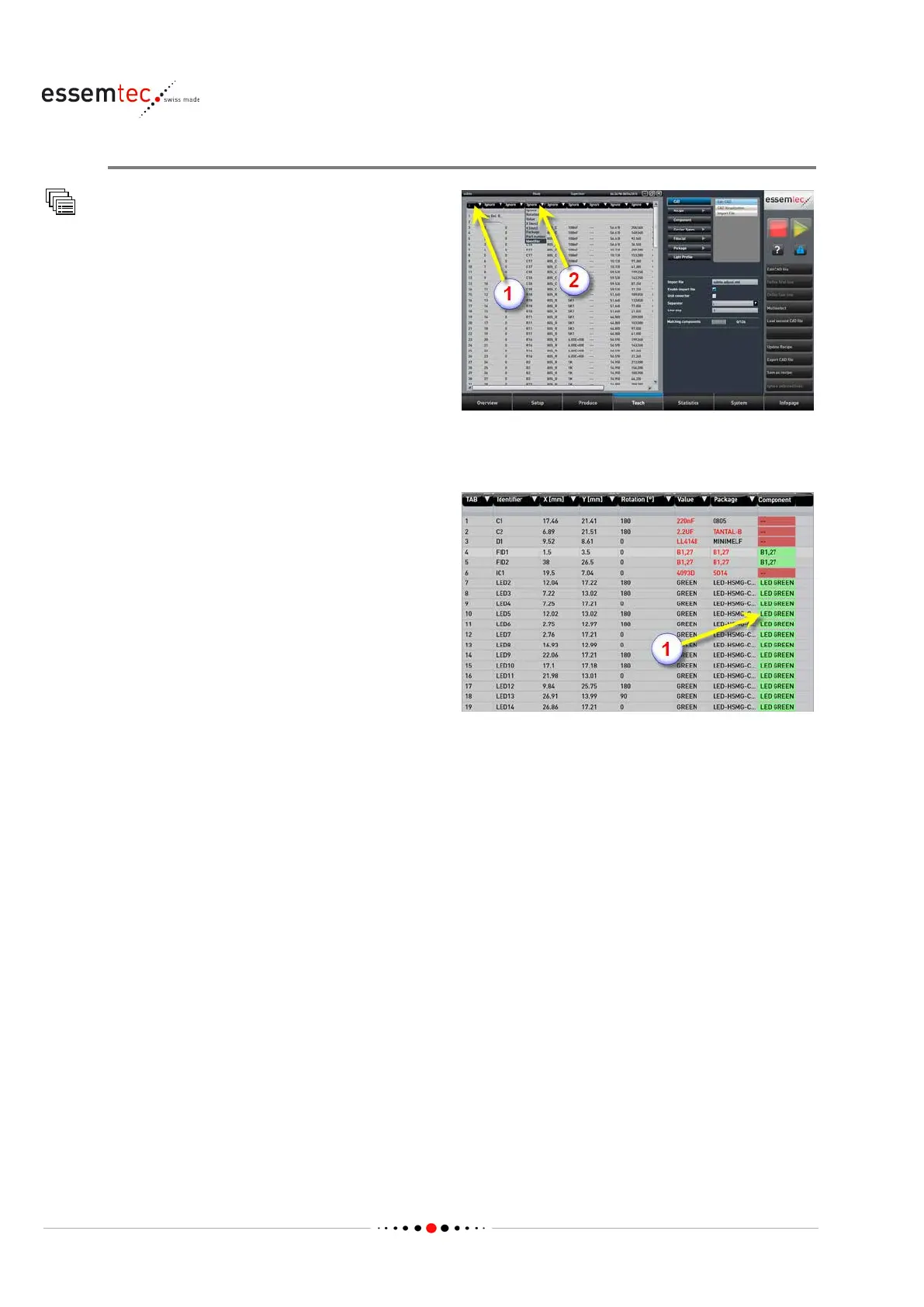
separator (1). It is
important to choose the correct separator
(space, tab, semicolon etc.).
Continue with the assignment of all the relevant
columns (2) (Rotation, Value, X, Y, Package etc.).
In case of splitted CAD files continue with the
assignment o
n the second file. Make sure both
files have a common identifier for
synchronization.
The component changes to green (1) and get a
name. That means the package with the
dedicated value has been recognized what
further means a component with appropriate
package and value already exists. No further
action is necessary.



 To Next Page