Operating of the Machine
Paraquda Startup & Safety © Essemtec AG
4-69
0000003/11 / November 4, 2014
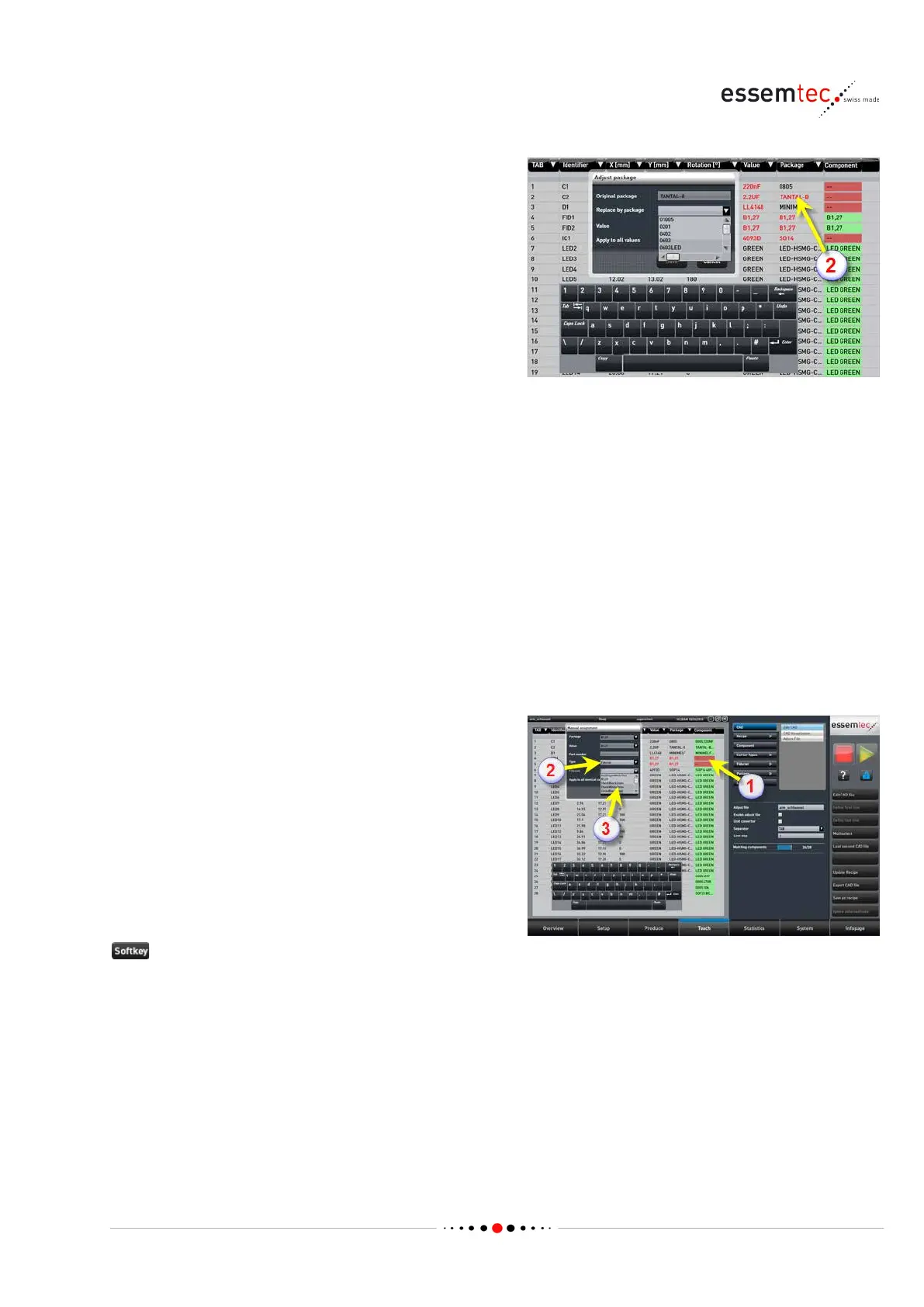
ed (2). That means no
package with this name exists within the
machine environment. There are two
possibilities:
• The same package already exists but bears
another name (e.g. Al_ELKO instead of
ALU_ELKO). In this case click the red
package name. The pop-up window Adjust
package opens. Click on the parameter
Replace by package. In the drop down list,
all known packages are listed. Select the
correct package. Click on the parameter
Value. In the drop down list all known
values are listed. Select the correct value (if
the correct value is not listed, leave it as is,
later on continue with the step 'Define
Component'. Save the new replacement. All
original packages with the given value are
replaced by the new name. If all original
packages with any value should be replaced
by the new name, check Apply to all values
before saving.
• The package does not exist, even not with
another name. In this case continue with the
step 'Define Package' described below.
The fiducial changes to red (2). That means no
fiducial with this name exist within the machine
environment. Go to step 'Create new Fiducial' in
chapter 'Define Components' (page
4-56) to
If an adequate fiducial exist on the machine (see
Teach
- Fiducial) then click on the red
component field of the appropriate fiducial row
(1). Select Type
Fiducial (2) and select the
adequate fiducial out of the drop
down list (3).



 To Next Page