Operating of the Machine
Paraquda Startup & Safety © Essemtec AG
4-79
0000003/11 / November 4, 2014
Create a Label as Package
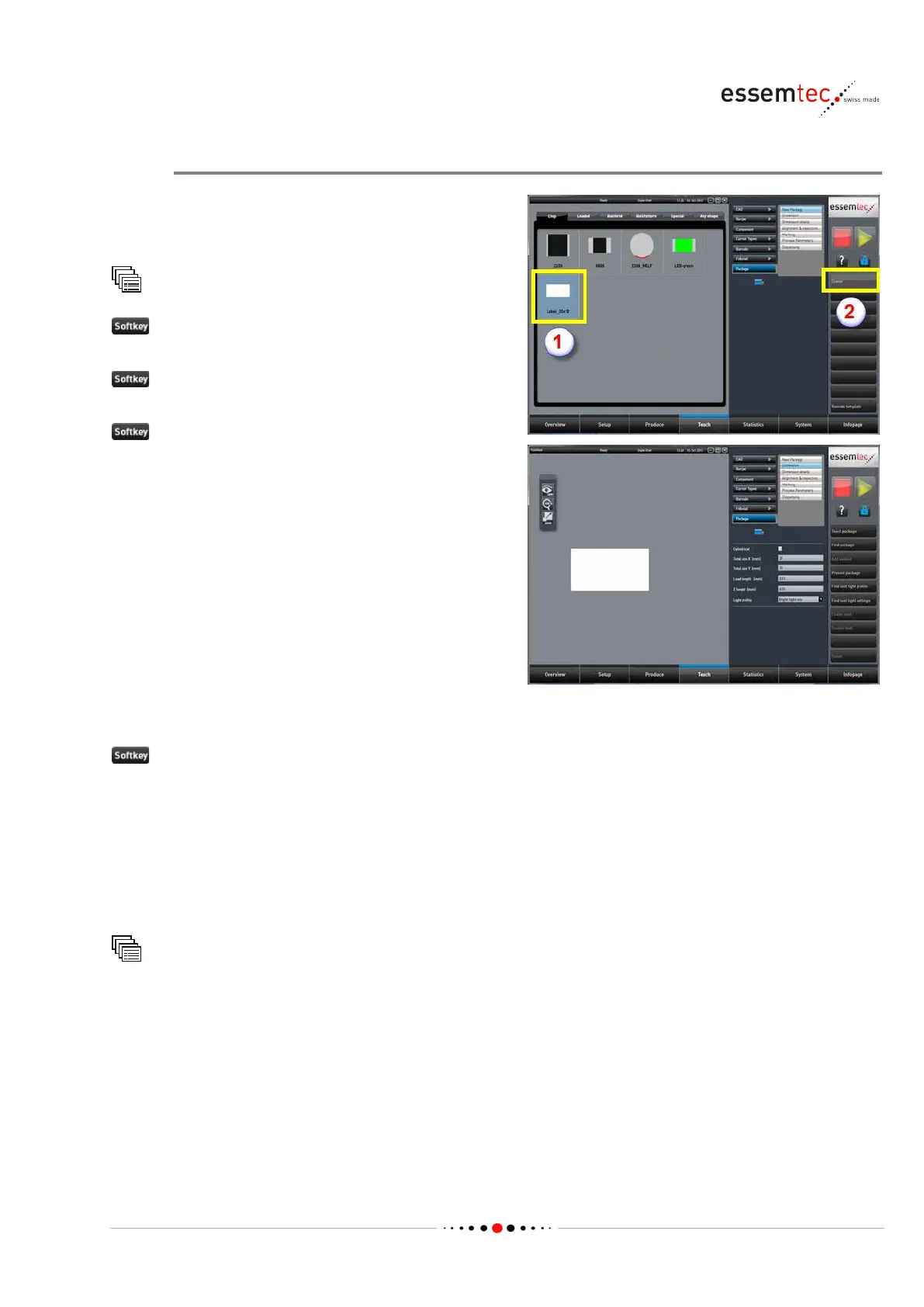
Create a package which represents the physical
dimensions of the label and its vision
parameters.
Package
to open the screen Teach - Package - New
.
Chip on the graphical section and
el_20x10' (1).
to create a new package (2), the screen
Teach - Package - Dimension
Define the following data (see online context
help for details):
• Total size X [mm], the label size in X
• Total size Y [mm], the label size in Y
• Lead length [mm], do not change and keep
0.01
• Z height [mm], the thickness of the label
•
If the ideal light profile is not known, do the following (label must be present on the PCB):
Find best light settings
The machine is searching the best light settings for the label. The found settings are compared
with existing light profiles. The machine lists the existing light profiles which are close to the found
settings. Choose one of the found profile or store a new one with the exact settings found.
The created package (label) will be stored in the next step.
On the screens Dimension Details, Alignment & Inspection and Marking, no settings have to be
done.
Teach
Package
Process Parameters
Define the following data (see online context help for details):
• Nozzle, select the appropriate nozzle for the label.
• Increase Pick time [ms] if the label doesn't get well picked (max. to 200ms, try with less) and
check for correct pick height on screen Produce - Pick Control.
• Increase Place time [ms] if the label sticks on nozzle when rejecting on reject bin during
production (max. to 500ms, try with less).



 To Next Page