6 Setup 101
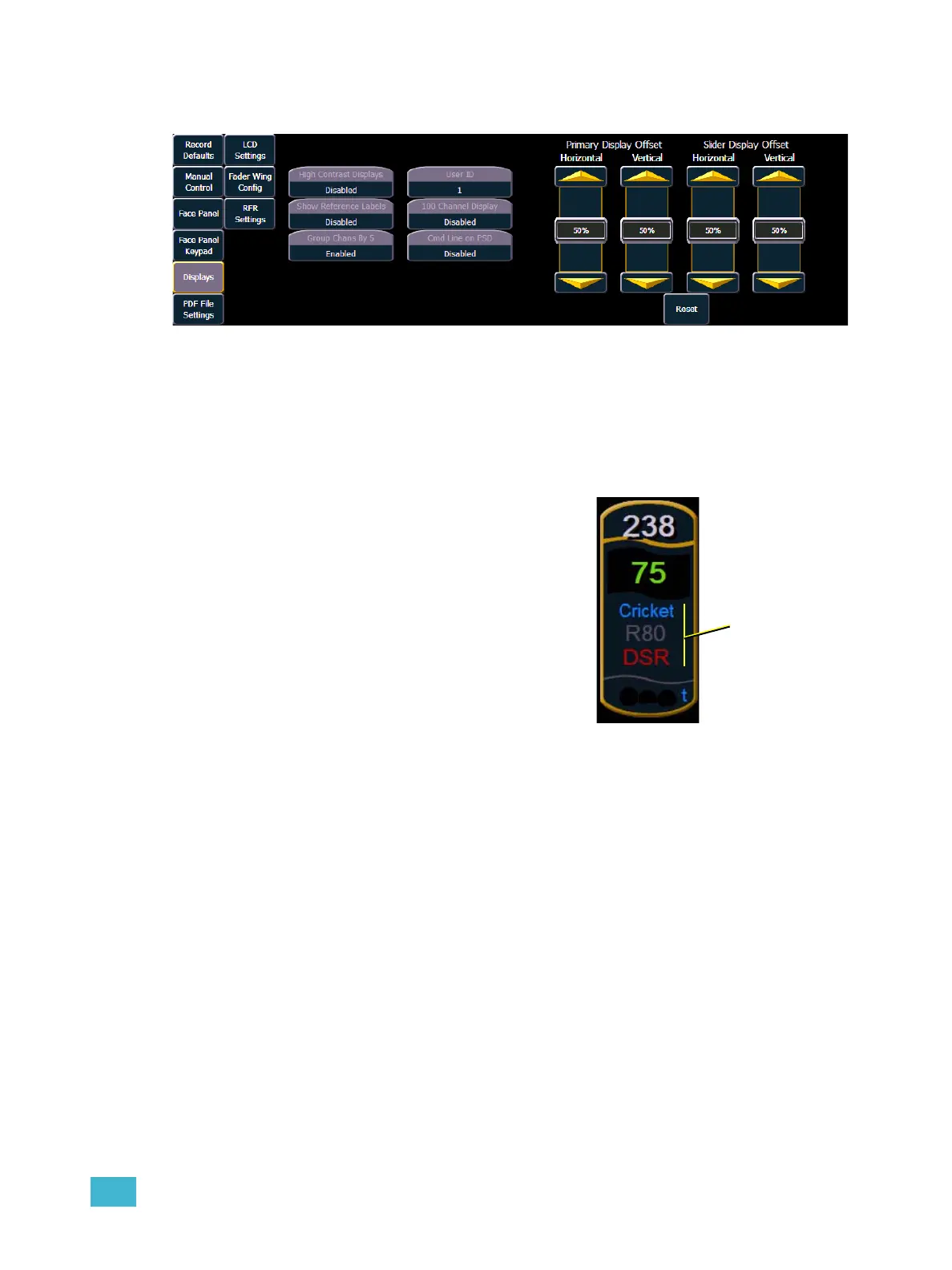
{Displays}
This desk setting button gives you access to the Eos display settings.
High Contrast Display
This touchbutton toggles the setting between “Enabled” and “Disabled”. When enabled, high-
contrast brightens the cue numbers and channel numbers in displays and also brightens the
magenta used to show tracked values.
The default setting for this is “Disabled”.
Show Reference Labels
This touchbutton toggles the setting between “Enabled” and
“Disabled”. When enabled, referenced record targets (such
as presets or palettes) with labels will have their labels
displayed in the live/blind display rather than their target
type and number. [Label] can be used to toggle between
views.
The default setting for this is “Disabled”.
Group Chans By 5
You can turn off/on the grouping of channels in groups of 5
in the live summary view from this field.
The default for this setting is “Enabled.”
User Id
You can Change the User ID for the console by selecting this button and entering a number from the
keypad. For more information on User ID see About User ID, page 306.
100 Channel Display
This setting can be used to display 100 channels at a time in the live summary view. The default for
this setting is “Disabled.”
Cmd Line on PSD
This setting can be used to display an optional command line on the Playback Status Display. The
default for this setting is “Disabled”.
Display Adjustments
This setting allows you to adjust the Primary Display Offset and the Slider Display Offset. Each
offset has the ability to be adjusted separately horizontally and vertically. A {Reset} button is also
available to return to factory display adjustment defaults.



 To Next Page