Overture Software Manual
Page 2-40
Revision 1.5 USING OVERTURE
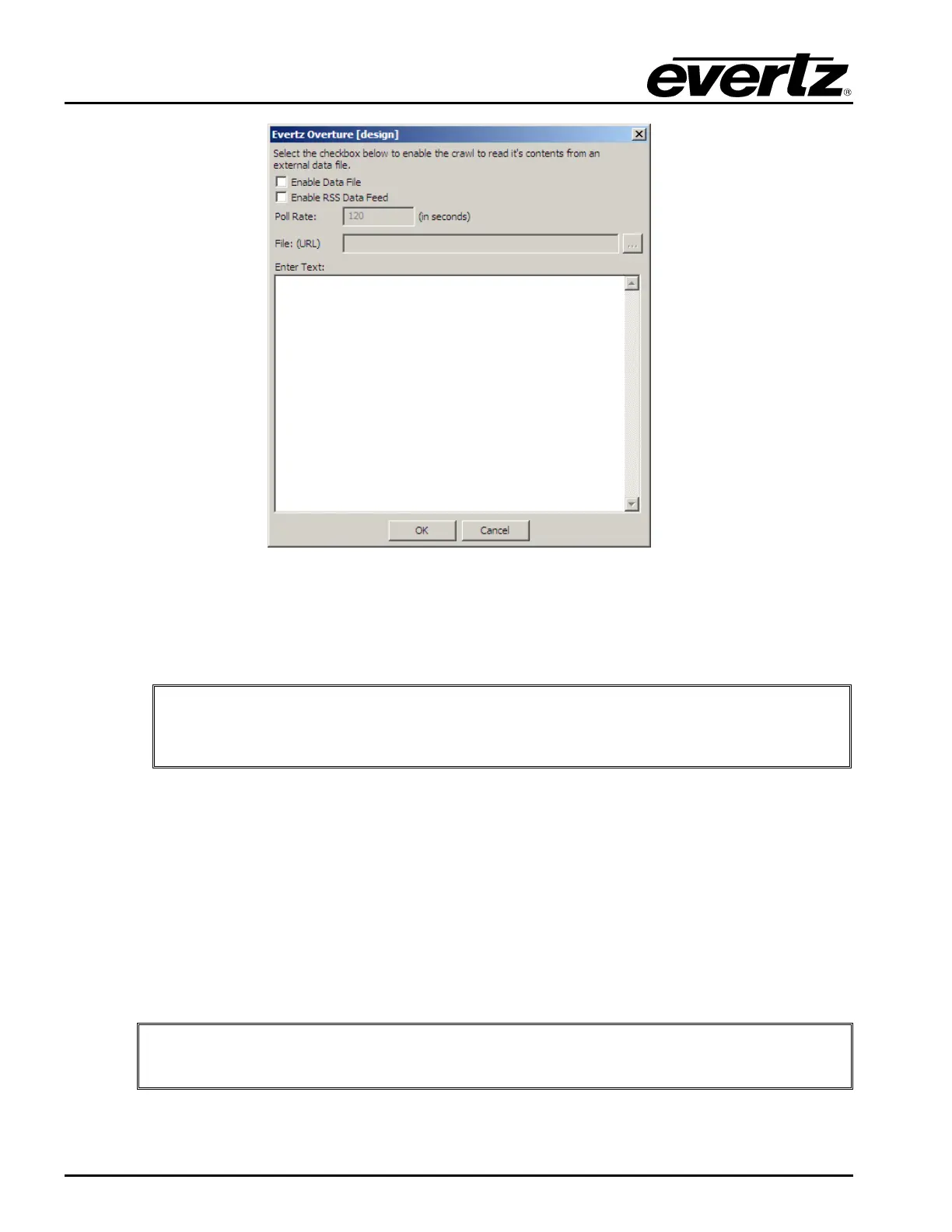
Figure 2-57: Set Text Dialog Box
The user can dynamically change the content of the crawl by selecting the Enable Data File check
box. The user will then specify a particular text file to use. When the crawl is activated on the Program
the contents of the crawl will be read from the text file.
"
The text data file and the crawl MUST be put on the SAME compact flash storage
drive of the Logo or Media Inserter. When the crawl is pre-cached, the text data
file is also loaded.
The user can now update the contents of the crawl by updating the text file and uploading it onto the
device.
For RSS, the user selects the Enable RSS Date Feed checkbox. In the URL field, the user will enter
the location of the RSS feed. For example, for CNN Top Stories RSS feed, the user will need to find
the IP address of the source. In this case, the IP address and path for this feed is:
http://66.150.96.119/rss/cnn_topstories.rss
The user would enter this COMPLETE path into the URL field in the Set Text Dialog Box (see Figure
2-57). A poll rate will need to be configured. This is how often the device will check the RSS source for
updates.
"
For the RSS to work correctly, the 9725 device MUST have a direct connection to
the Internet. The connection also MUST NOT have a firewall in its path.



 To Next Page