Test Setup - Test Configurator, Timer, and System
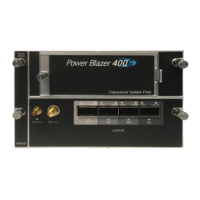
Power Blazer 245
Local Details (iSAM)
Lasers OFF at Start-Up allows automatically turning off all lasers
when starting the module or when switching from one test application
of the same group (Ethernet or Transport) to another. This check box is
cleared by default.
Wavelength (nm) indicates, when supported, the detected
wavelength.
Modify button, available with tunable transceivers when the
TunableOptics
software option is enabled, is used to configure the
transceiver wavelength.
Wavelength (nm) indicates the actual wavelength value selected.
Use the scroll box and/or the -/+ buttons to select the wavelength.
The minimum and maximum wavelength values are displayed.
Channel Number indicates the actual ITU channel number based
on ITU Grid.
Frequency (THz) indicates the actual Frequency based on ITU Grid
Channel Spacing (GHz) indicates the difference in frequency
between two adjacent channel detected from the transceiver
device.
Restore Previous restores the current value present in the
transceiver device.
MAC
Address indicates the default and unique Media Access Control (MAC)
address given to the Ethernet port.




 To Next Page