Test Setup - Test Configurator, Timer, and System
244 88000 Series
Local Details (iSAM)
Connector allows the selection of the module’s port.
Auto-Negotiation check box when selected (default), indicates to the
remote port which parameters to use. Only available with
10/100/1000M Electrical and 1GE Optical interfaces. For 1GE
Electrical interface, the Auto-Negotiation check box is automatically
selected and is not configurable.
Note: When the Auto-Negotiation check box is selected, the port Speed can be
set. This setting is not applied immediately to the port, it is used only when
the negotiation process is started, and takes effect only when the
auto-negotiation succeeds. However, the current setting is applied
immediately to the port when the Auto-Negotiation check box is cleared.
Speed, available with 10/100/1000M Electrical interface, allows the
selection of the interface rate: 10M, 100M, 1GE, or Auto; Auto is only
available when the Auto-Negotiation check box is selected. The
negotiated speed will be displayed next to the Speed field selection.
Note: Full Duplex is used and there is no Flow Control (pause frames received
are ignored).
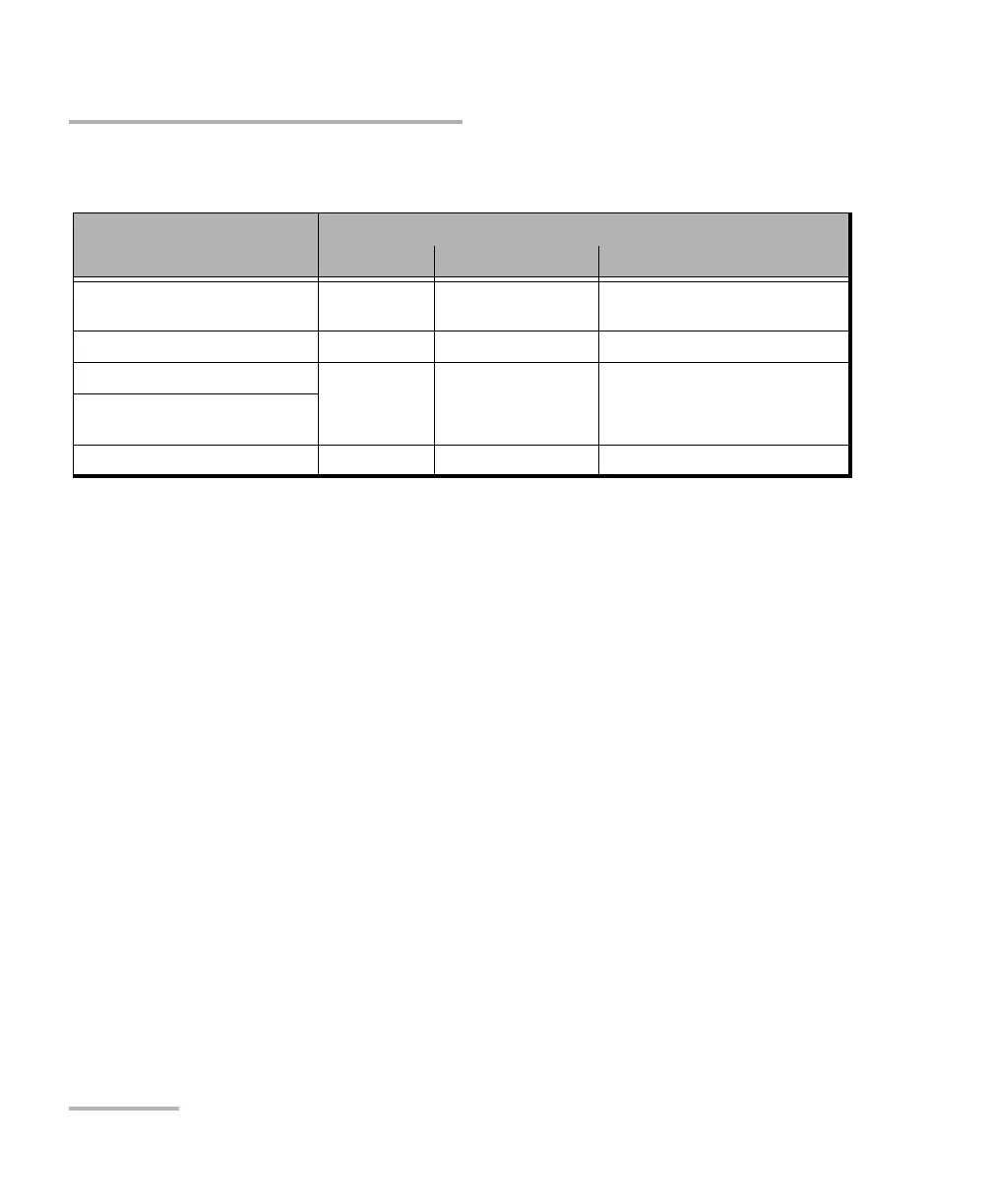
Interface/Rate
Connector
a
a. Availability of connectors depend on the model.
8870/8880 88200NGE 88260
100GE (4 Lanes)
[103.125 Gbit/s]
- Port 1- CFP4
Port 2 - QSFP
Port A1/A2/B1/B2 - CFP4
Port A1/A2/B1/B2 - QSFP28
40GE (4 Lanes) [41.25 Gbit/s] - Port 2 - QSFP Port A1/A2/B1/B2 - QSFP28
10GE LAN Port 1 - SFP+
Port 2 - SFP+
Port 1 - SFP+ Port A1/A2/B1/B2 - SFP28
1GE Optical
100M Optical
10/100/1000M Electrical Port 1 - RJ45 Port 1 - SFP+ (RJ45)
b
b. Ethernet 10/100/1000M electrical is supported when using an active copper SFP.
Port A1/A2/B1/B2 - SFP28 (RJ45)
d




 To Next Page