4.6.5.87 <ERATE [speed/OFF]> Command
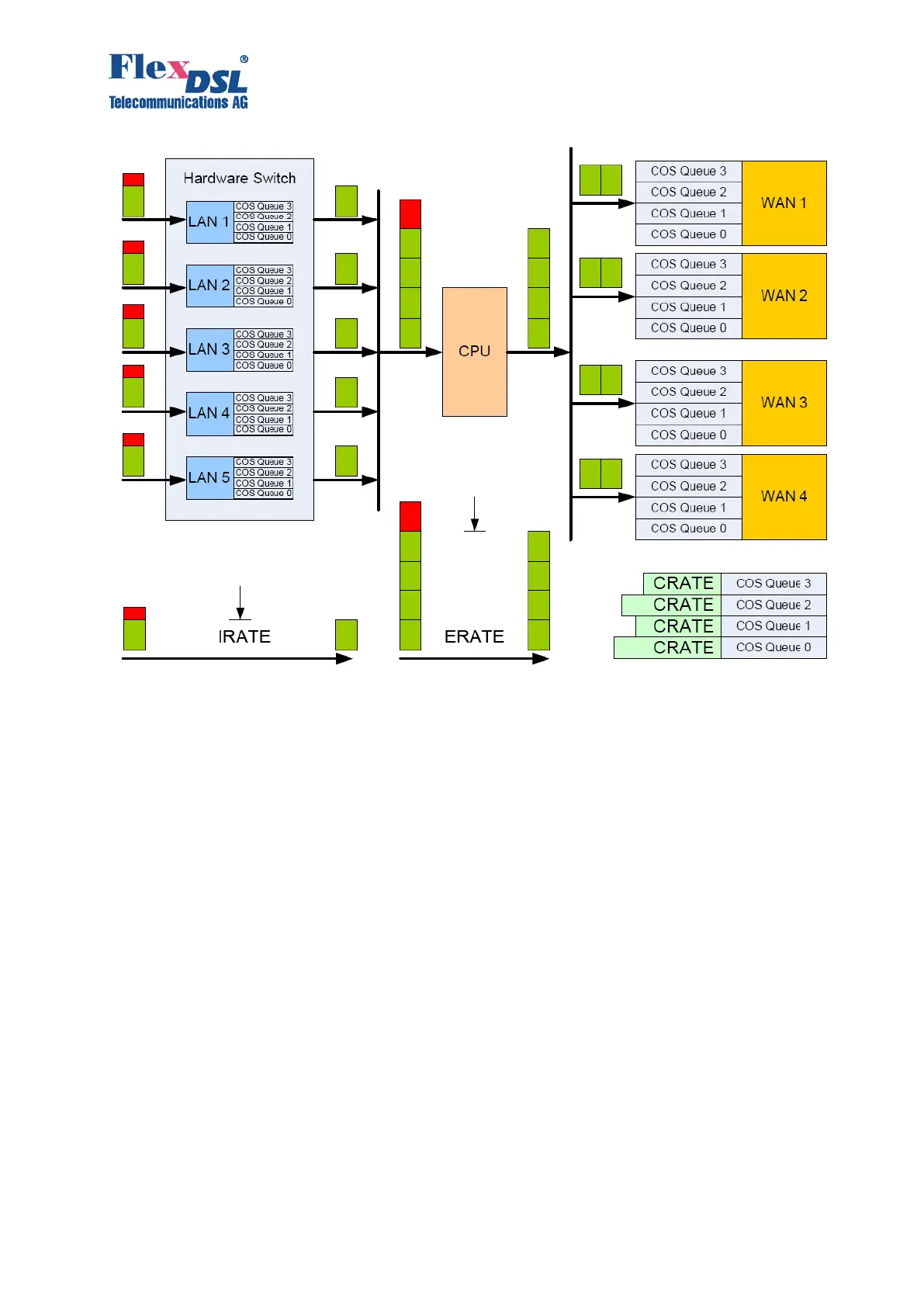
The command ERATE is an abridgement of Egress Rate. It limits the traffic heading to CPU of
the device.
ERATE command counts all traffic, but unlike IRATE command the QoS settings make sense for
traffic drop. In case if traffic has bigger bandwidth then the ERATE settings the device will drop
traffic starting from packets with low priority tag.
Network administrator can configure QoS with IRATE and ERATE commands if LAN ports of the
device works in ACCESS mode. He has to be sure that those LAN ports of the device have
different default QoS or VLAN settings.
• ERATE [rate]: Sets the desired rate limit.
• ERATE OFF: Disable rate limiting.
The parameter [rate] is expressed in kbits or Mbits, for example:
128K means 128 kbps
256 means 256 kbps
1M means 1000kbps
30M means 30000kbps
4.6.5.88 <CRATE [speed] [CoS] [WAN]> Command
The command CRATE is an abridgement of CoS Rate. It limits the egress bandwidth of selected
CoS queue for specified WAN interface. Starting from the 1.3.0 firmware FlexDSL Orion3 and
MiniFlex devices have 4 CoS queues with numbers from 0 to 3. The queue with “0” number has
the lowest priority while the queue with “3” number has highest priority. Command CRATE is not



 To Next Page