3.2.1 Remote Power Supply and Wetting Current
The wetting current and remote power supply modes can be changed by jumpers and the
configuration management. Despite the safe voltage on each DSL copper wire with respect to the
ground (<120 Volts according to EN 60950), the use of the remote power supply has to be done
strictly according to the following rules:
• When working with DSL copper lines make sure that the remote power is switched off.
• The insulation of cable pairs, junctions (junction boxes, distribution frames, etc.) should be
checked against the remote power voltage (norms and standards of the network)
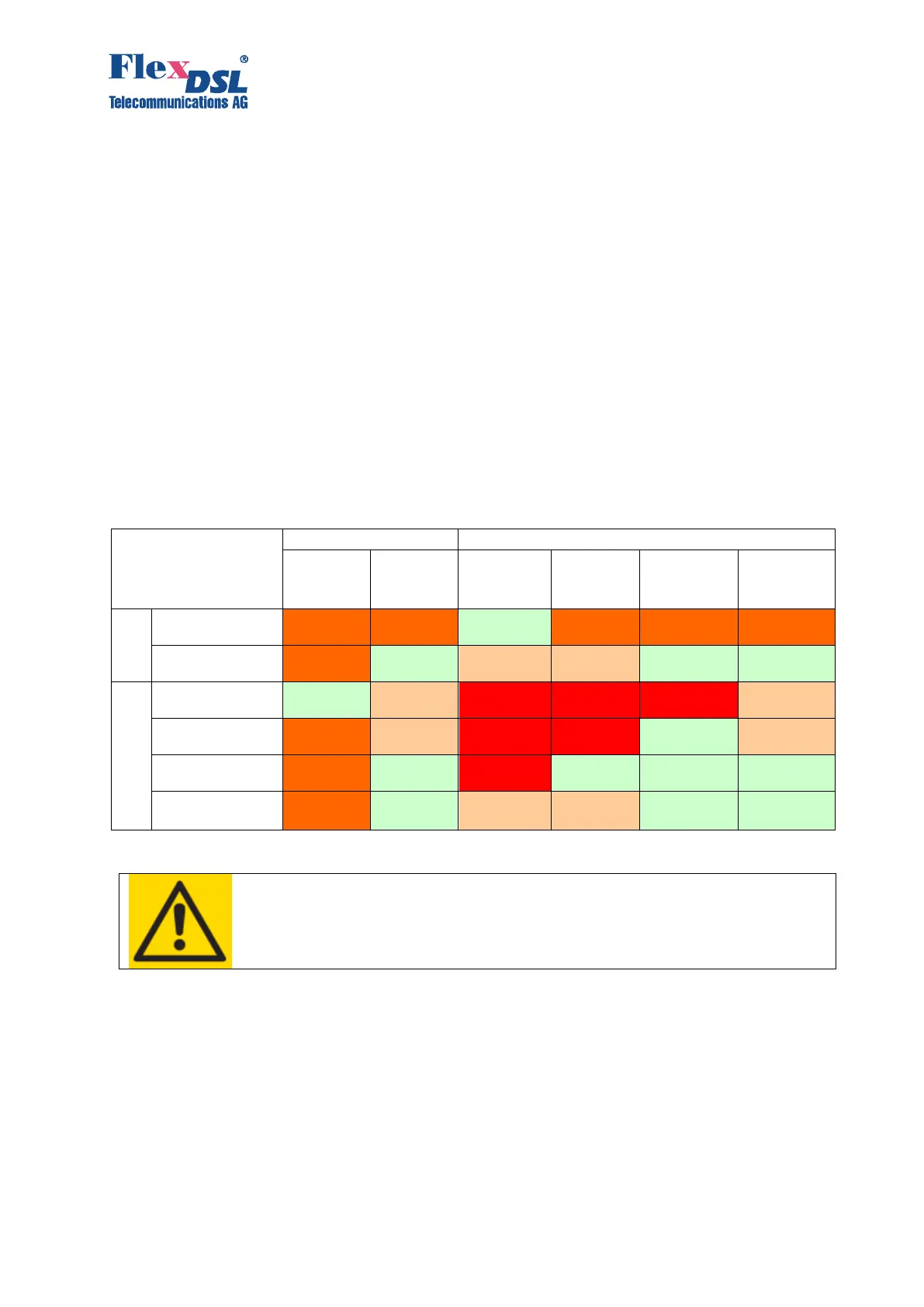
3.2.1.1 Compatibility of Remote Power and Wetting Current Supply Modes
Devices operating in pairs should be configured for mutual operation! The mode «» means
recommended and possible.
The use of the mode «-» is not recommended because it may cause high power consumption,
degradation of communication (communication stability), and additional safety measures.
The mode «inc» (incompatible) will not allow the devices to establish communication (because
in this case one or both devices will be de-energized).
WARNING
TO PREVENT THE FAILURE OF THE EQUIPMENT, THE USE OF “X”
MODES IS STRICTLY PROHIBITED!
3.2.1.2 Configuration of Remote Power and Wetting Current Supply
Each LTU SHDSL channel can be configured to supply wetting current, to consume wetting
current, to supply remote power or being passive. The switching between these modes is
performed by setting the corresponding jumpers separately for each DSL channel of the modem
and to use one configuration command in the modem software menu (POWER [OFF/ON] N).
Be aware, that you can configure up to 4 SHDSL channels at 120Volts each or up to 2 SHDSL
channels at 200Volts (200Volts mode is supported for DSL-1 and DSL-2 only).
The default delivery setting for any LTU is 120VDC and 60mA. It is short circuit protected and at
any failure the system will restart automatically.



 To Next Page