5.2 Software Download via RS-232 COM Port (LCT) Using Xmodem Protocol
To download the software on any Orion3 device, do the following steps:
1. Power on the device.
2. Connect the RS-232 connector of the device (Monitor, LCT) with the Com port (RS-232) of
the Personal Computer.
3. Run the Hyper Terminal program (hypertrm.exe).
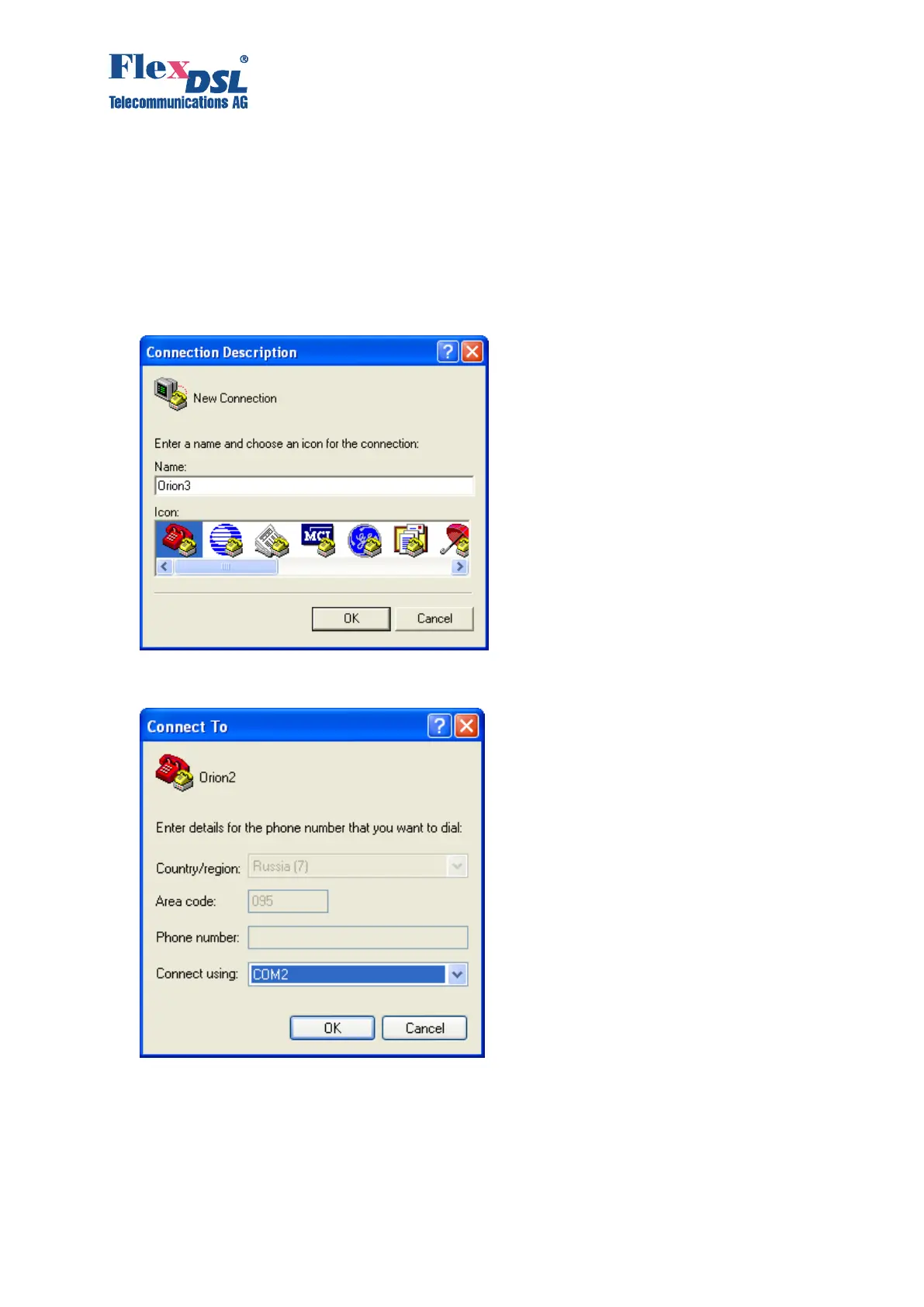
4. Create a new connection in the “Connection Description” window. Input the name of the
connection in the “Name” field. Click “Ok”.
5. Then the “Connect To” window is displayed. Select the COM port connected to the subrack,
minirack or UTTx in the “Connect Using” drop-down menu. Click “Ok”.



 To Next Page