User Manual LTU Orion 3
46
3.3 Alarm Indication
When managing the device via the local craft terminal (RS-232) or via Telnet, all LEDs, except
the Ethernet LEDs will blink with a frequency of 1 Hz.
3.3.1 LEDs
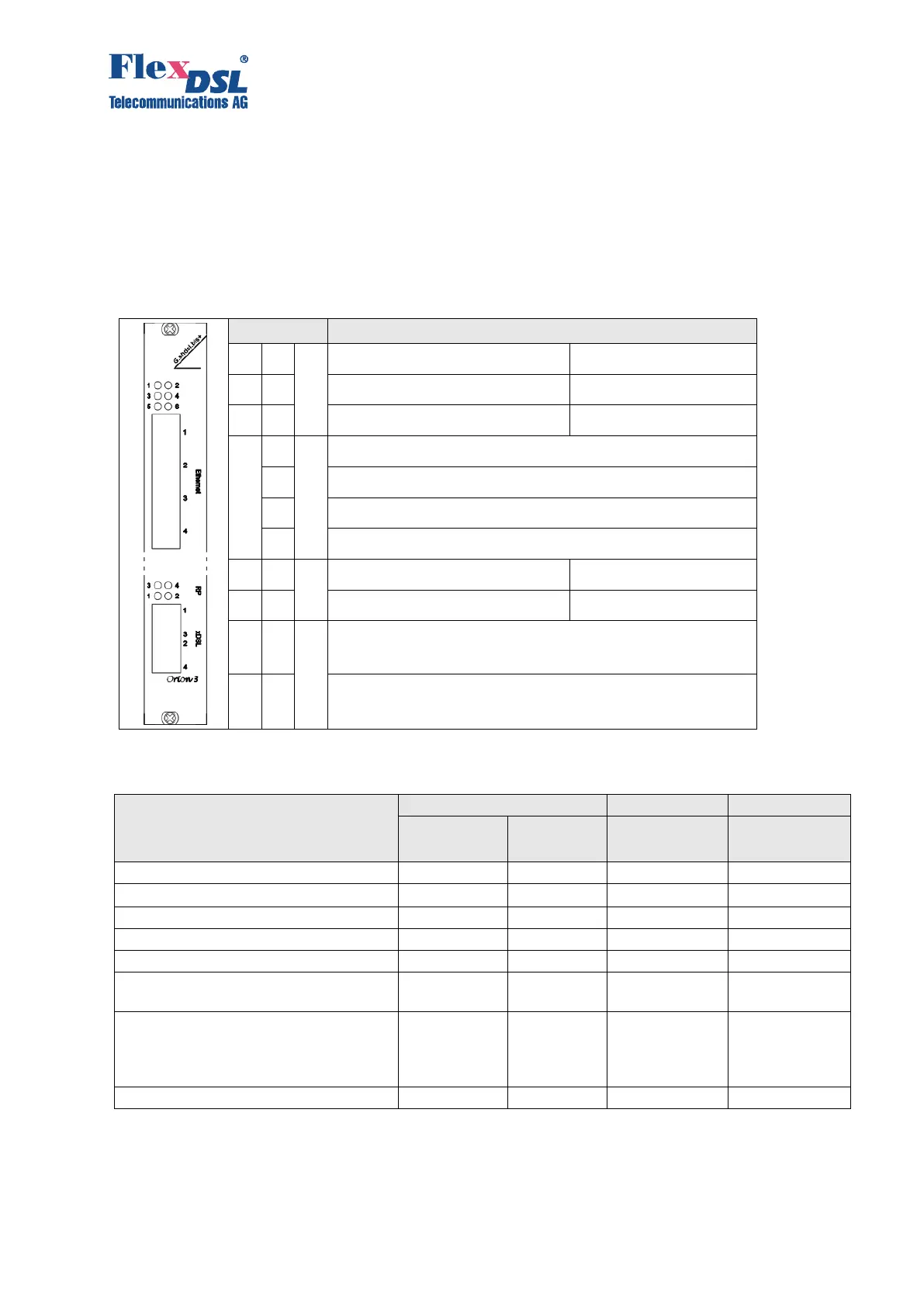
The LEDs display the normal operation conditions and alarm conditions of a device.
LED: status remote device
LED: status 3
rd
E1 port or Nx64/RS IF
Status 1
st
Ethernet Interface
Status 2
nd
Ethernet Interface
Status 3
rd
Ethernet Interface
Status 4
th
Ethernet Interface
LED: Status RP (remote power) 3
rd
DSL
LED: Status RP (remote power) 1
st
DSL
Status 1
st
DSL line
Status 3
rd
DSL line
Status 2
nd
DSL line
Status 4
th
DSL line
Table 3.11 LED behaviour according the device status
Power failure or power is off
Hardware or software failure
Non-urgent alarm at E1 (Nx64)
interface
E1 (Nx64) interface data is not used
for transmission into SHDSL line
interface nor for Ethernet data
transmission
Urgent alarm at the line interface



 To Next Page