To manage devices via TELNET, it is necessary:
• open the Telnet session for the ORION3 LTU device. Perform authentication (enter the unit
with the admin rights)
• to access the IAD unit, enter <%105>
• to access the PLEX unit, enter <%107>
• to access the RGN unit (IAD and RGN are units of the Orion family), enter <%10510>
• to access the IAD CP unit, enter <%105120>
3.4.2.2 WEB
The WEB interface is used to display statistics and do configuration when the SHDSL line cards
are connected to the management computer via any Ethernet interface. Any WEB browser can
be used to access the WEB interface. To display the statistics you should enter the command:
http://X.X.X.X or https://X.X.X.X in the WEB browser. (X.X.X.X is the IP-address of the modem).
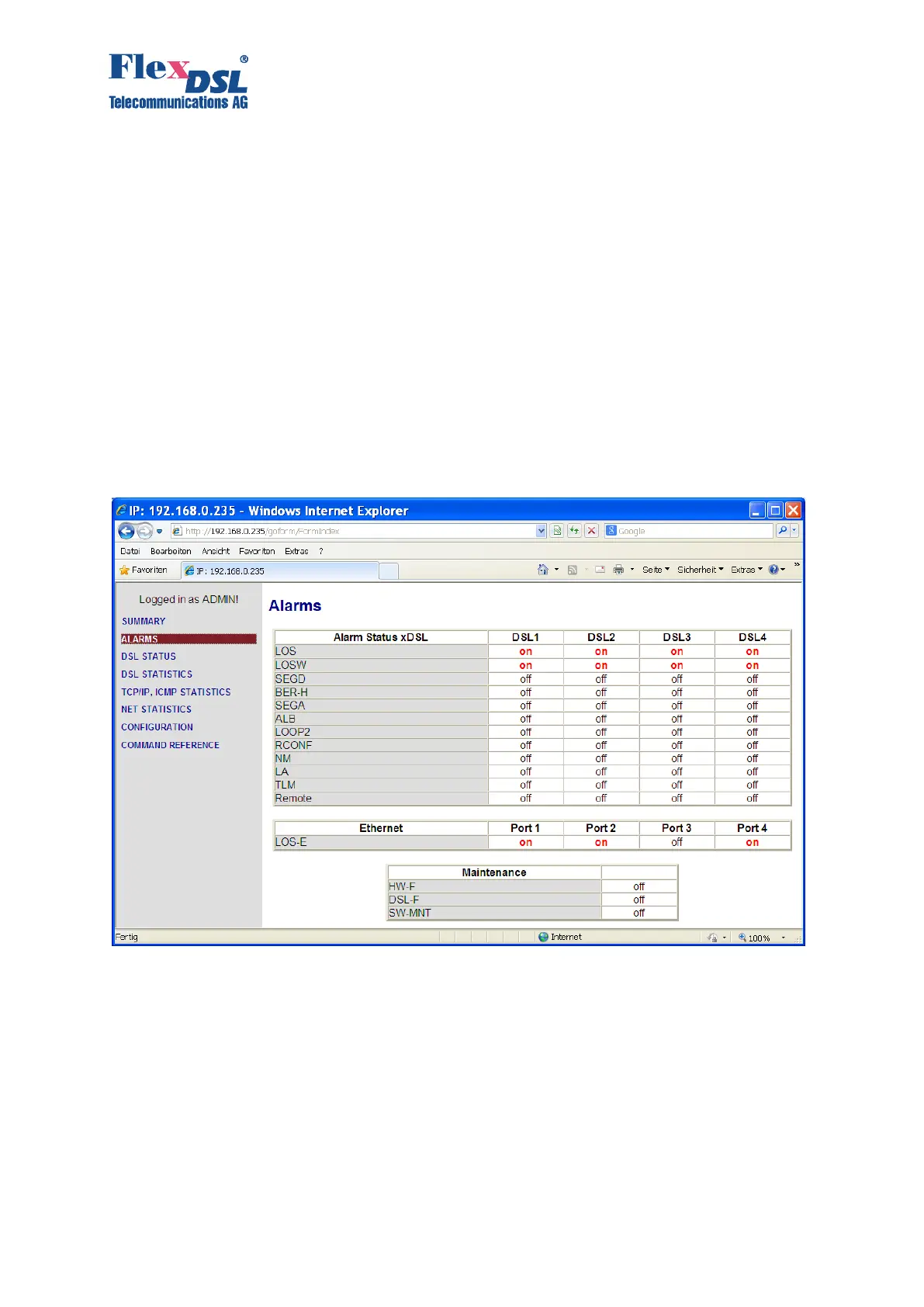
After the connection is established, the active window of the WEB browser displays the following
alarms and statistics (there are several pages available):
Figure 3.21 WEB interface – “Orion3 Alarms”
If you chose the configuration menu you have some tabs for the configuration. Please check
under the command description if you need some explanation about any setting. If you have
changed the configuration you have to press the “Save” button. The configuration gets active after
pressing the “Apply All” button and if you like to have the configuration stored you have to press
the “Confirm” button.



 To Next Page