3-6 Section 3: Model 9500B Controls: Modes of Operation
Final Width = 215mm
Descriptions assume 9500B/1100
3.3 Preferences
3.3.1 Pref Selection
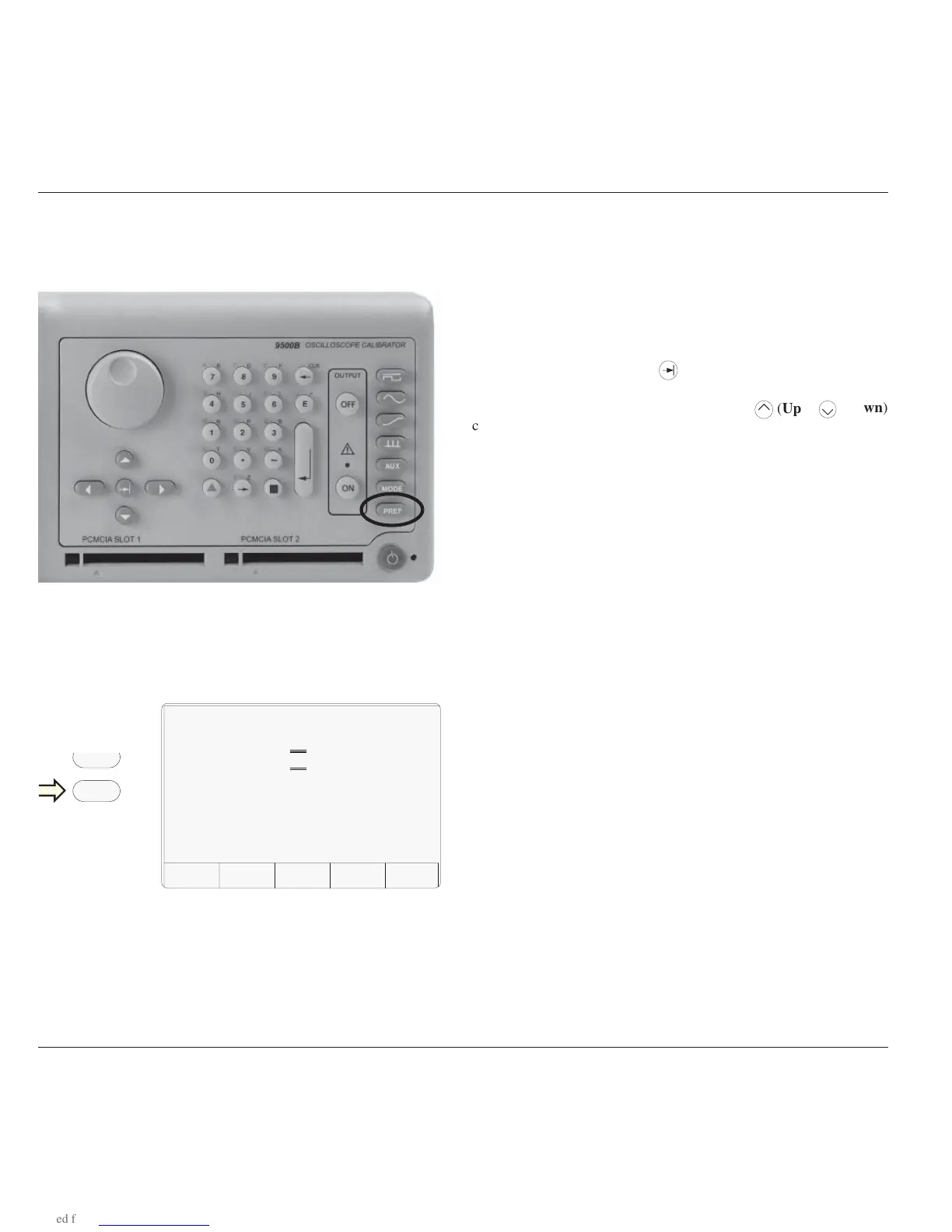
The Pref key is highlighted in Fig. 3.3.1, below:
3.3.1.1 Pref Overview
The Pref key sets up a special display which offers adjustment of four
parameters, shown in Fig. 3.3.2. This menu can be exited only by
pressing EXIT, or re-pressing the Pref key.
Fig. 3.3.1 'Pref' Key
3.3.1.2 Changing the Parameters
The mechanism for adjusting parameters is known as 'Digit Edit'. A
Cursor of horizontal lines enclosing screen characters indicate the
parameter selected for adjustment. This can be moved from one
parameter to another using the
(Tab) key.
Once the cursor has been moved to the required parameter, the adjustment
is carried out using either the spinwheel or the
(Down)
cursor keys. The Left and Right cursor keys have no effect.
3.3.1.3 Screen Contrast
The front panel screen is viewable from a wide range of vertical and
horizontal angles. For best contrast at a fixed angular sight line in the
vertical plane, the 'Contrast' parameter on the screen can set the sight
line to one of twenty-seven different angles, represented by the numbers
1-27. The range from numbers 10-12 will provide good contrast from
head-on viewing positions.
To change the contrast:
1. Use the tab key to position the cursor on the contrast number.
2. Use the spinwheel or up/down cursor keys to adjust for your best
display contrast, by increasing or decreasing the contrast number.
3.3.1.4 Scope Mode Amplitude Steps
For most UUT oscilloscopes, amplitude sensitivity can be increased or
decreased at values which run in a sequence of 1 : 2 : 5 factor steps. The
Scope Mode 'Amplitude step' parameter can change the sequence to
match certain oscilloscopes with 1 : 2 : 2.5 : 4 : 5 factor steps.
To change the Amplitude steps parameter:
1. Use the tab key to position the cursor on the Amplitude steps
sequence.
2. Use the spinwheel or up/down cursor keys to toggle between
1—2—5 and 1—2—2.5—4—5 factor steps.
3.3.1.5 Scope Mode Time Steps
This operates on the same basis as Amplitude steps, but the result is a
change in output period (and frequency) in the chosen factor steps.
To change the Time steps parameter:
1. Use the tab key to position the cursor on the Time steps sequence.
2. Use the spinwheel or up/down cursor keys to toggle between
1—2—5 and 1—2—2.5—4—5 factor steps.
Fig. 3.3.2 'Pref' Parameters
TODAY'S DATE TIME
Preferences
Contrast = 10
Amplitude step = 1-2-5
Time step = 1-2-5
Deviation Display = Deviation
EXIT
The Preference screen can be displayed in all modes and functions
without disturbing the function setup (except that under certain conditions
with OUTPUT ON, the output will be turned off).
Preference selections are non-volatile. Once a parameter has been set
up as required, it will be remembered by the 9500B through changes of
mode and function, also being restored after Power down / Power up.
Mode
Pref



 To Next Page