96
21.5 View Data
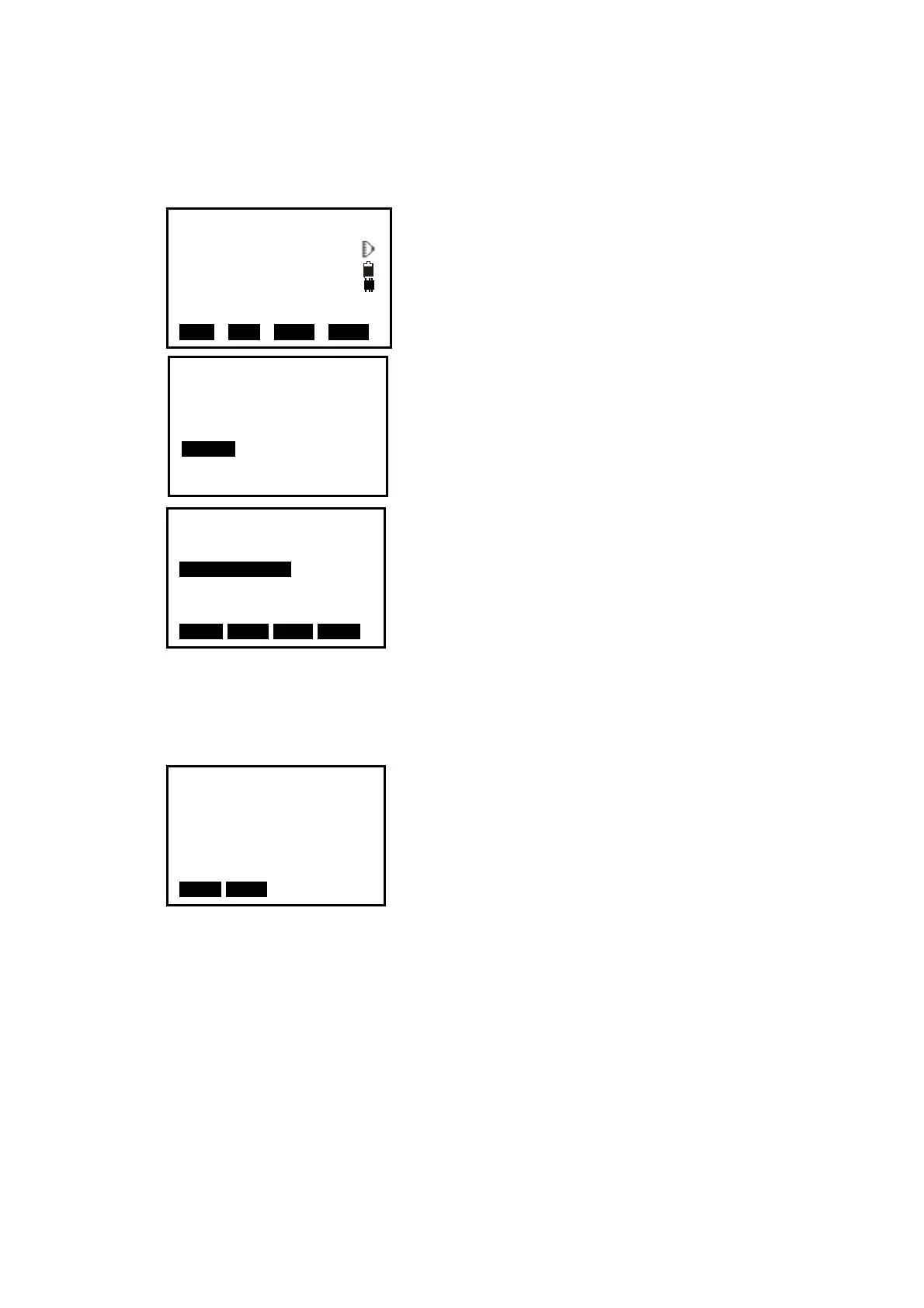
【Procedure of view data 】
1. Press F3: [
REC] on P3 in measure mode to enter
into record mode. The active JOB will display.
2. Select “5. View”.
3. All recorded data of the active JOB will display,
Press F1:[ ↑↓.P] key to change the function of ▲
and ▼ keys, if it is light, press ▲ or▼ to move
cursor between adjacent points. If it is back light,
press▲ or ▼ key to move cursor to display adjacent
pages.
Press F2:[TOP] key to move cursor to first point..
Press F3:[LAST] key to move cursor to last point
Press F4:[SRCH] key to enter the serial number(PT#) to look for the point.
4.Select one and press key {
ENT} to view, press [ESC]
back to list.
NOTE:
◆ If the point number is the same, only the newer recorded data could be viewed.
◆ The data inputted beforehand could be viewed here.
REC JOB-MY
1.Occ. data
2.Angle data
3.Collect Points
4.Note
5.View
6.JOB select
Meas PC 0.0
ppm 0
SD
VA 302.5432gon II
HA 0.0000gon P3
EDM OCC OFST REC
Stn J2
Dist J3
Coord J3
Dist J4
Coord J4
Dist J5
Coord J5
↑↓.P T O P LAST SRCH
SD 3.133m
VA 84°39′42″
HA 352°28′59″
Pt# J4
Tgt.H 1.45ft
Code NO002
NEXT PREV


 To Next Page
 Loading...