19
3.8 How to Set Parameters
Press key {Cnfg} on the keyboard to enter into config mode in any status, all the following
items can be set.
3.8.1 Measure Condition Setting
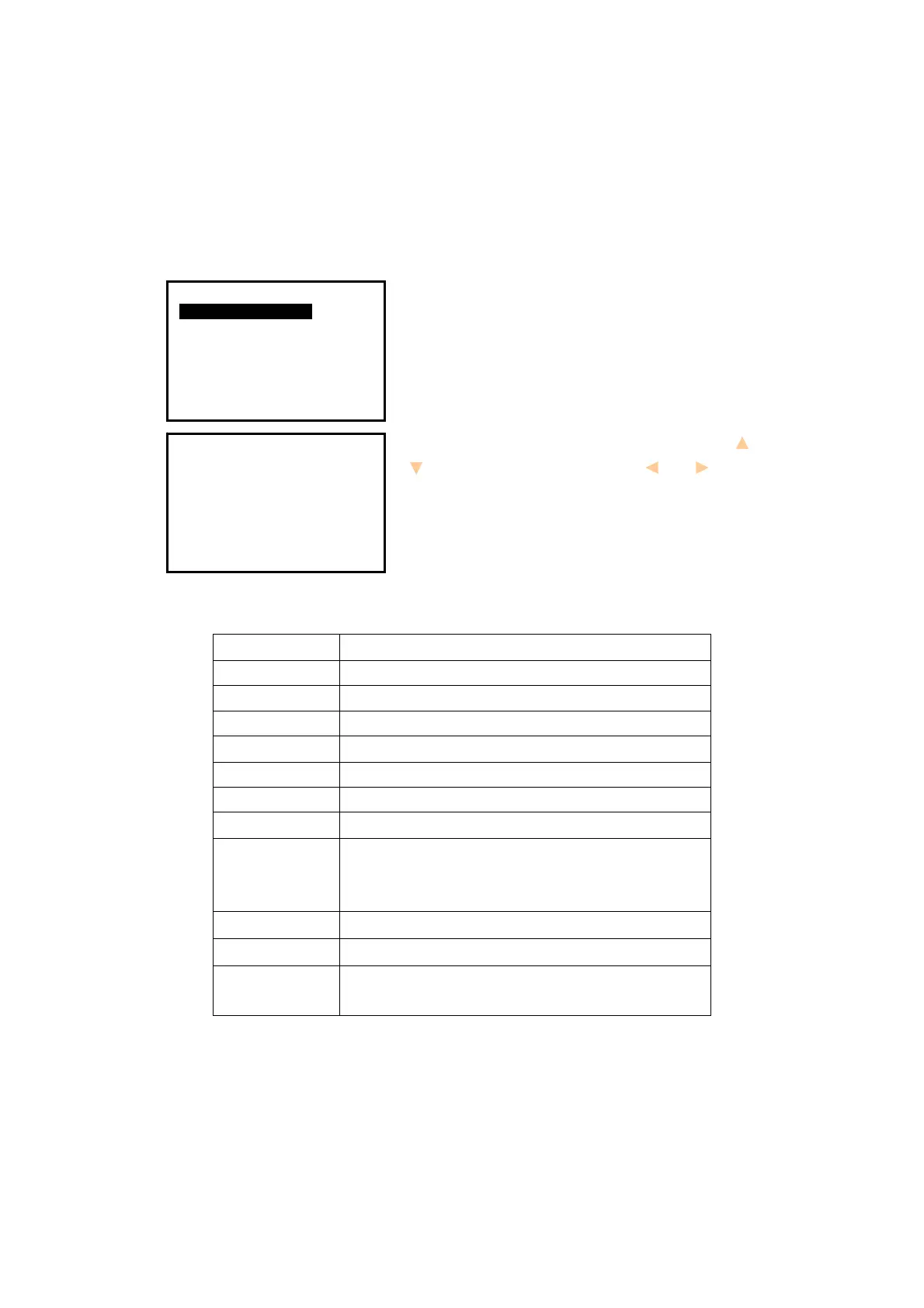
1. Press key {Cnfg} to enter into config mode.
2. Select “
1.Meas condition” to set measurement
parameters. All items display on two pages.
3. Change the settings if necessary. Press keys { }/
{ } to select items and press keys { }/ { } to set
options.
4. Press key {
ESC} back to the previous mode.
Table 3-1 List of measurement condition setting
Item
Options
1.Dist mode SD﹡/HD/VD
2.Tilt adjust XonYon﹡/XonYoff/XoffYoff
3.Refr.coeff .14﹡/.20/No
4.VA display Zenith﹡/VA/V90
5.HA display HAR﹡/HAL
6.HA buzzer No﹡/Yes
7.Coord N-E-Z﹡/E-N-Z
1.Min reading
1〞﹡/5〞/10〞;
0.0002g﹡/0.001g/0.002g;
0.005mil﹡/0.02mil/0.05mil
2.ppm correct No﹡/Yes (auto correct ppm by sensors or not
Code effect The manual input code is available once or always
Vdist mode Display mode of vertical distance: to instrument
center or to the ground
Config
1.Meas condition
2.Inst config
3.Inst adjust
4.Com setting
5.Unit
6.Date & Time
7.Key Function
Meas condition P1
1.Dist mode
2.Tilt adjust
3.Refr.coeff
4.VA display
5.HA display
6.HA buzzer
7.Coord
:HD
:XONYON
:.20
:VA
:HAR
:No
:N-E-Z


 To Next Page
 Loading...