36
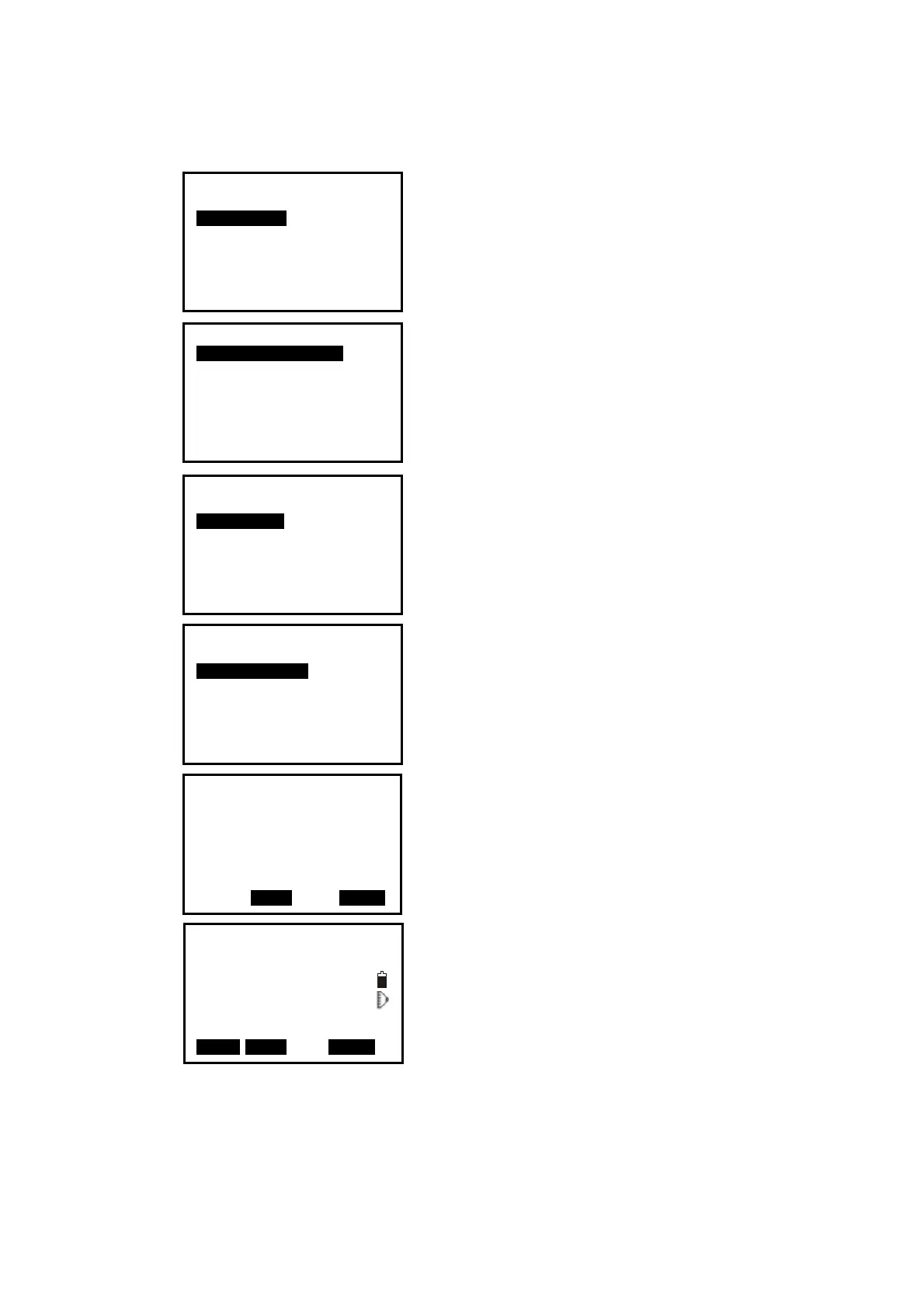
【Procedure of distance stake out measurement】
1. Press F2: [
MENU] at P2 in the measure mode.
Select “
2. Stake out”.
2. Select “
1. Occ. Orientation”.
Input the occupied orientation data, see Ҥ6.1
Input the occupied point data ”.
Then set the azimuth angle of the backsight point,
see “§6.2 Azimuth setting”.
3. Select “
2. S-O data”.
4. Select “
2. Angle & Dist”.
Press F2: [SHV] to shift between S-O SD, S-O HD,
S-O VD.
Input the following items:
SD/HD/VD: distance from the instrument station
to the position to be stake out;
Ang.: included angle between the direction of the
reference and the point to be stake out. See Ҥ 4.2
Set the Horizontal Angle to a Required value”.
Press F4: [
OK] to set the input values.
6. Horizontally rotate the instrument until “dHA” is
near 0 and set the target on the sight line.
Menu P1
1.Coordinate
2.Stake out
3.Area
4.Offset
5.MLM
6.REM
7.Resection
S-O
1. Occ. Orientation
2. S-O data
3. EDM
4. JOB select
S-O SD
SD 5.000m
Ang. 20.0000gon
Tgt.H 0.000m
SHV MOKS
S-O
1. Occ. Orientation
2. S-O data
3. EDM
Stake out
1.Height
2.Angle & Dist
3.Coord
S-O dSD↓
0.000m
S-O dHA← 0.0000gon
SD
VD 149.3610gon
HA 334.9916gon I
MEAS NEXT MOKS


 To Next Page
 Loading...