The basics of operation
17
3.4.4 The Home menu
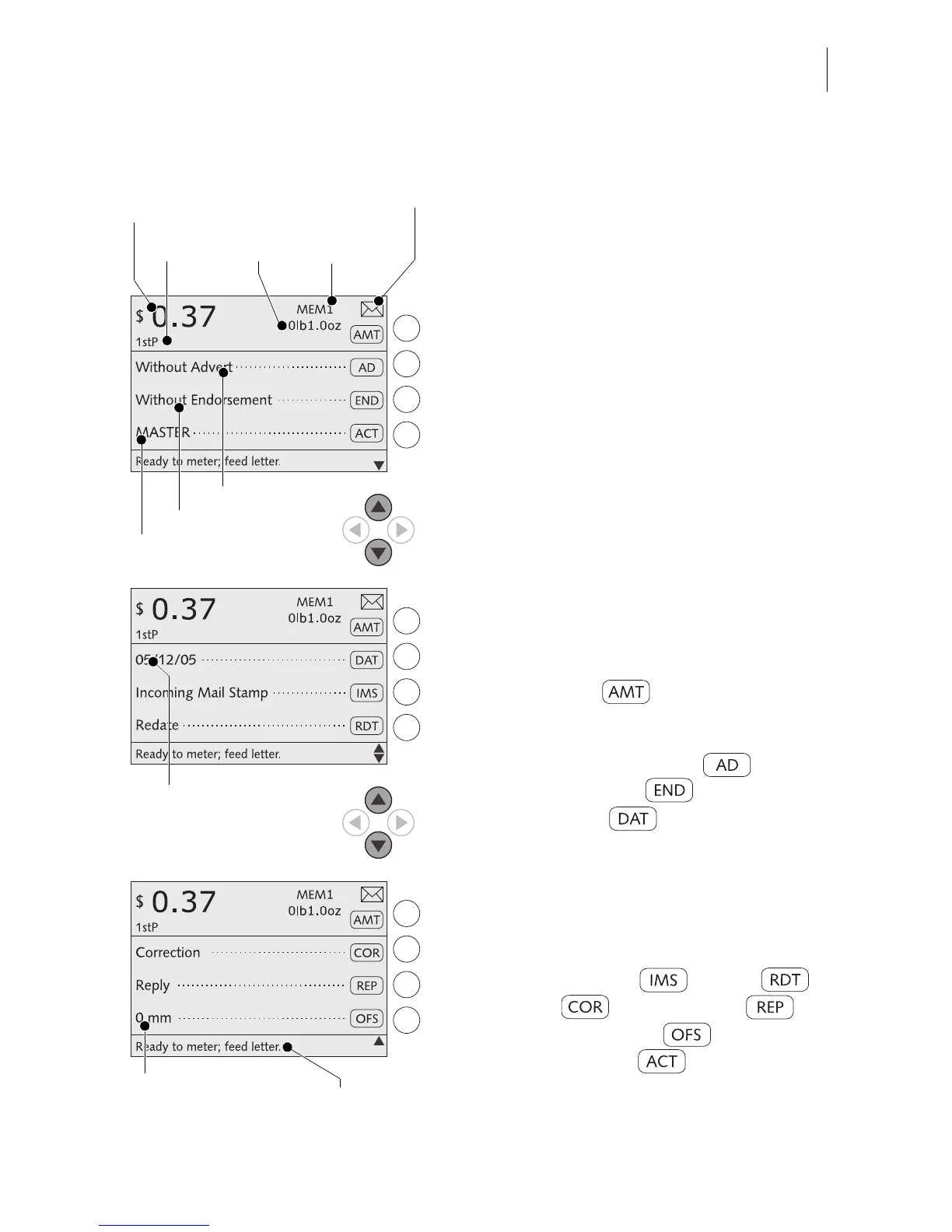
The home menu appears after the machine
was turned on and the start routine has been
successfully completed. It displays the cur-
rent metering settings (postage, advert,
endorsement…).
Dispatch data and weight only appear when
the postage calculation function is used
(optimail 30 with scale only)
.
An account has been set and is indicated in
the home menu when an access card (MAS-
TER or USER) has been plugged or access
control was disabled.
Symbols indicate the multifunction key
assignment and inform about the current
settings. Chapter 3.4.2 explains the used
symbols.
The status bar informs of the current operat-
ing state and gives additional hints.
In the Home menu you can
– set the postage and
enter the Postage calculation menu
(optimail 30 with scale only)
– select an advertising imprint and an
endorsement imprint
– change the date for the meter
imprint.
–weigh
(optimail 30 with scale only)
–meter.
You can also
– switch to the special functions
Incoming mail stamp ,
Redate ,
Correction and Reply mail .
– define an imprint offset .
– change the account (when access
to this function is permitted).
Current account
Advert
Postal rate
Postage
Weight
Selected
memory item



 To Next Page