Special functions
49
7.6 Using an external postage calculator
As standard, the optimail 30 features a 25-pin interface. You can connect existing
FP letter and parcel scale, a so-called postage calculator, to this interface.
The FP postage calculator determines the weight and calculates the correct postage.
The data required by U.S. Postal Service (postage and endorsement if required) are
automatically sent to the optimail 30 and set in the home menu.
7.6.1 Connecting the postage calculator to the optimail 30
You need a special interface cable to connect the postage calculator to the
optimail 30. A suitable interface cable is available from Francotyp-Postalia.
Caution! Read the Operator Manual for your FP postage calculator before
you connect it to the optimail 30 to learn how to connect a postage meter to
the FP postage calculator and how to set up operation with a postage meter.
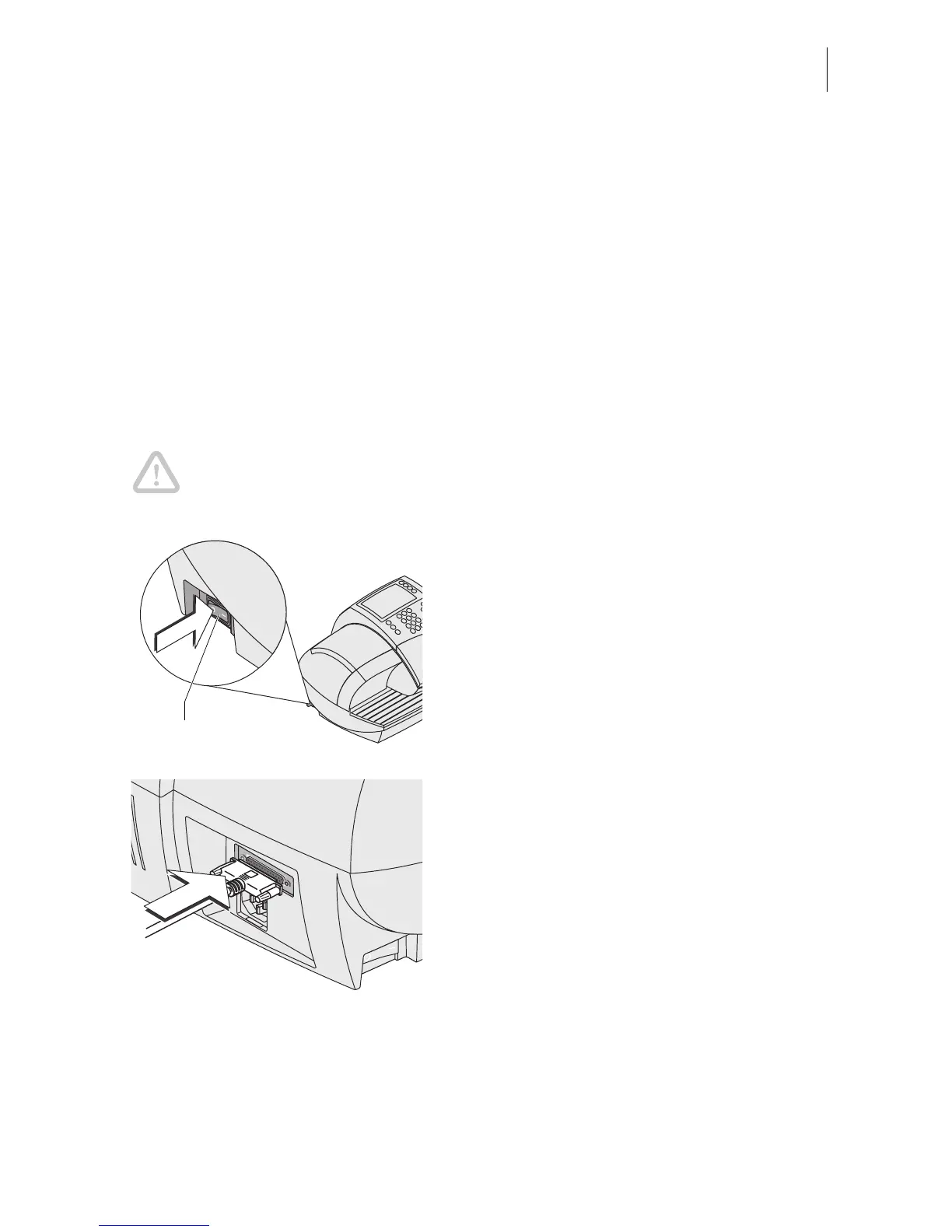
• Turn off the optimail 30.
• Turn off the FP postage calculator.
• Plug the 25-pin interface cable supplied by
Francotyp Postalia to the 25-pin interface
on the optimail 30 and tighten the screws.
• Connect the interface cable to the FP post-
age calculator.
• Turn the optimail 30 on again.
• Turn on the FP postage calculator.
• Set up the FP postage calculator for oper-
ation with an optimail 30. In particular,
heed the settings for automatic endorse-
ment transfer (endorsement setting on the
optimail 30).
Power switch



 To Next Page