The basics of operation
19
3.4.6 Lists
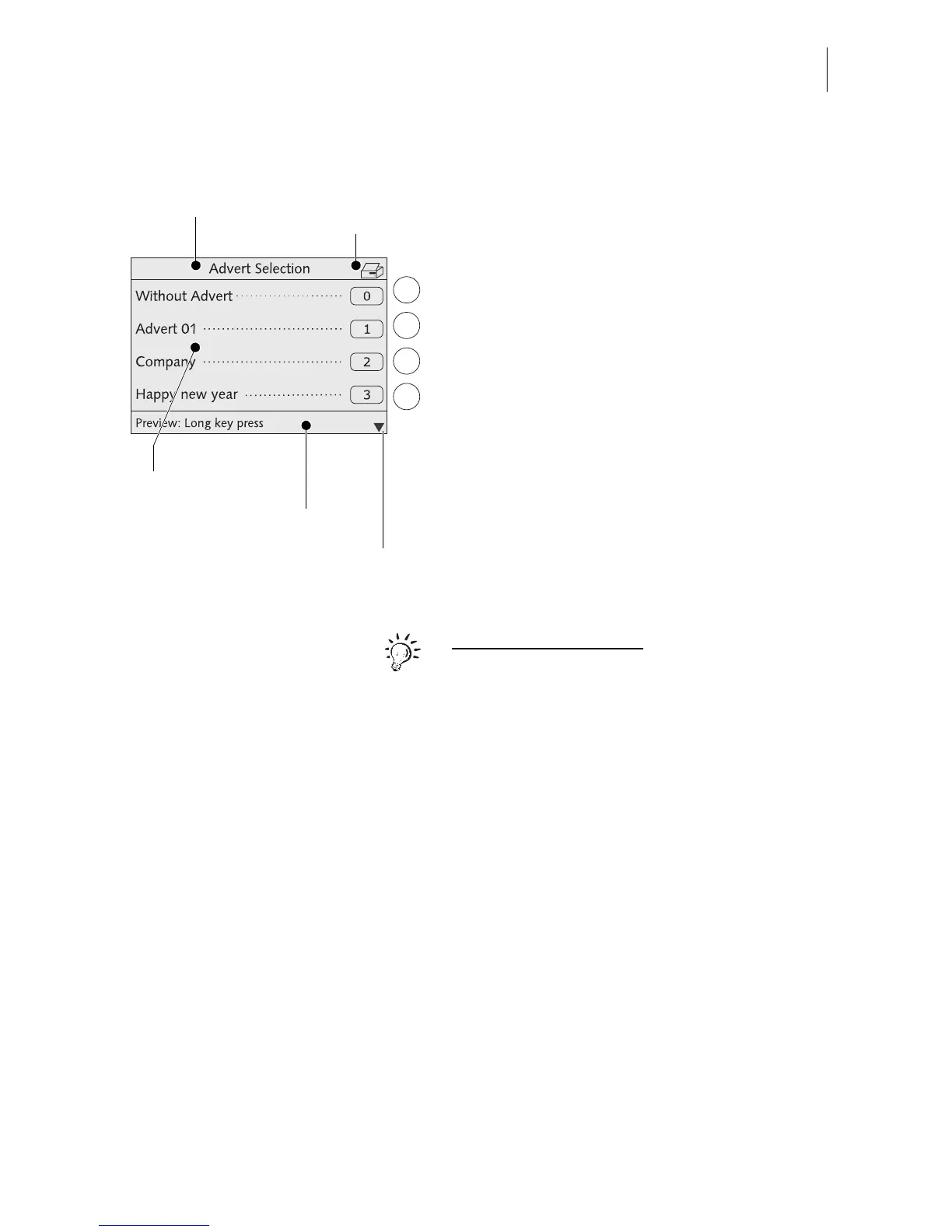
Lists (e.g. for memory items, adverts) offer all
available settings in list form. The assigned
number appears on the display right.
You can scroll the list with the arrow keys if
more than four memory items are available.
Use the multifunction keys to select one of
the available settings.
The caption displays the list’s title.
A symbol in the caption can indicate a certain
operating state. In the example shown the
printer symbol indicates the list can be
printed.
The status bar indicates useful additional
functions.
For the advanced user:
Keeping the multifunction key pressed (for
approx. 2 seconds) in some lists displays a
preview and gives you access to a choice of
administrative functions.
For example: from the memory list you have
direct access to a menu where you can edit
the memory items.
Status bar
Caption
Possible settings
Symbolizes the
Print lists function
Next page: scroll
with arrow keys



 To Next Page