Advanced settings & system information
81
13.14 Integrated scale
(optional)
13.14.1 Loading a new rate table
You must update the rate table for postage calculation if postage regulations or rates
have changed. The optimail 30 supports loading of new rate tables from chip card.
Order the new rate table card from Francotyp-Postalia.
The optimail 30 automatically monitors the validity of rate tables. The system clock
controls the switchover to the valid rate table.
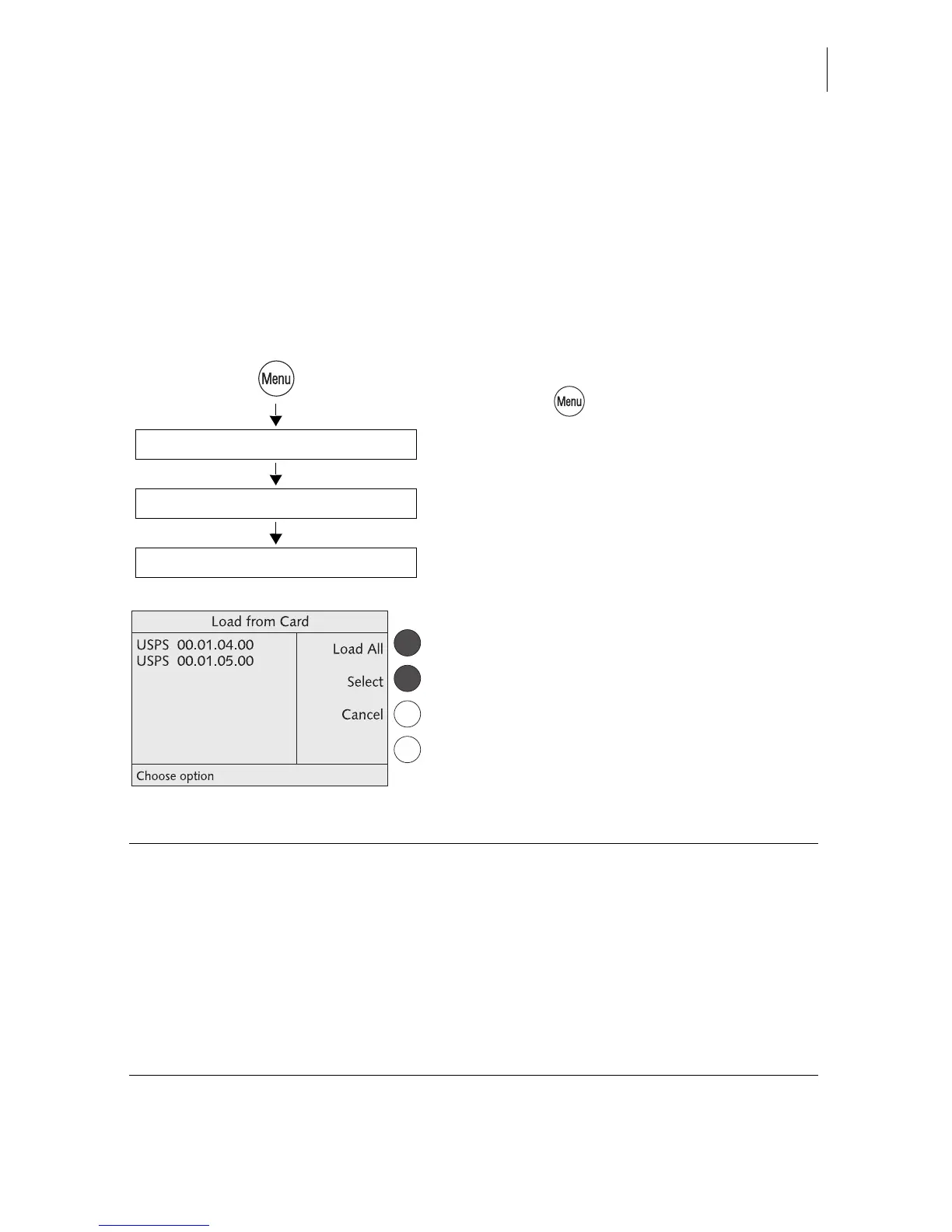
Loading rate tables from card
• Press the key.
• Select in the menu:
LOAD FROM CHIP CARD.
• Remove access card and insert the rate
table card.
The optimail 30 shows the rate table(s)
saved on the card.
• You can LOAD ALL or SELECT a rate
table.
Insert rate table card
Load All / Select
Load from Chip Card
Functions in the LOAD FROM CARD menu and their meaning:
LOAD ALL Loads all rate tables from the card into the
optimail 30.
SELECT optimail 30 prompts for each rate table:
“Do you want to load: YES/NO”.
When you have answered all prompts, the
selected rate tables are flagged with OK.
Use LOAD to load the selected rate tables
into the optimail 30.



 To Next Page