optimail 30 Operator Manual
36
6 Postage calculation
(optional)
6.1 The Postage calculation menu
The ‘Postage calculation’ function is available on an optimail 30 with integrated scale
(available as an option) only.
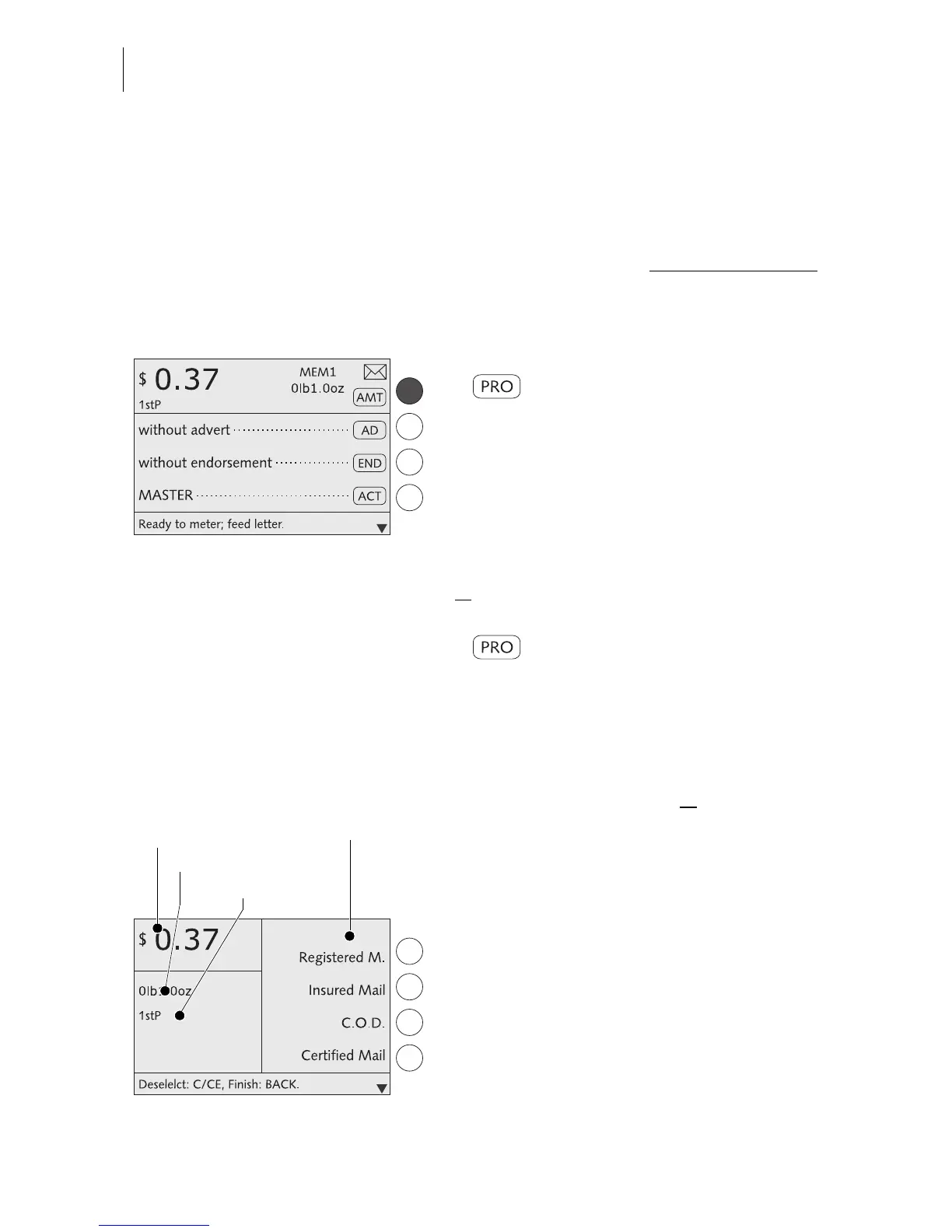
Calling up the Postage calculation menu
• In the home menu press the key next to
briefly.
The menu for entering the postage appears.
• Select CALCULATE POSTAGE.
The optimail 30 opens the postage calcula-
tion menu. The display area for the current
postal rates is empty. You can now select the
desired postal rates.
or
• In the home menu keep the key next to
pressed for some time (approx.
2 seconds).
The optimail 30 opens the postage calcula-
tion menu with the current postal rates. You
can now
– make additions to the current settings (e.g.
choose special services)
or
– delete the current setting step by step and
select new settings.
Display of current settings
The display left shows
– the selected postal rates
– the weight
– the postage.
The postage only appears if all necessary
postal rates were selected and the displayed
weight exceeds 0 oz.



 To Next Page