optimail 30 Operator Manual
38
6.2 Setting postal rates for postage calculation
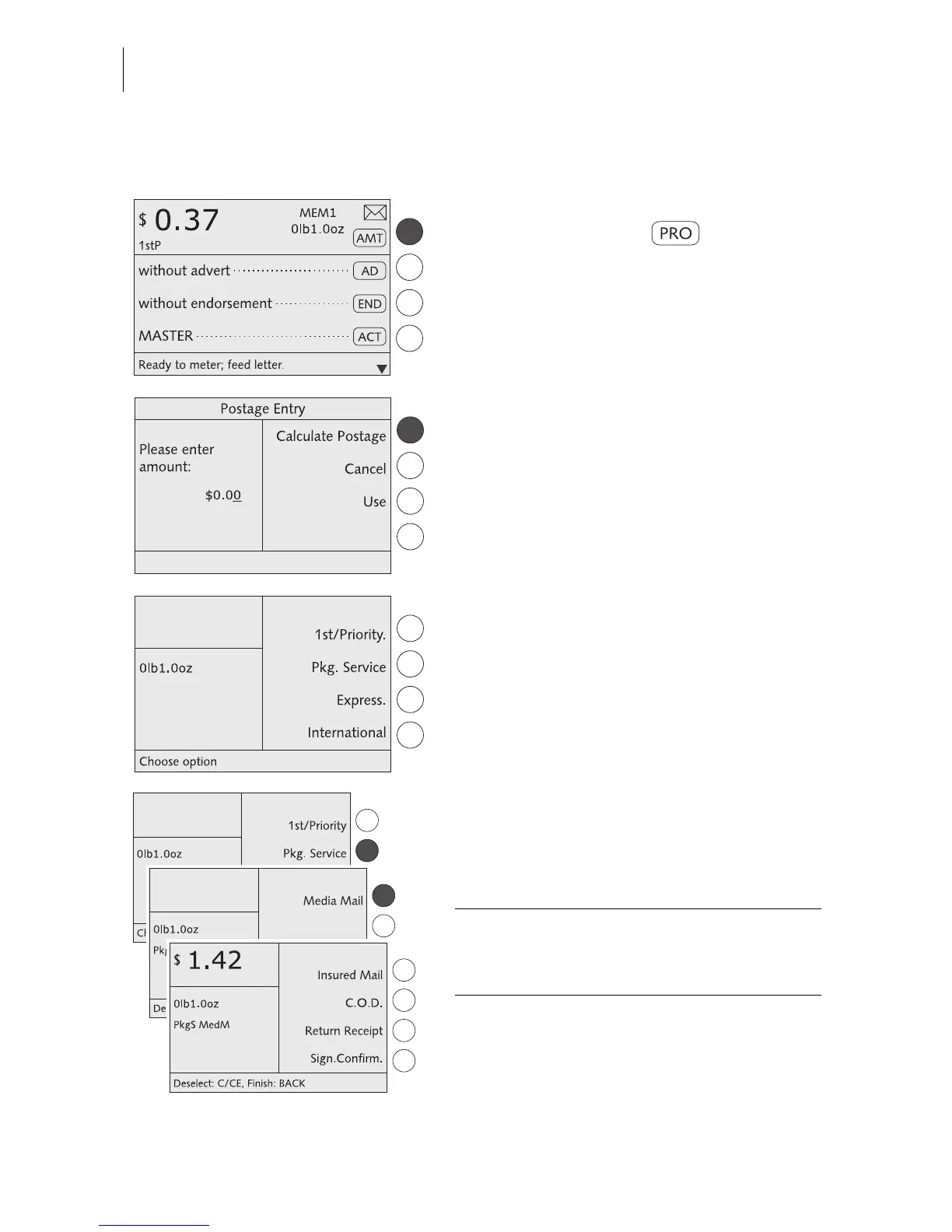
In the home menu:
• Press the key next to briefly.
The optimail 30 opens the postage calcula-
tion menu.
• Select CALCULATE POSTAGE.
The optimail 30 opens the postage calcula-
tion menu. The display area for the selected
postal rates is empty.
Selecting postal rates
The optimail 30 successively prompts you to
specify all necessary details.
• Select the desired setting by pressing the
appropriate multifunction key.
All selected postal rates are shown in the dis-
play area (display left).
The postage appears as soon as all neces-
sary postal rates are selected and the dis-
played weight exceeds 0 oz.
The example shows the following settings:
– Package Service PkgS
– Media Mail MedM



 To Next Page