optimail 30 Operator Manual
74
13.8.3 Setting the time zone
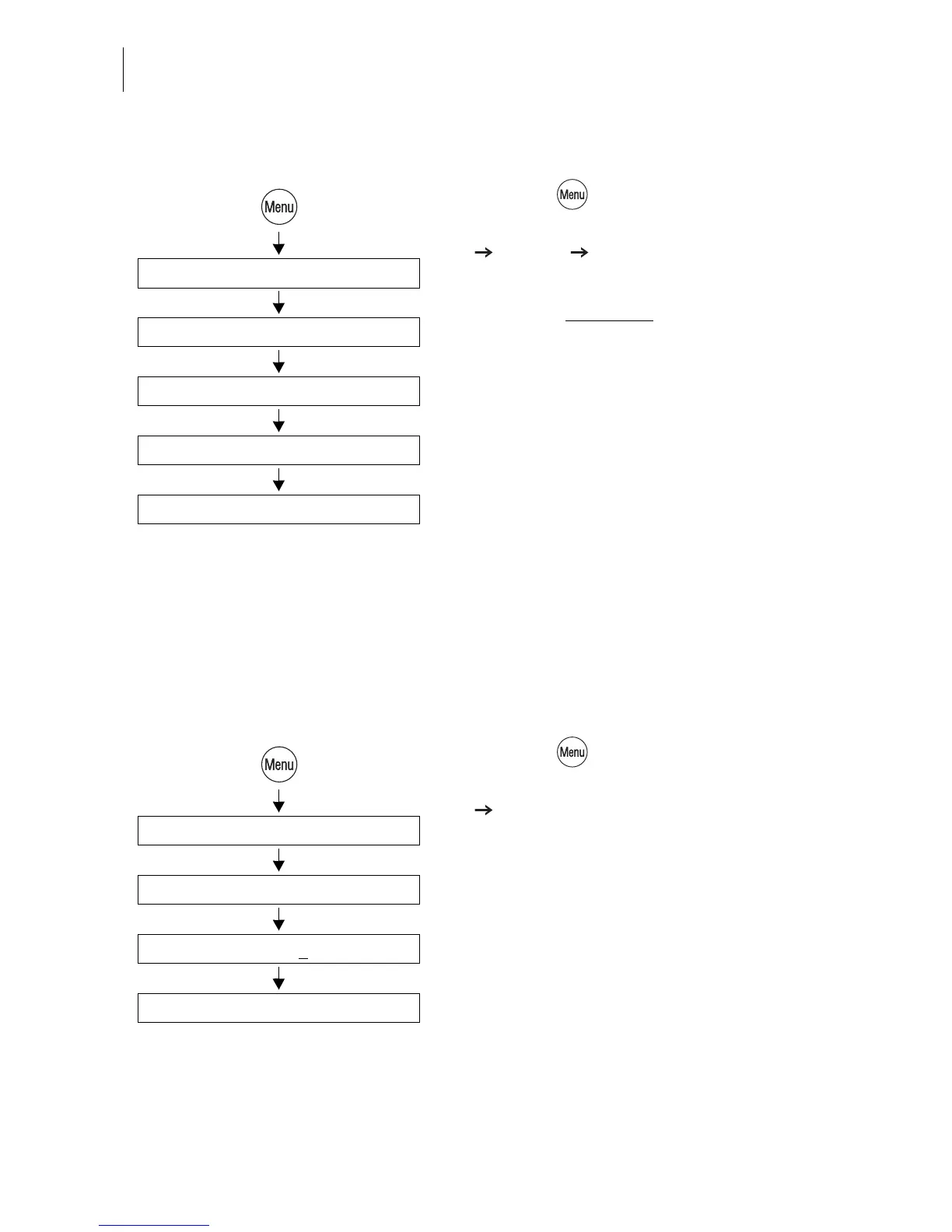
• Press the key.
• Select in the menu: SYSTEM SETTINGS
CLOCK TIME ZONE.
The TIME ZONE menu shows the current
setting in the display left
:
– time offset relative to UTC
– time zone name (only if applicable to the
set time offset).
• Use +0.5 / -0.5 (hours) to set the appropri-
ate time zone.
• SAVE the setting shown.
13.9 Changing the stand-by time
The stand-by time is the time after the last metering procedure or the last keypress
the optimail 30 waits until it switches to the clock display. The factory setting is
5 minutes.
• Press the key.
• Select in the menu: SYSTEM SETTINGS
STANDBY TIME.
• Type the desired time.
• SAVE the setting shown.
Clock
Time Zone
System Settings
+0.5 / -0.5 (hours)
Save
Standby Time
Type time: 5 min
System Settings
Save



 To Next Page