optimail 30 Operator Manual
46
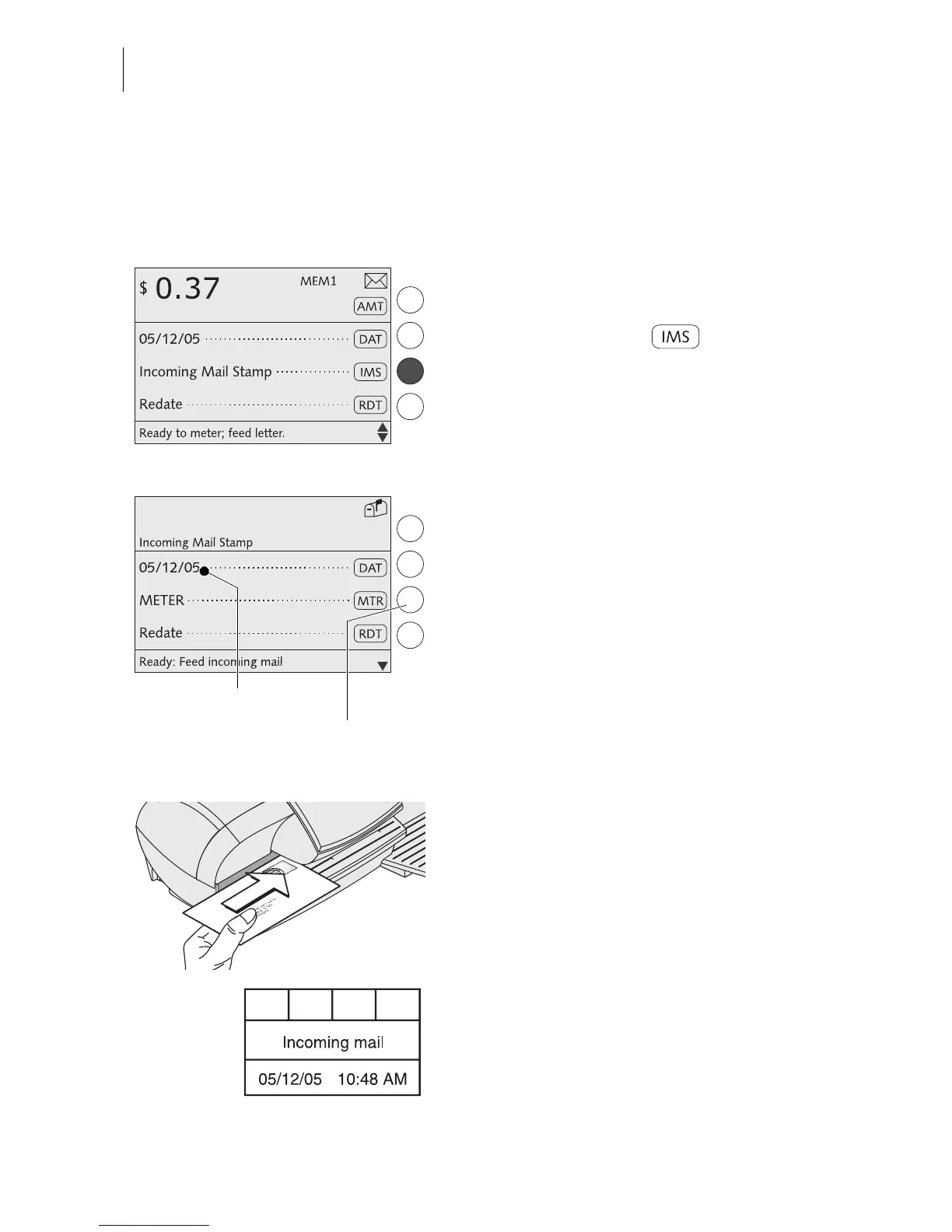
7.4 Stamping incoming mail
You can use the Incoming mail stamp function to mark your incoming mail (0.24"/
6 mm maximum thickness).
Setting the incoming mail stamp
In the home menu:
• Press the key next to .
The optimail 30 sets the incoming mail
stamp.
Date of incoming mail
You can set the incoming mail stamp date as
desired. Redating is permissible. Read
page 28 to find out how to set the date.
The time is included in incoming mail stamps
with the current date only.
Imprint offset
The incoming mail stamp default position is
approximately 0.4" (1 cm) from the right edge
of the mail piece. Read page 30 to find out
how to set the imprint offset.
Stamping incoming mail
• Load incoming mail with the side to be
printed face up.
The optimail 30 prints the incoming mail
stamp and ejects the mail piece to the right.
The incoming mail stamp shown to the left
bears date and time.
Date in incoming mail stamp
Back to
metering function



 To Next Page