optimail 30 Operator Manual
28
4.4 Date
The date for the meter imprint is set automatically to the current date by the system
clock. You can set the date of the meter imprint forward by up to 30 days. The
optimail 30 does not permit forward dating of more than 30 days or backward dating
for metering.
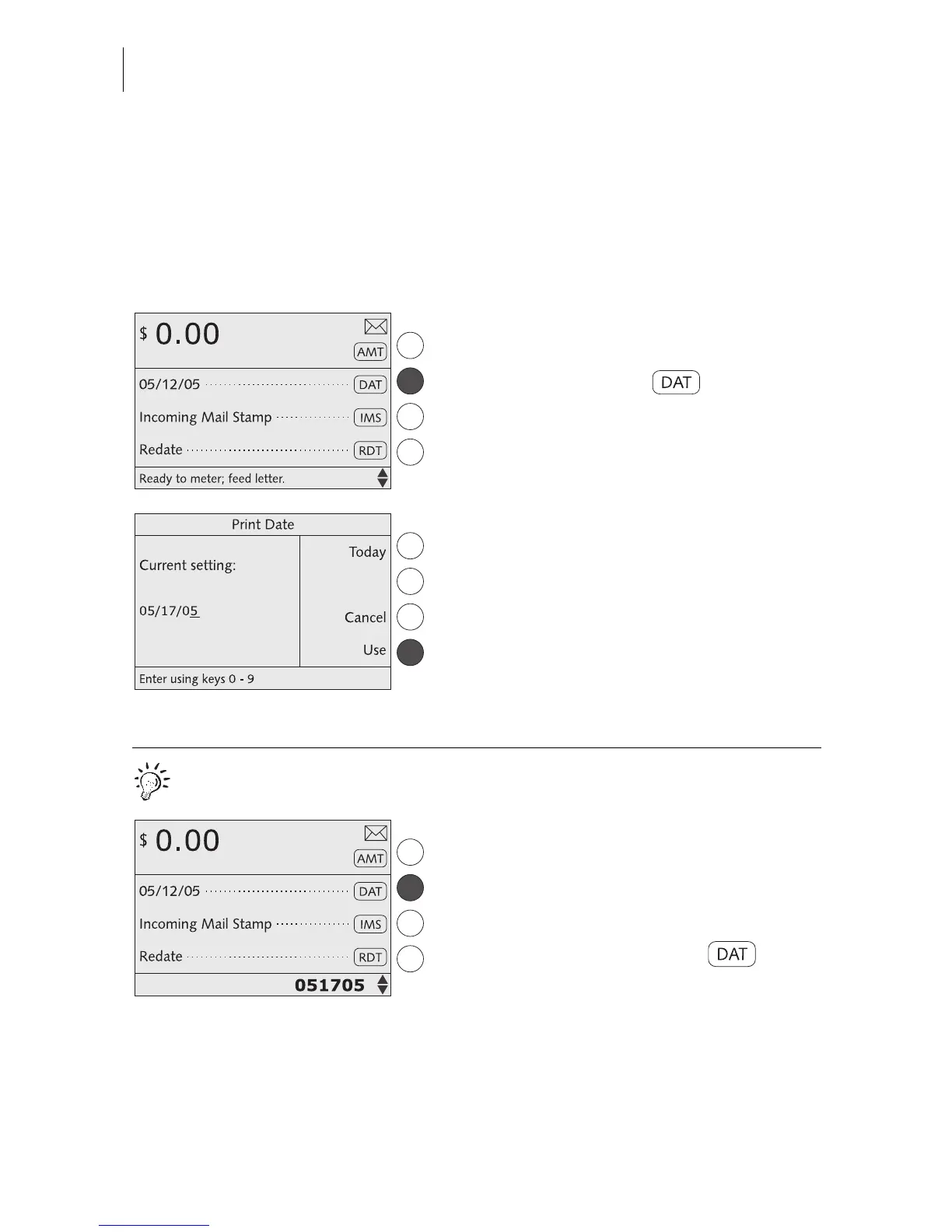
Setting the metering date
In the home menu:
• Press the key next to .
• Type the new date.
• Press USE to set the date.
The optimail 30 returns to the home menu.
The metering date is set.
Quick results for the advanced user.
In the home menu:
• Type the metering date.
The numbers you typed are displayed in the
status bar.
• Confirm with the key next to .



 To Next Page