Postage calculation
41
6.3 Weighing, postage calculation, metering
Caution! Please heed the following notes on how to use the integrated scale:
– The scale is designed for a maximum weight of 6.6 lb. (3 kg).
– The optimail 30 can determine a new weight only if the scale has been
emptied beforehand. You must therefore empty the scale pan before you
place a new mail piece to be weighed.
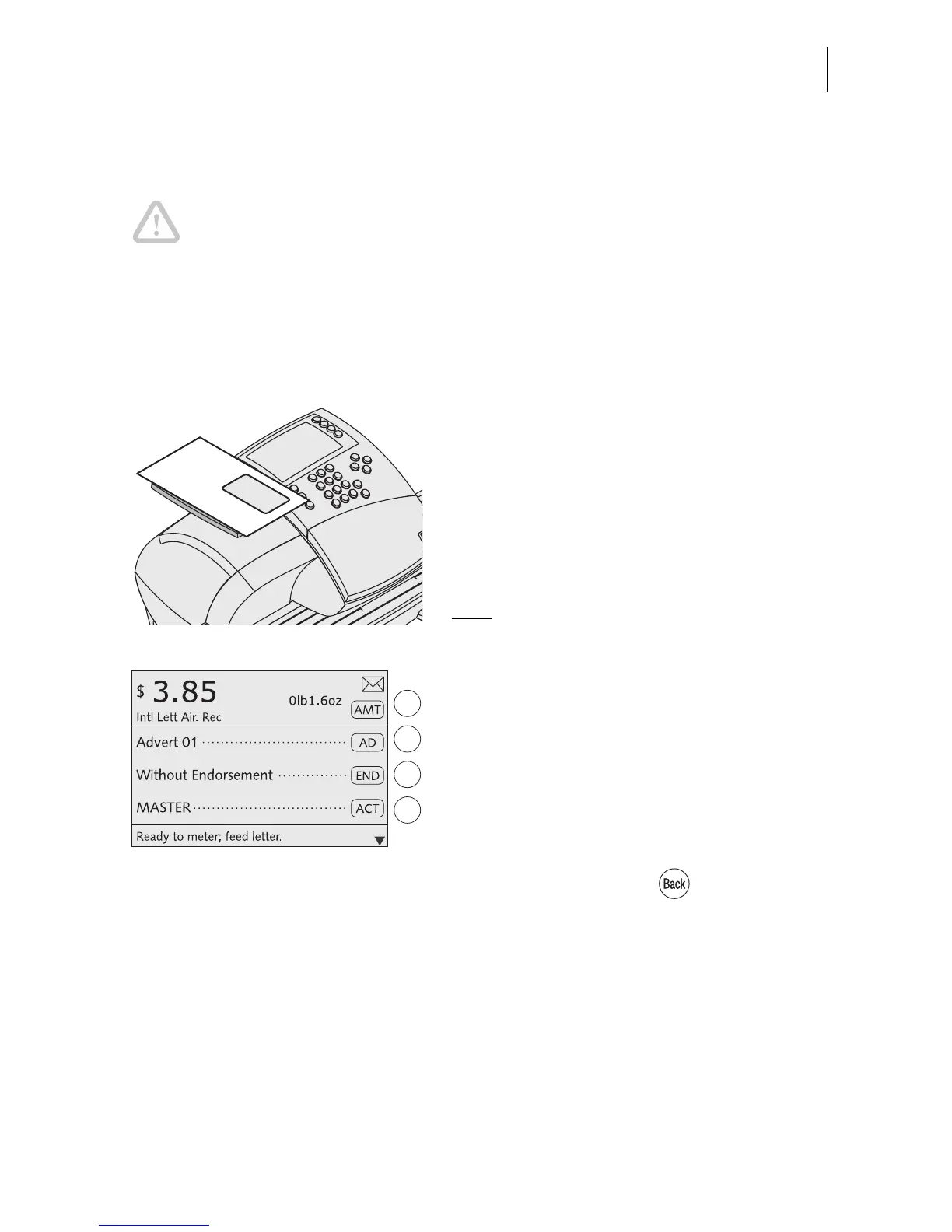
You can weigh your mail pieces in the home menu but also in the postage calculation
menu.
• Select the desired postal rates in the post-
age calculation menu (see Chapter 6.2)
or set them via the memory (see
Chapter 8.1).
• Place the mail piece on the scale pan.
A beep signals the scale has determined the
mail piece weight.
Note
: This tone cannot be heard if the
optimail 30 audible signal was disabled.
The weight determined by the scale is set.
The optimail 30 sets the appropriate postage
for metering using the selected postal rates
and the displayed weight.
The optimail 30 also sets the appropriate
endorsement if automatic endorsement
selection is enabled. Read Chapter 13.14.3
on page 82.
• If necessary: Press the key to return to
the home menu.
• Check the other settings for the meter
imprint and – if necessary – edit them
accordingly (date, advert, imprint offset…).



 To Next Page