Maintenance and care
93
14.4 Changing the battery
The optimail 30 monitors the charging state of the battery. An appropriate message
appears in the display when it is time to change the battery.
Caution! Only use the batteries provided by Francotyp-Postalia
90.4701.8004.00. Observe the instructions enclosed with the battery.
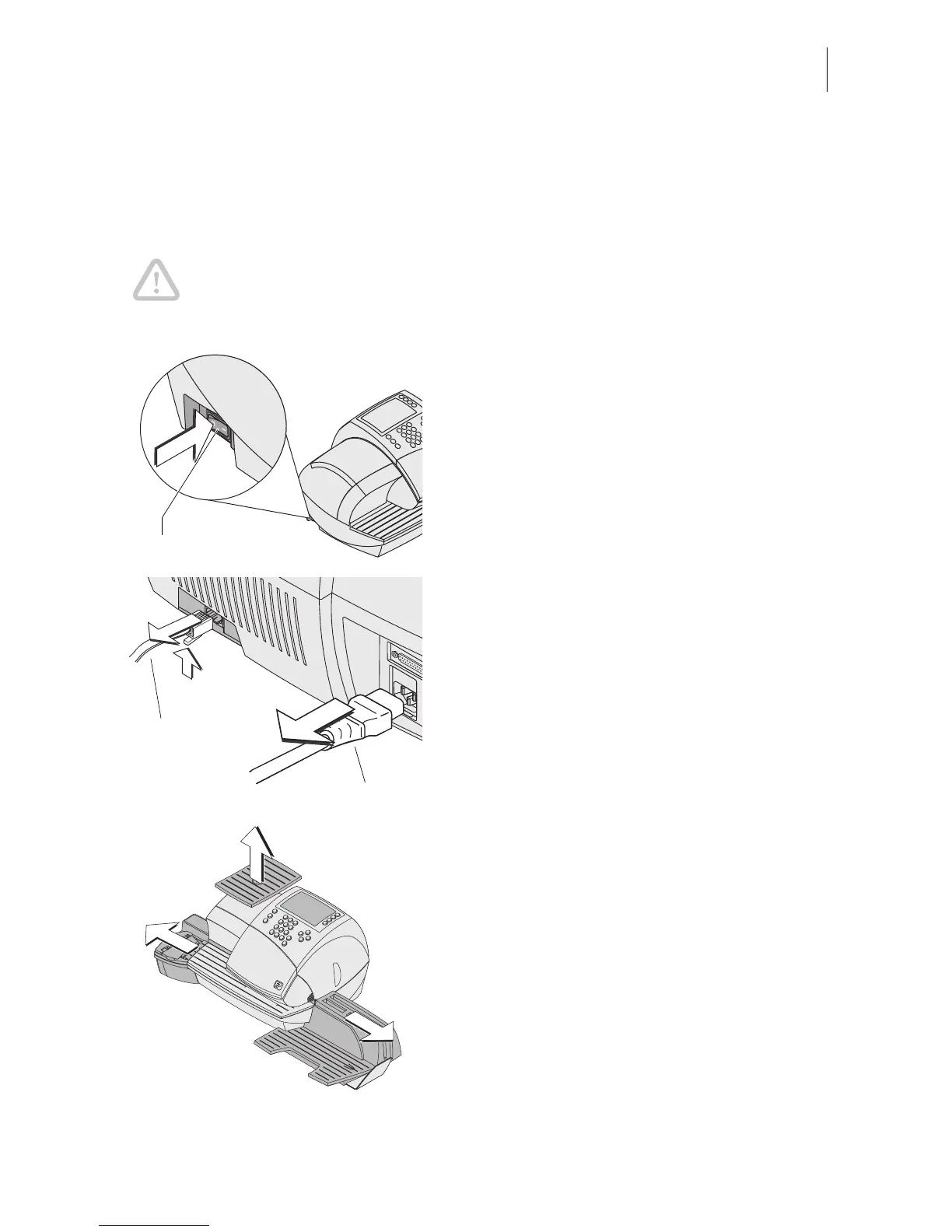
• Remove the access card.
• Switch off the optimail 30.
• Unplug the power cable from the socket.
• Unplug the power cable.
• Remove the modem cable.
Push down the spring on the connector
and pull the connector out of the modem
socket.
• Remove the catch tray (if present):
Slightly lift the postage meter on the right
side and pull the catch tray away to the
right.
• Remove the sealer (if present): Slightly lift
the postage meter on the left side and pull
the sealer away to the left.
• Remove the scale pan (if present): Pull off
scale pan upwards.
Power switch
Modem cable
Power cable



 To Next Page