optimail 30 Operator Manual
94
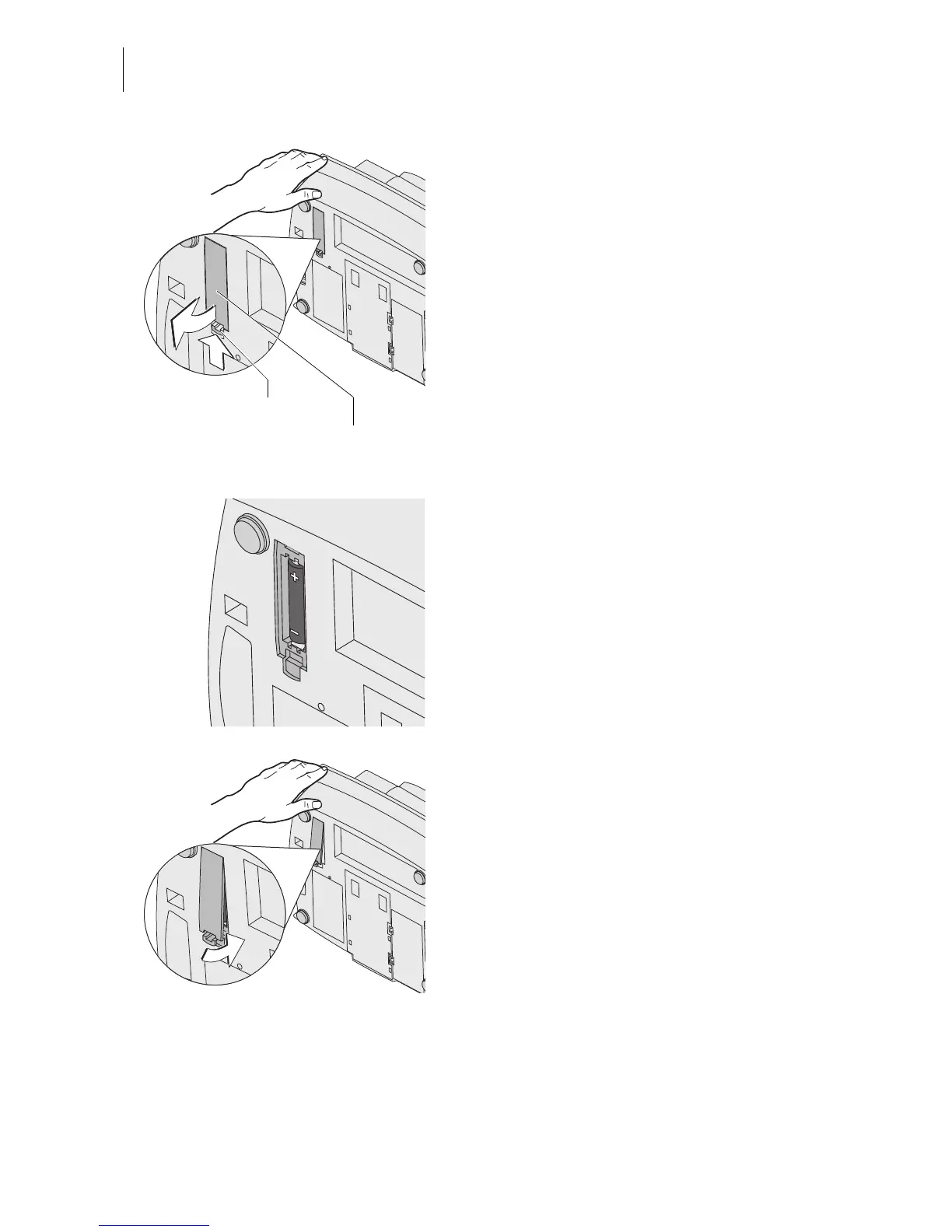
• Turn the postage meter on its back and
hold it in place.
You now have access to the battery compart-
ment on the bottom of the postage meter.
• Press the clip lock on the battery compart-
ment cover in the direction of the arrow and
remove the battery compartment cover.
• Remove exhausted battery.
• Insert new battery (90.4701.8004.00).
Heed the polarity! The symbols in the bat-
tery compartment indicate the correct posi-
tion.
• Close the battery compartment.
Clip lock
Battery compartment cover



 To Next Page