Metering
31
5 Metering
In this chapter you can read how to set the account to record postage costs and how
to insert letters, postcards and metering labels correctly. You will receive important
information and tips on how to prevent incomplete or illegible meter imprints and how
to protect the printing system from damage. Please refer to Chapter 4 for further infor-
mation on how to set meter imprint parameters.
5.1 Selecting / changing an account
An account must always be selected for metering. The current setting is visible in the
home menu; you can recognize it by the symbol.
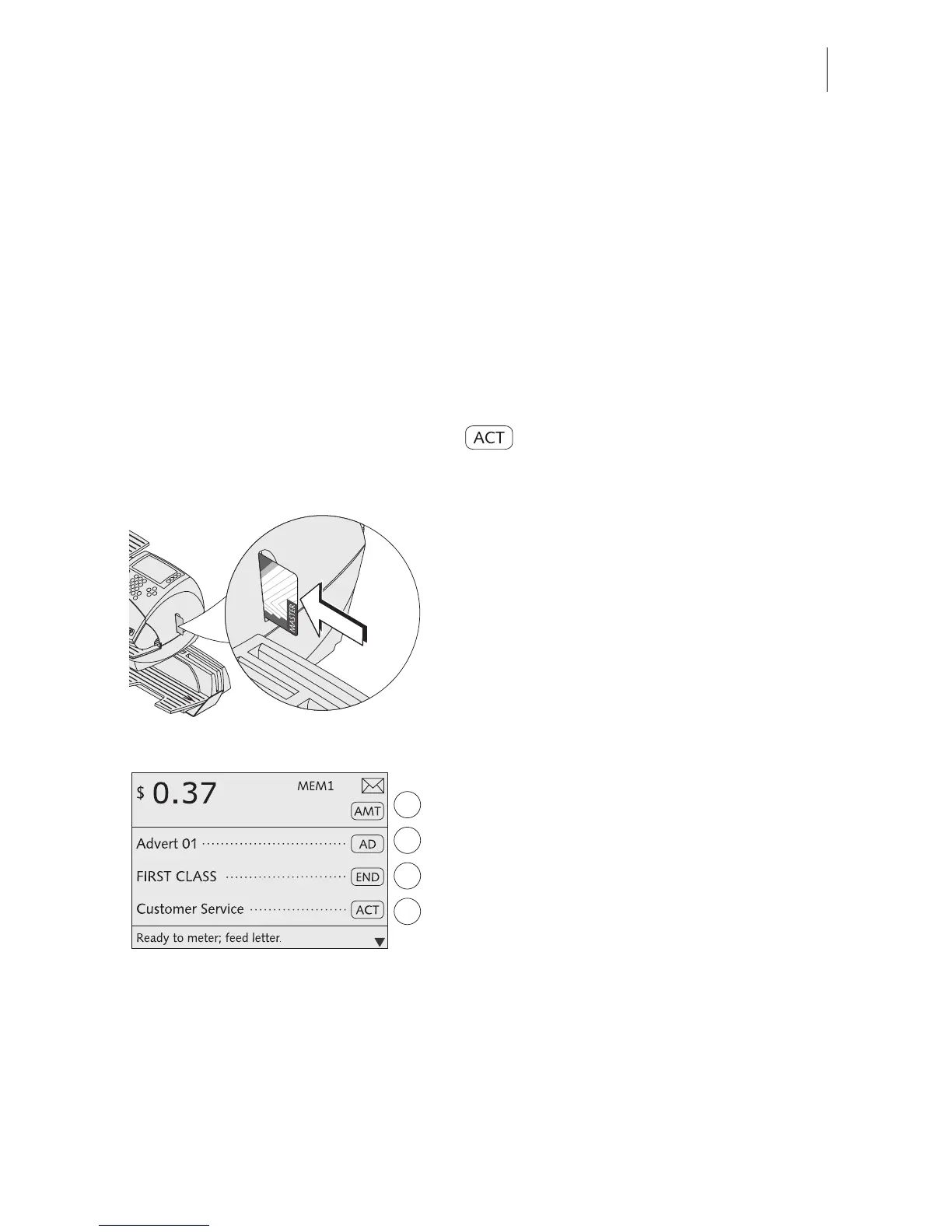
Setting the account via an access card
• Insert the USER or MASTER card in the
card reader. The chip on the card must
face the rear.
• Push in the card against a slight resistance
all the way to the stop. You can feel the
card snap in.
The optimail 30 selects the account config-
ured on the access card as well as the
defaults for adverts and additional text it con-
tains.
The home menu shows the account name.
The postage costs of all subsequent meter-
ing procedures will be charged to this
account.
Account 1 is always assigned to the MAS-
TER card (account 1 = MASTER account).



 To Next Page