optimail 30 Operator Manual
32
Changing the account
You can only change the account when work-
ing with the MASTER card or when access
control was disabled.
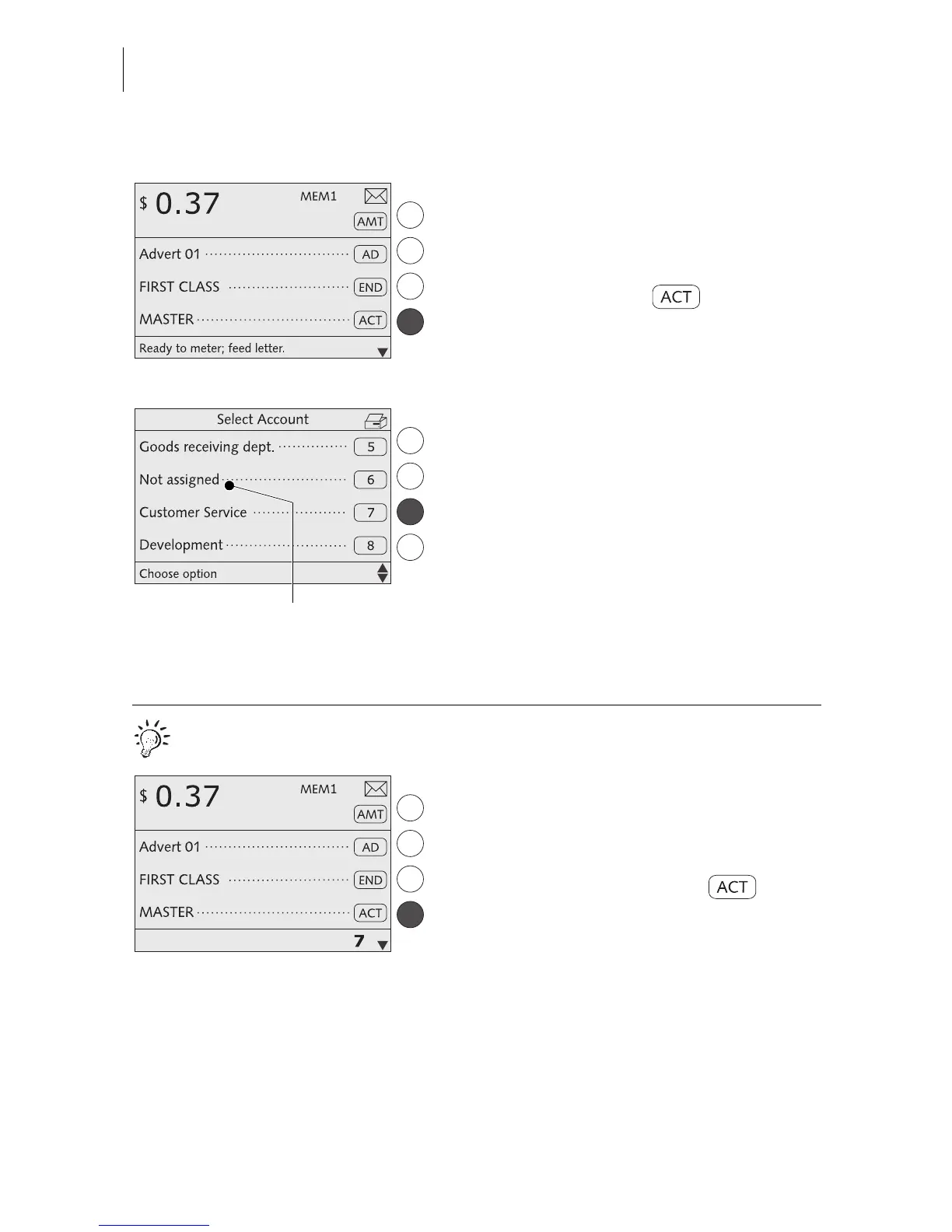
In the home menu:
• Press the key next to .
The optimail 30 opens a list containing all
accounts. You see the account names and
numbers.
• Select the desired account.
In the example: “Customer Service”
(account No. 7).
The optimail 30 returns to the home menu.
The account is set.
You can only select those accounts that were
defined in the ACCOUNT ADMINISTRA-
TION menu. You cannot select accounts
tagged “Not assigned”.
Quick results for the advanced user.
In the home menu:
• Type the desired account number.
The number is displayed in the status bar.
• Confirm with the key next to .
Not assigned = account is not
available for metering



 To Next Page