EasyManua.ls Logo

FP Mailing Solutions optimail 30 - Page 2

FP Mailing Solutions optimail 30
120 pages
Print Icon
To Next Page IconTo Next Page
To Previous Page IconTo Previous Page
Loading...
2
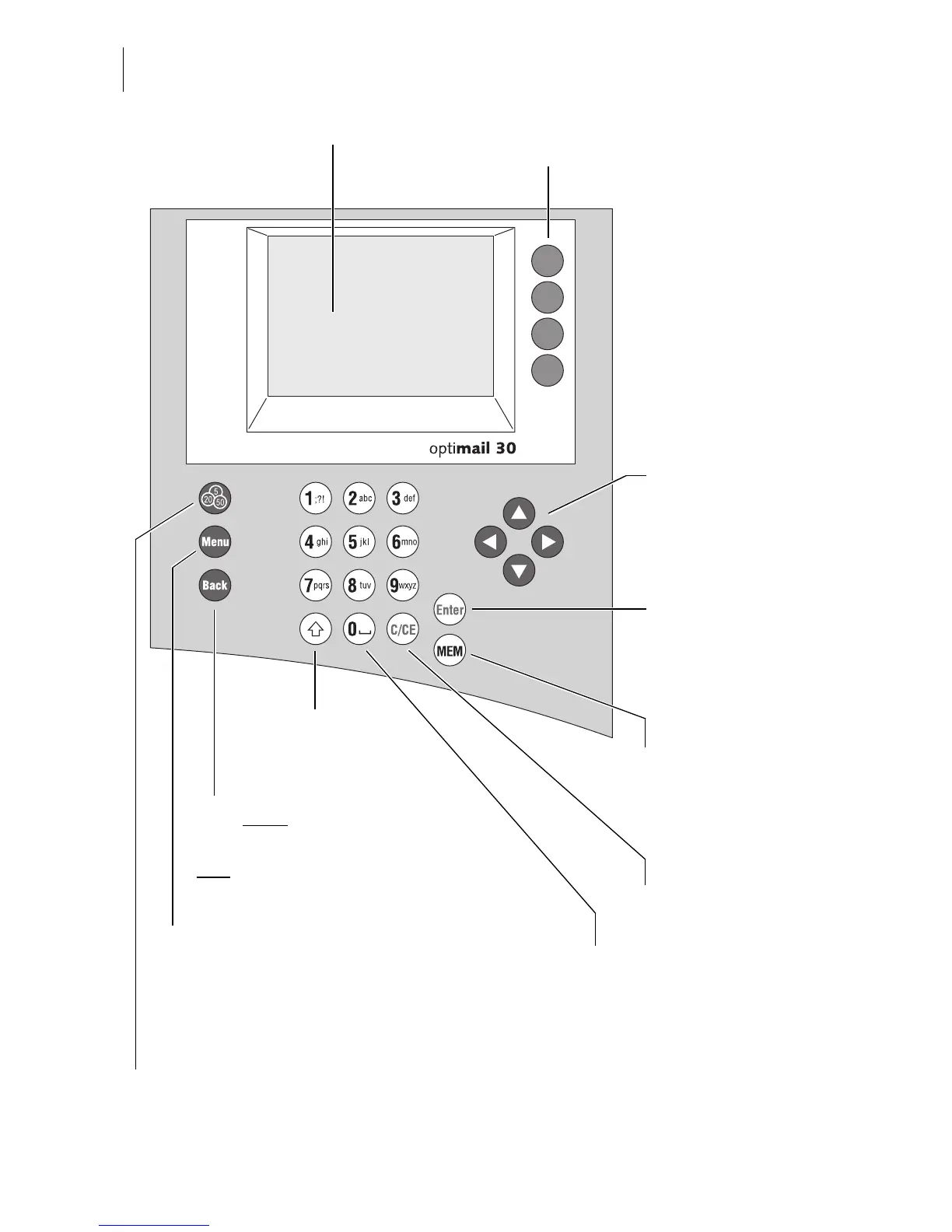
optimail 30 – Display and keyboard
Multifunction keys
(soft keys)
Display
Confirm input
Acknowledge messages
Press briefly
back to higher-level menu/window
Hold
key pressed:
back to the Home menu
Call up menu for:
Special functions
Administration and Statistics
System Settings
–…
TELESET / load postage
Show registers
Clear inputs
Quick select:
display/select
saved postage settings
Numeric keys
Enter numbers
Enter letters, punctuation
and special characters
Shift key:
Switch upper/lower
case letters
Arrow keys
navigate
scroll
increase/decrease values

Table of Contents

Other manuals for FP Mailing Solutions optimail 30

Related product manuals