105
Airplane
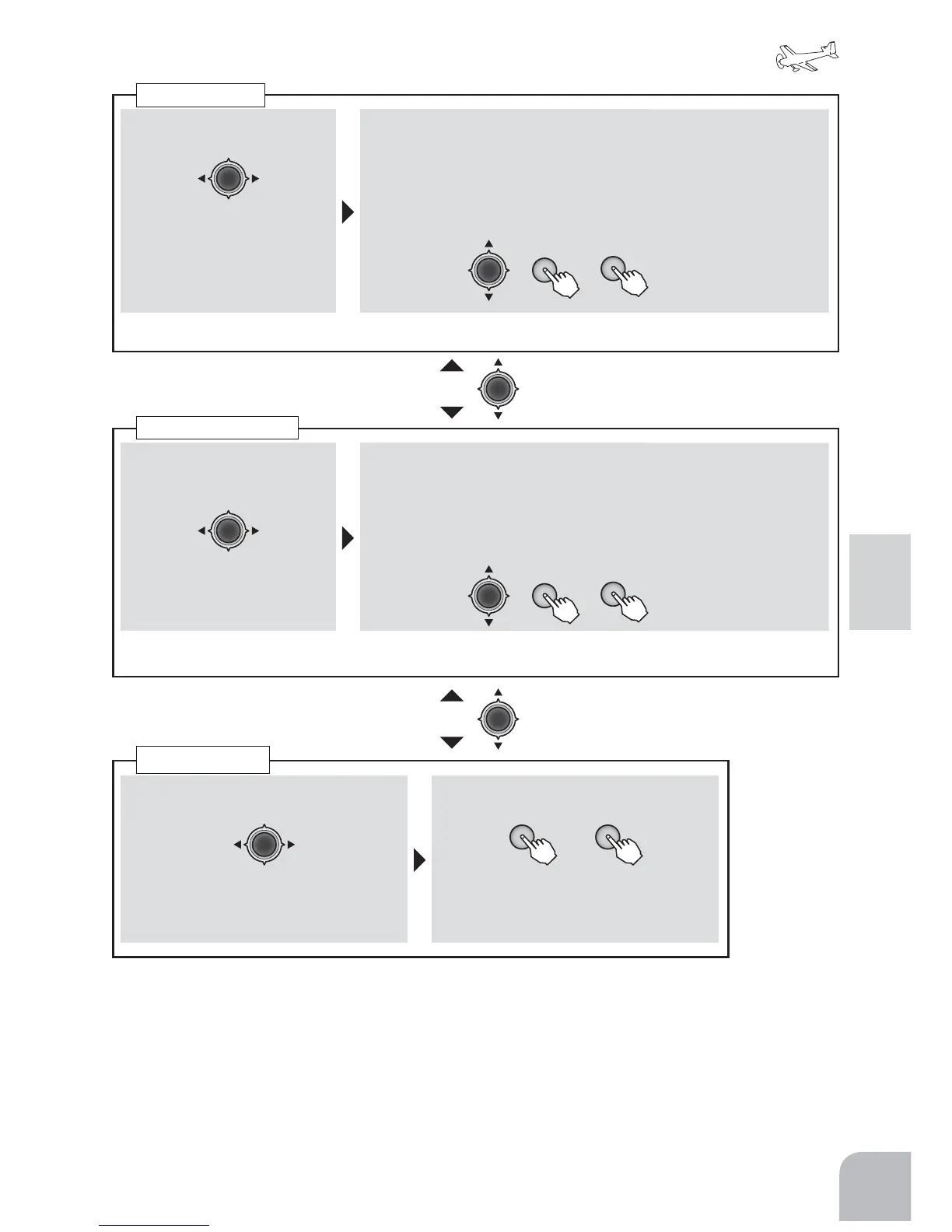
①Selectthe"SW"itemandthenselect
thechannelwiththeJogkey.
Range:1,2,4
②Aswitchischosenby+keyor-key.
+ −
or
Range:SwA 〜 SwH
SwitchChange
①AchannelischosenbyJog
key.
Range:1,2,4
②Adjusttheratebymovingthecursor
toD/RwiththeJogkey,switchingthe
dualrateswitchtothedirectionyou
wanttoset,movingthesticktotheleft
(down)orright(up)sideandpressing
the+keyor‒key.
Range:
0 〜 140%
Default:100%
● Whenyouwantto
returnthesetvalueto
theinitialvalue,press
the+keyand‒key
simultaneously.
Adjusttherateofeachdirectionofthedualrateswitchandstickbyrepeatingstep
①Selectthe"EXP"itemand
thenselectthechannelwith
theJogkey.
Range:1〜4
② Adjusttheratebymovingthecursor
toEXPwiththeJogkey,switchingthe
dualrateswitchtothedirectionyou
wanttoset,movingthesticktotheleft
(down)orright(up)sideandpressing
the+keyor‒key.
Range:
-100 〜 +100%
Default:0%
● Whenyouwantto
returnthesetvalueto
theinitialvalue,press
the+keyand‒key
simultaneously.
Adjusttherateofeachdirectionofthedualrateswitchandstickbyrepeatingstep
D/R
EXPO
+
+
−
−
● Movingtoanothersettingitemofthesame
channelispossiblebyJogkey.
● Movingtoanothersettingitemofthe
samechannelispossiblebyJogkey.


 To Next Page