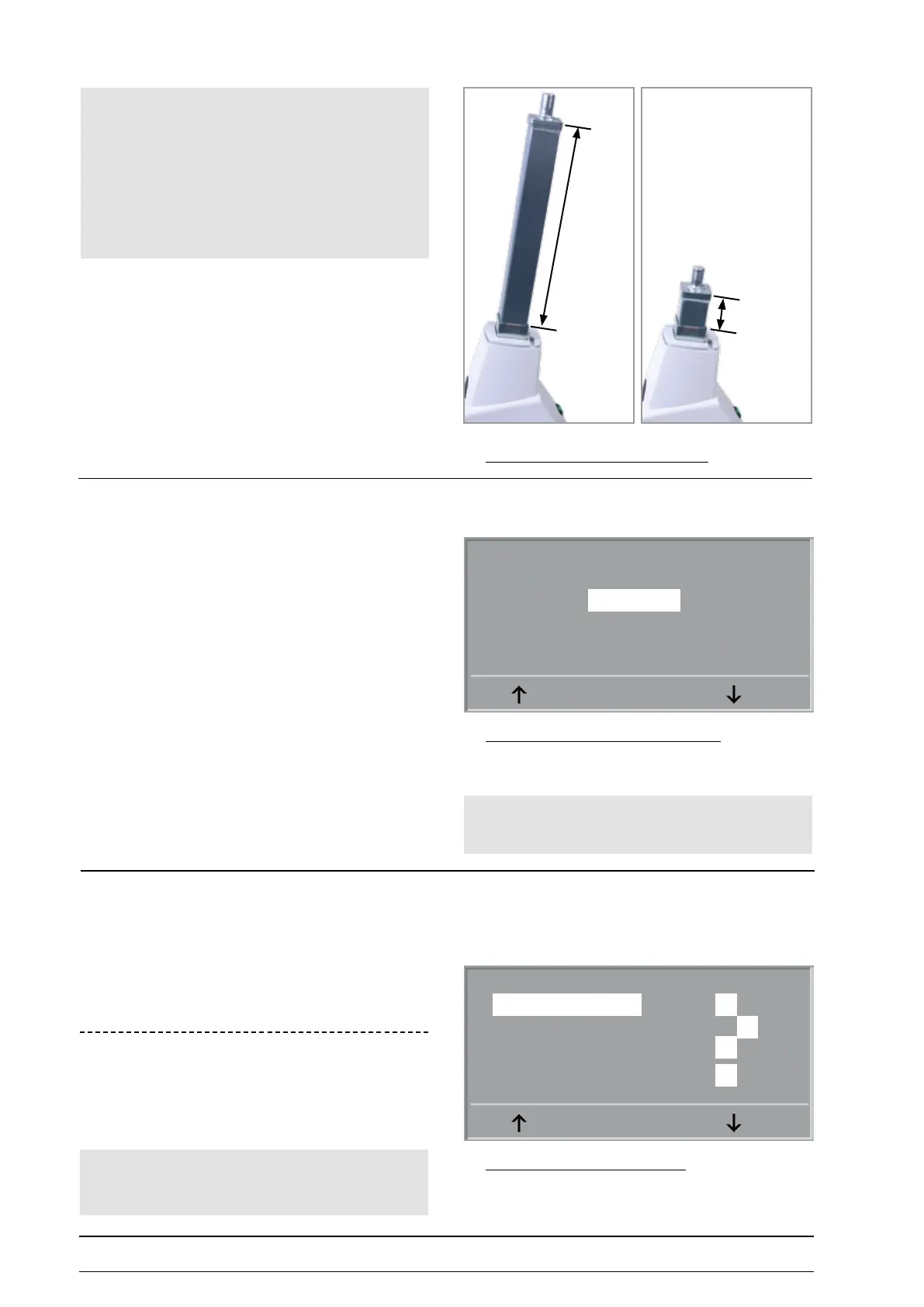
36 cm
7 cm
- 52 - eBike II, eBike II L, eBike II EL 2018112-069 Rev. F
ergoMeter type
This setting appears only in eBike II without NIBP option!
If in PC mode an „I“ command is received, the ergometer
sends an identication data string to the PC. / ECG
recorder.
To maintain compatibility to ergoline ergometers of the
former generation, the eBike II ergometer identify as
Ergometrics 900 ergometers.
The identication may be changed by use of this
parameter:
setting ER900 identies with: 0900P10V243
setting ER800 identies with: V3.3
systeM ConfIg.
The hardware conguration of the ergometer is dened in
this setup.
Select the module / option and change the setting to I
if the module is integrated in the actual ergometer.
60 Hz Power:
This setting depends on the mains frequency used and sets
internal lters on the LRE board:
Select 0 for a 50 Hz mains frequency
Select I for a 60 Hz mains frequency
configuration of identification data String
Ergometer Type
ER 900
ER 800
ENTER
Hint
• Must be set to ER900 always !
Settting of ergoMeter configuartion
System Cong.
Saddle engine 0 I
NIBP-Modul 0 I
Analog Interface 0 I
60 Hz Power 0 I
ENTER
Hint
• Do not move the saddle over the „TOP position“ (36 cm)
and under the „BOTTOM position“ (7 cm - see pictures).
• If the motor is moved to the mechanical stop positions,
the eBike power supply will switch off due to overload.
correct poSitionS for Saddle adJuStMent
Hint
Wrong setting of the mains frequency has no inuence on the
load regulation or the correct function of the ergometer.



 To Next Page