2018112-069 Rev. F eBike II, eBike II L, eBike II EL - 33 -
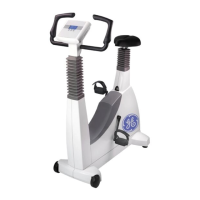
open the houSing of the bKe (bootoM Side)
• For CardioSoft/CS V6.73 and above:
Click onto „COM Port Number“ and select an unused
COM port between COM1 and COM32.
• Conrm with OK.
• Close all open windows.
CoM - InterfaCe extensIon
(MaC 5000 st/5500)
The MAC 5000 ST / MAC 5500 use analogue signals
to set the load of the eBike, while the bloodpressure
measurement is controlled with digital signals..
The eBike II is by default only equipped with a digital
interface.
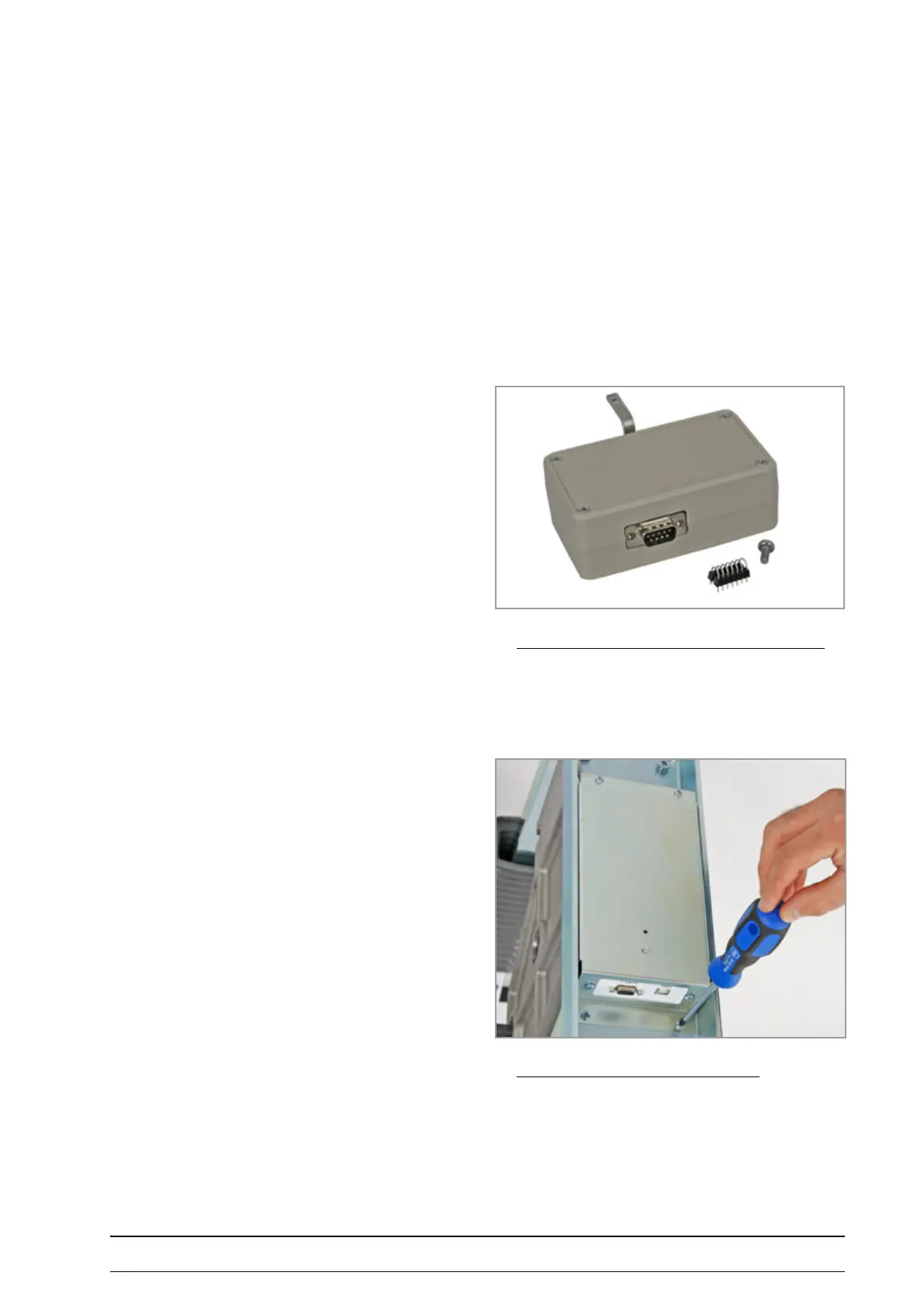
To connect an eBike II with a MAC 5000 ST / 5500 a
special adapter (COM module PN 2008xxx-001) has to be
installed to add an analogue interface to the eBike II.
A jumper adapter has to be placed onto the BKE board to
connect all required signals to the DSUB connector:
• Open the housing of the BKE on the bottom side of
the ergometer.
coM Module (pn 2008xxx ) with JuMper and Screw



 To Next Page