16. MITSUBISHI ELECTRIC PLC 16-17
Settings and Communications
1. PLC type setting
Select [PLC Type] from the [System Setting] menu. Select a type adapted to the ladder transfer
function in the [Select PLC Type] dialog.
2. PLC programming software port setting
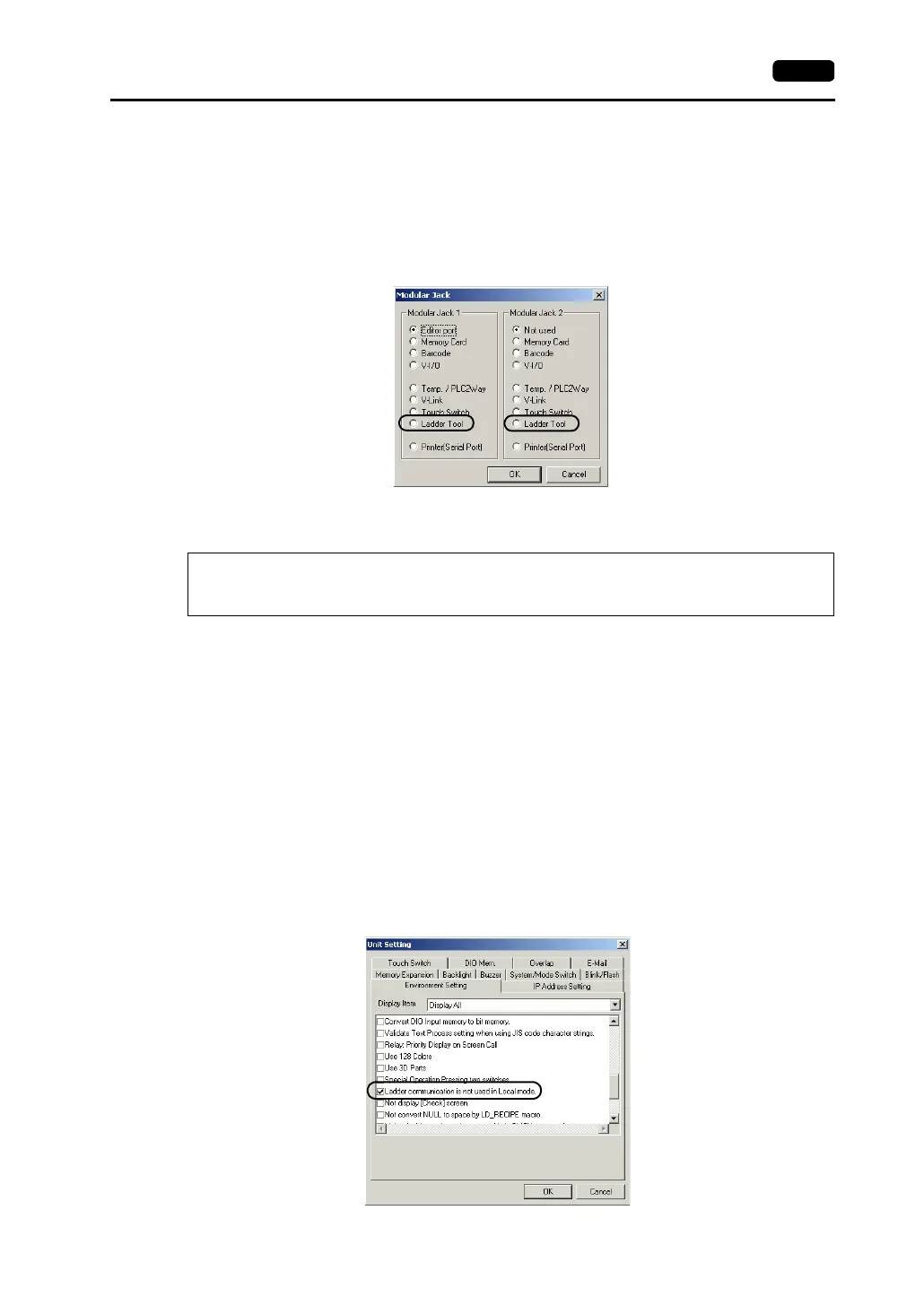
Select [Modular Jack] from the [System Setting] menu.
Select [Ladder Tool] for [Modular Jack 1] or [Modular Jack 2] in the [Modular Jack] dialog.
Communications with V-SFT Editor (for Screen Data Transfer)
• With [Ladder Tool] selected for [Modular Jack 2], MJ1 will be [Editor Port] when the Main Menu
screen is displayed on the V7 series, and communications with the V-SFT editor become possible.
• With [Ladder Tool] selected for [Modular Jack 1], even when the Main Menu screen is displayed on
the V7 series, communications with the V-SFT editor are not avaliable. There are two methods for
enabling communications with the V-SFT editor.
* With the V609E, employ the method for automatically enabling communications with V-SFT.
At this time, check the system program version and update it if the version is old before
transferring the screen data.
- Enabling V-SFT communications automatically (adapted to V-SFT editor version 2.0.9.0 or
later, V7 system program version 1.080 or later, and V6 system program version 1.570 or
later)
To enable communications with the V-SFT editor automatically when the Main Menu
screen is displayed, make the following settings on V-SFT.
From the [System Setting] menu, select [Unit Setting], and open the [Environment Setting]
tab window. In the window, check [Ladder Communication Is Not Used in Local Mode].
* On-line editing between the V-SFT editor and the V7 series is not possible. If attempted,
communications between the PLC programming software and the PLC will not be performed
correctly.



 To Next Page