Appendix 1 PLC2Way App1-11
2. Closing
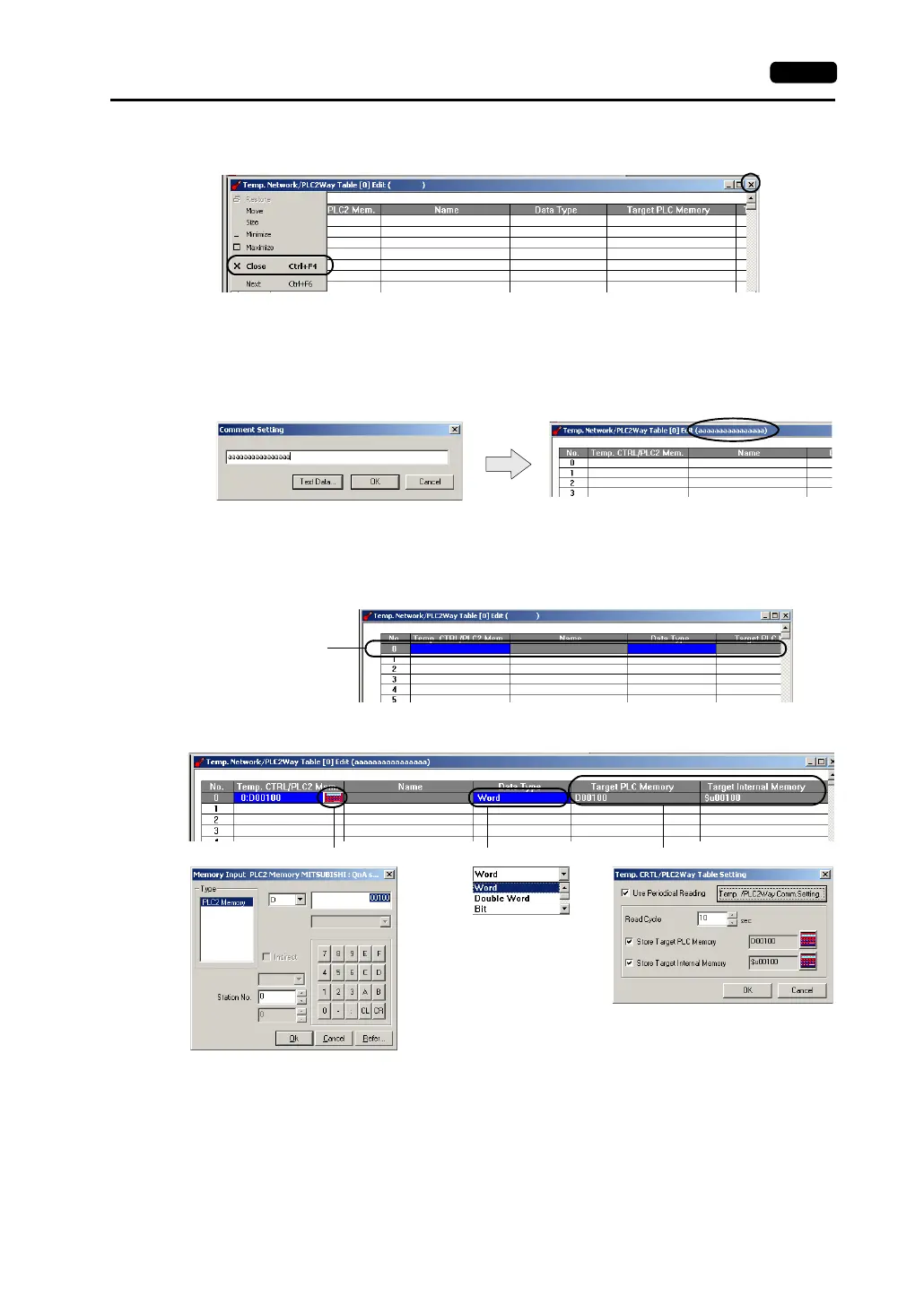
Click [Close] in the drop-down menu, or click the [Close] button at the top right corner.
3. Comment setting
There are 32 temperature control network/PLC2Way tables and a comment can be set for each
table.
Click [Edit] → [Comment].
The [Comment Setting] dialog is displayed.
Enter the desired comment and click [OK]. The entered comment is displayed at the top right
corner.
4. Setting data in the table
Click on a line in the table. The selected line turns blue.
Double-clicking brings up the default setting for the PLC2 memory, data type, etc.
When (1) is clicked, the [Memory Input] dialog is displayed.
Set the memory address to be read from the PLC connected at the MJ port.
Click.
(1) Click. (2) Click. (3) Double-click.



 To Next Page