App6-36 Appendix 6 Universal Serial Communications
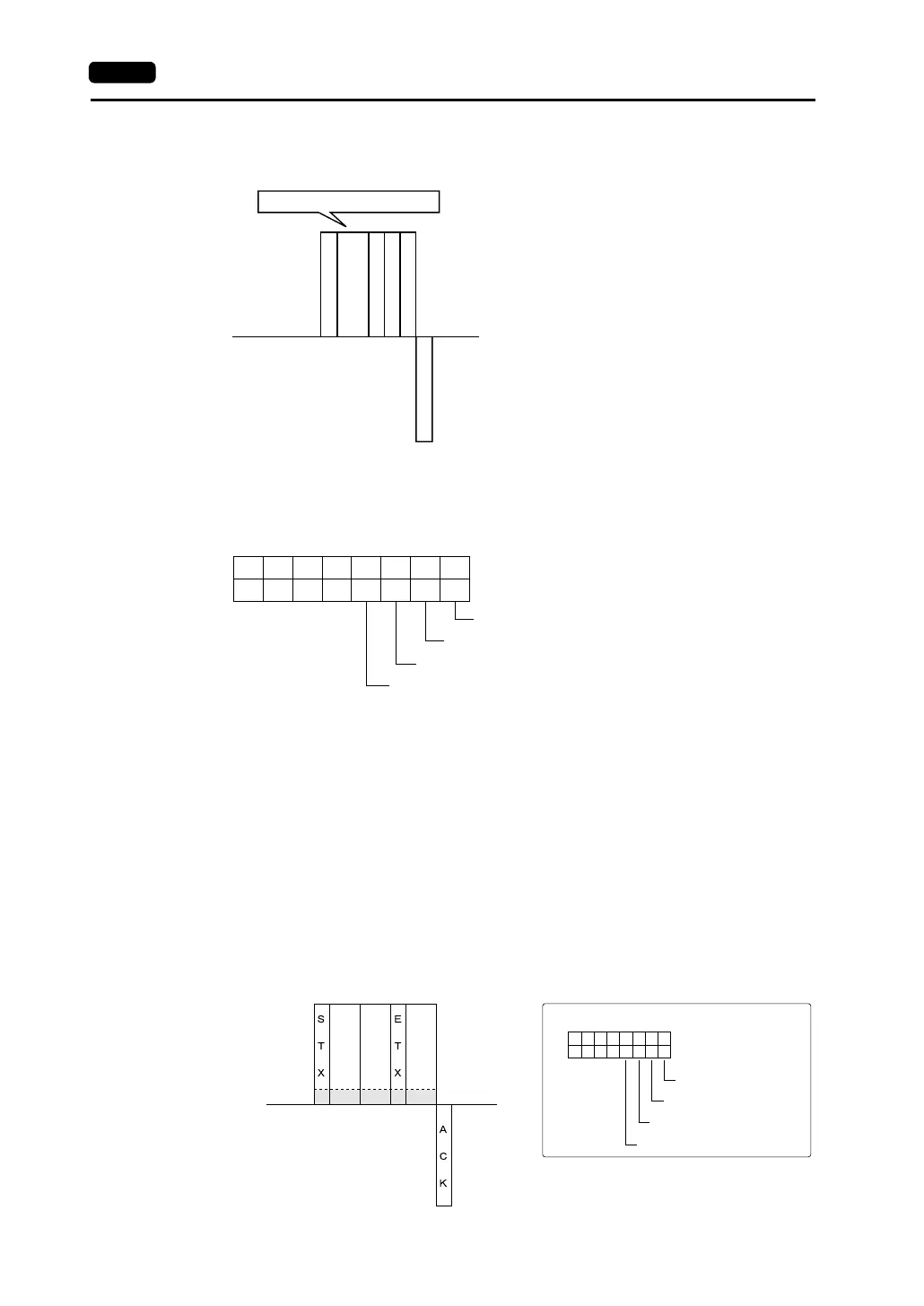
Interrupt Setting Command
• Interrupt setting command
- Host side
Interrupt conditions can be specified when the interrupt data bit is set.
DataInterrupt status (HEX ASCII)
<Interrupt Conditions>
Switch ON: Interrupt when the switch changes from OFF to ON
(only when [Action] of the switch is [Normal], [Block], [+Block],
[−Block] or [Mode])
Switch OFF: Interrupt when the switch changes from ON to OFF
(only when [Action] of the switch is [Normal], [Block], [+Block],
[−Block] or [Mode])
Keypad write: Interrupt when the [ENTER] switch on the keypad is pressed
Screen internal switching: Interrupt when the screen changes based on an internal switch
* Macro (OUT_ENQ): Interrupt enabled all the time
Example: Interrupt settings are shown below.
Switch ON: Prohibited
Switch OFF: Prohibited
Keypad/character entry write: Allowed
Screen internal switching: Allowed
HLHL
W I
S
T
X
E
T
X
S
U
M
A
C
K
D
a
t
a
Interrupt setting command
Host side
V series side
07 06 05 04 03 02 01 00
Switch ON
0: Interrupt prohibited
1: Interrupt allowed
Switch OFF
Keypad write & character entry
Screen internal switching
WI
02
H
57
H
30
H
43
H
03
H
38
H
31
H
0C 18
0001020304050607
0000
1100
49
H
Host side
V series side
In this case, the data contents are as shown below.
Switch ON
Switch OFF
Keypad write & character entry
Screen internal switching



 To Next Page