4-Way Stitches – Menu S
The 4-way stitch allows you to sew several sturdy stitches in
four different directions. You will have different 4-way
stitches to choose from. This is especially helpful when
patching trouser legs on a free arm. The 4-way stitches are
programmed at a fixed length and stitch width.
4-Way Stitches Exercise
4-way sewing direction button (reverse button on the screen)
Fabric: Woven heavy, two pieces, one a patch.
Select: Woven heavy on your JoyOS ADVISOR™ feature,
menu S – 4-way stitches, stitch 8.
Use: Presser foot S and size 90 needle as recommended.
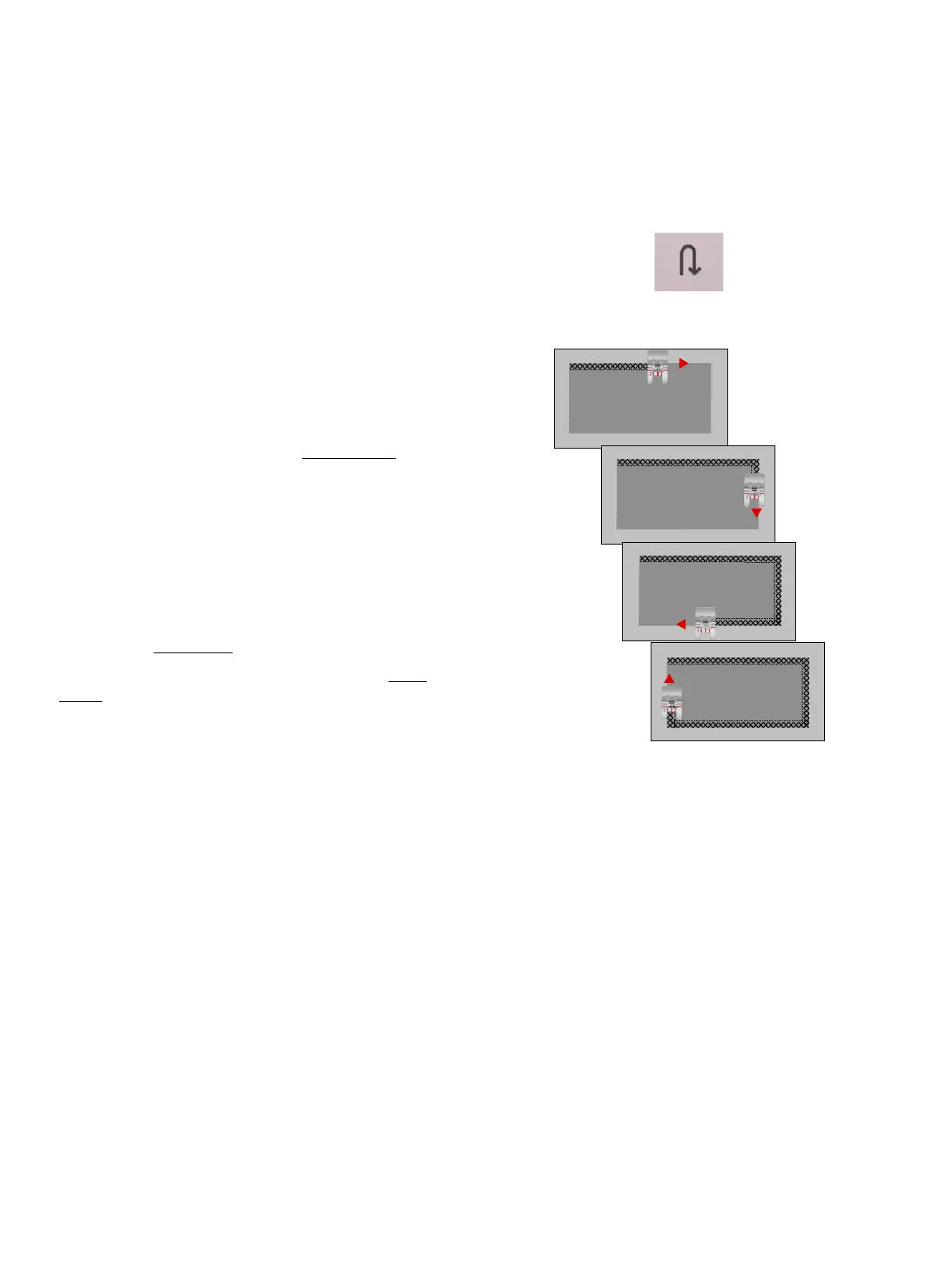
Sew:
1. Place the patch on the larger piece of fabric and position
the top left corner of the patch under the presser foot.
The machine will sew across the top from the left to the
right as shown on the screen.
2. Sew across the top and touch the reverse button or the 4-
way sewing direction button (reverse button on the
screen) to change the sewing direction. The direction of
the stitch on the screen will change. Step on the foot
control. The presser foot lowers automatically.
3. Sew down the side of the patch. Continue sewing around
the patch, touching the reverse button or the 4-way
sewing direction button on the screen, to change the
sewing direction.
4. Touch the cut function.
Tip: To sew beautiful corners with 4-way stitches, touch the STOP
function before changing the sewing direction. This will complete the
current stitch before changing the direction.
102 7 Sewing













 To Next Page