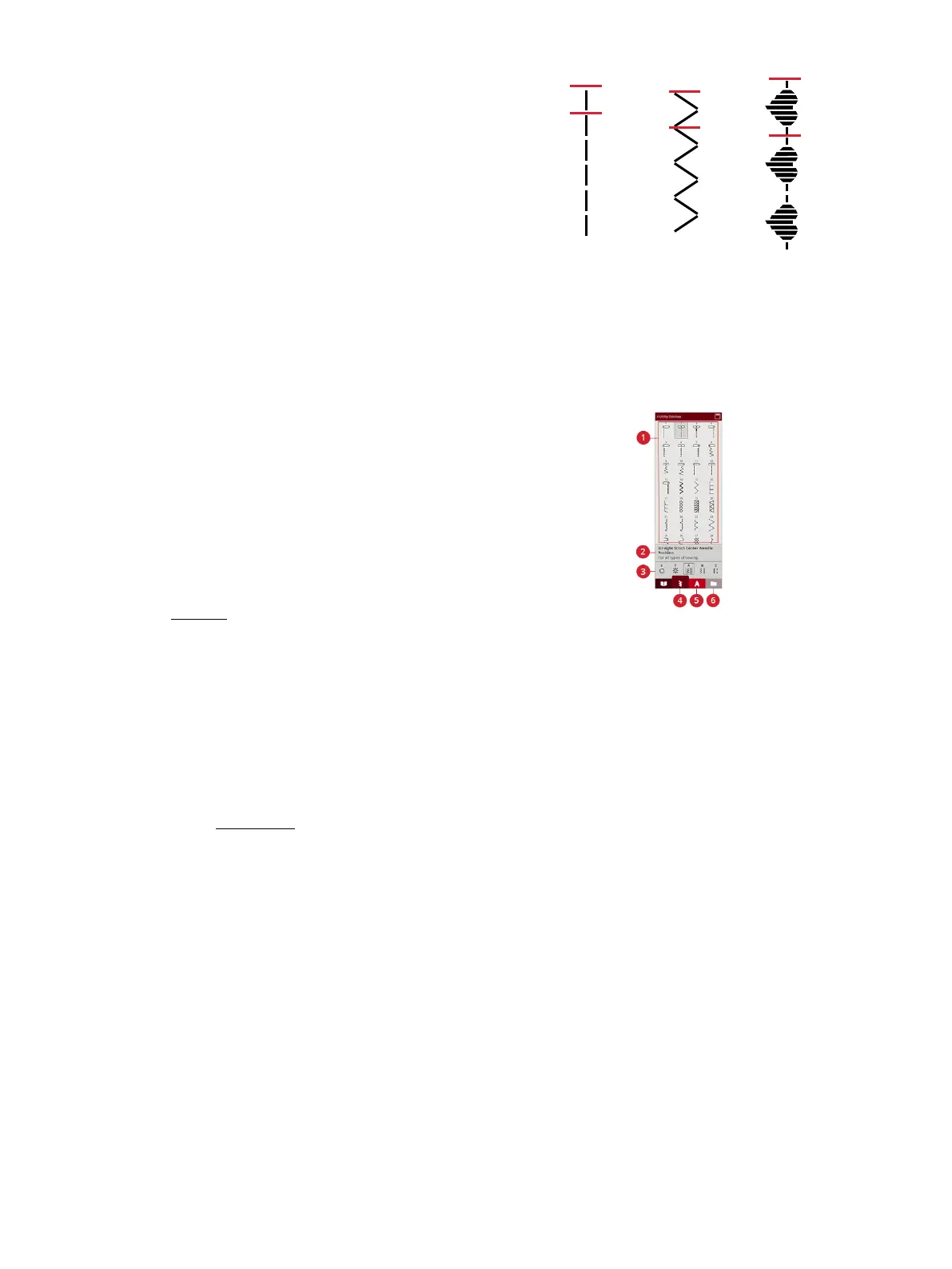
What is a Stitch?
A stitch either consists of a single stitch as in a straight stitch,
or as two individual stitches e.g. in a zigzag. Furthermore, a
stitch is also the complete stitch, meaning it is made up by
the total of the individual stitches in the stitch, such as a 3
step zigzag or a decorative stitch.
Select a Stitch or Letter
1. Selection area
2. Stitch information
3. Stitch categories
4. Stitch menu
5. Font menu
6. File manager
To load a stitch, open the stitch menu and touch a stitch to
select it. The stitch will automatically be loaded and
information will be shown in the stitch information area.
Swipe up and down in the stitch menu to scroll through the
stitches. Swipe left/right to scroll to and select a different
stitch category. Alternatively swipe left/right in the category
list and touch a category to select it.
To create text, select the font menu and touch a font to select
it. When a font is selected it will automatically be loaded into
program mode. Program your text by using the keyboard.
Minimize the keyboard and touch OK in the program
window. Your text will be loaded to sewing mode and ready
to be stitched out. Learn more on how to program stitches
and letters in the program chapter.
Load a Stitch or Letter From Another
Location
From the file manager you can load stitches or programs that
you have saved in your mySewnet™ cloud folder or on a USB
device. Open file manager and load a stitch or program by
touching & holding on the file. In file manager you will see
all your saved files e.g. stitches, designs and fonts. Learn how
to organize your files in file manager.
86 7 Sewing













 To Next Page