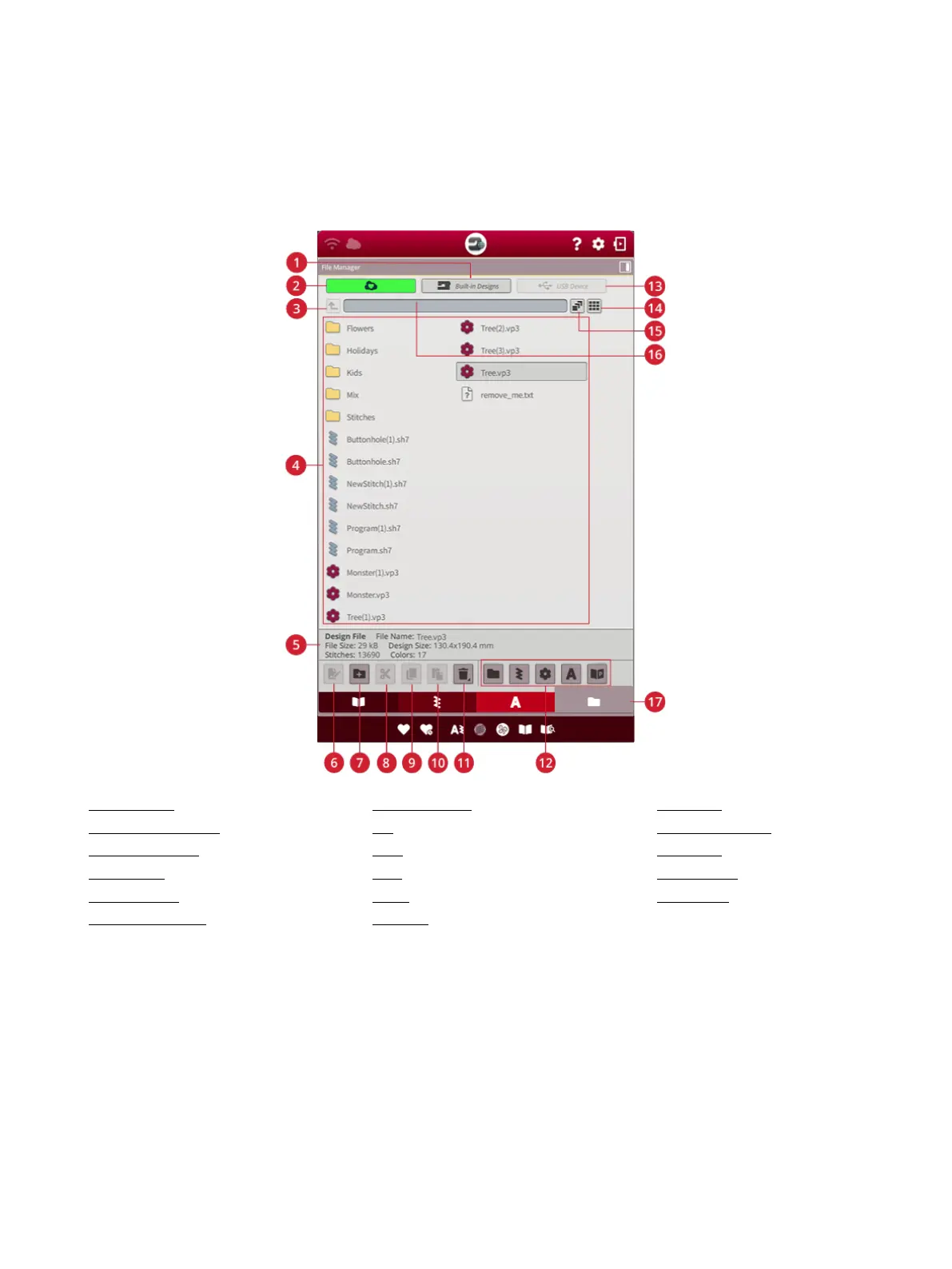
File Manager – Overview
The file manager is used to open design files, font files and
stitch files. Store your saved files in the mySewnet™ cloud
folder or to a USB device connected to your machine.
You can expand the file manager window to fullscreen by
touching the file manager tab again.
Touch the minimize button to minimize the file manager.
1. Built-in designs
2. mySewnet™ cloud folder
3. Move up one folder
4. Selection area
5. File information
6. Rename file or folder
7. Create new folder
8. Cut
9. Copy
10. Paste
11. Delete
12. Filter files
13. USB device
14. List/thumbnail view
15. Multi-select
16. Current folder
17. File manager
166 12 File Manager













 To Next Page