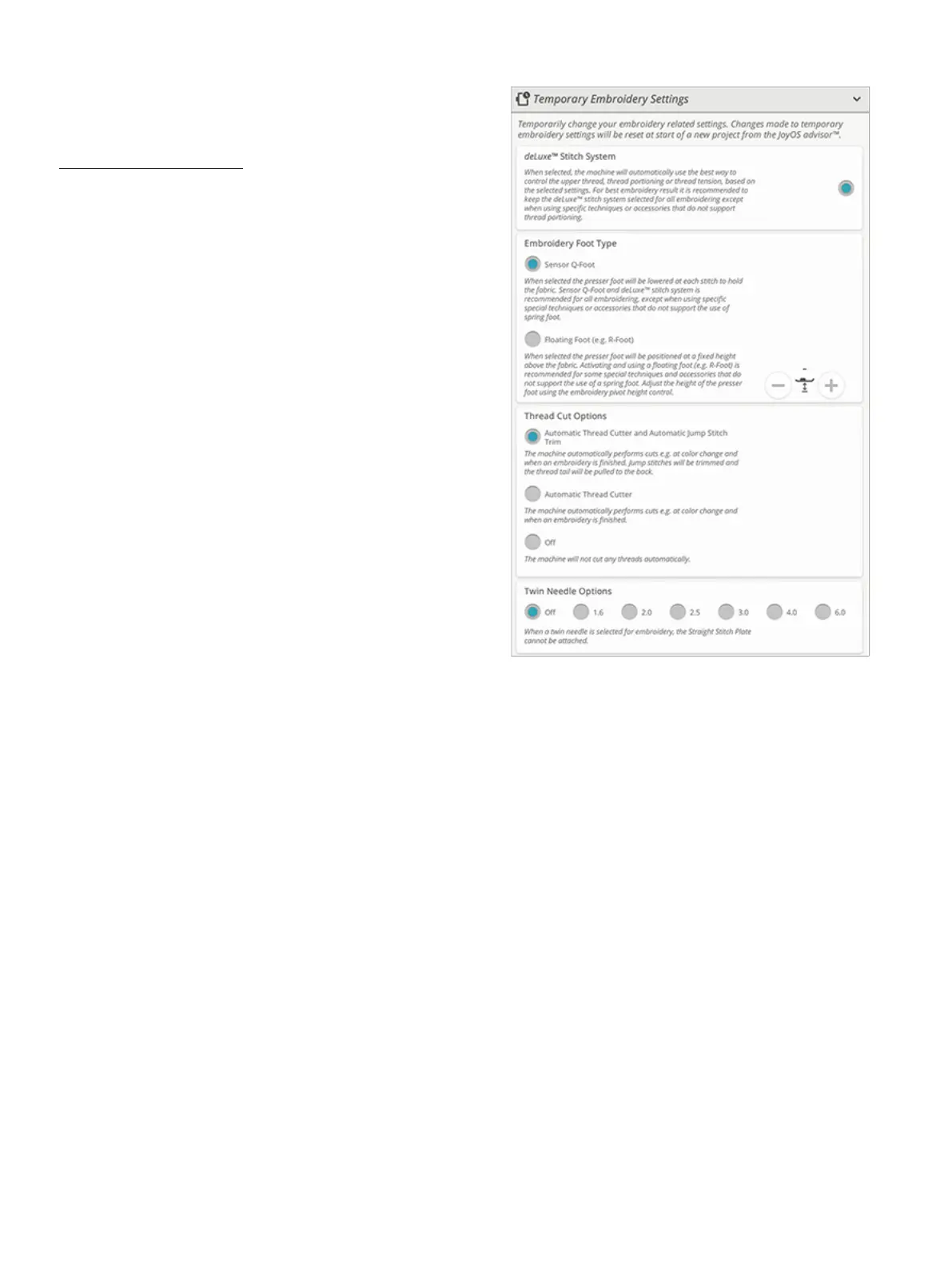
Temporary Embroidery Settings
Change your temporary embroidery settings when you would
like to change an embroidery related setting for your current
project. Changes made to the temporary embroidery settings
will be reset at the start of a new project from the
JoyOS ADVISOR™ feature. When turning the machine off,
all changes made in temporary embroidery settings will be
reset to default.
The following settings can be set in temporary embroidery
settings:
• deLuxe™ stitch system
• Embroidery foot type
• Thread cut options
• Twin needle options
deLuxe™ Stitch System
When the deLuxe™ stitch system is selected your
DESIGNER RUBY™ 90 will automatically choose the best
way to control the embroidery upper thread based on the
design and the selected settings: thread portioning or thread
tension. For best embroidery results we strongly recommend
that you keep this setting selected and select the Sensor Q-
Foot for embroidery foot type.
When the deLuxe™ stitch system is selected thread
portioning will be used when the embroidery foot type,
Sensor Q-Foot, is selected unless, e.g. the active color block
indicates a felting color block or a cutwork needle color
block in the color block list.
When the deLuxe™ stitch system is deselected and/or
embroidery foot type is set for floating foot, thread tension
will be used for all designs and settings.
For some specific special techniques and accessories that
cannot be embroidered with thread portioning, the deLuxe™
Stitch System needs to be deselected.
11 Settings 157













 To Next Page