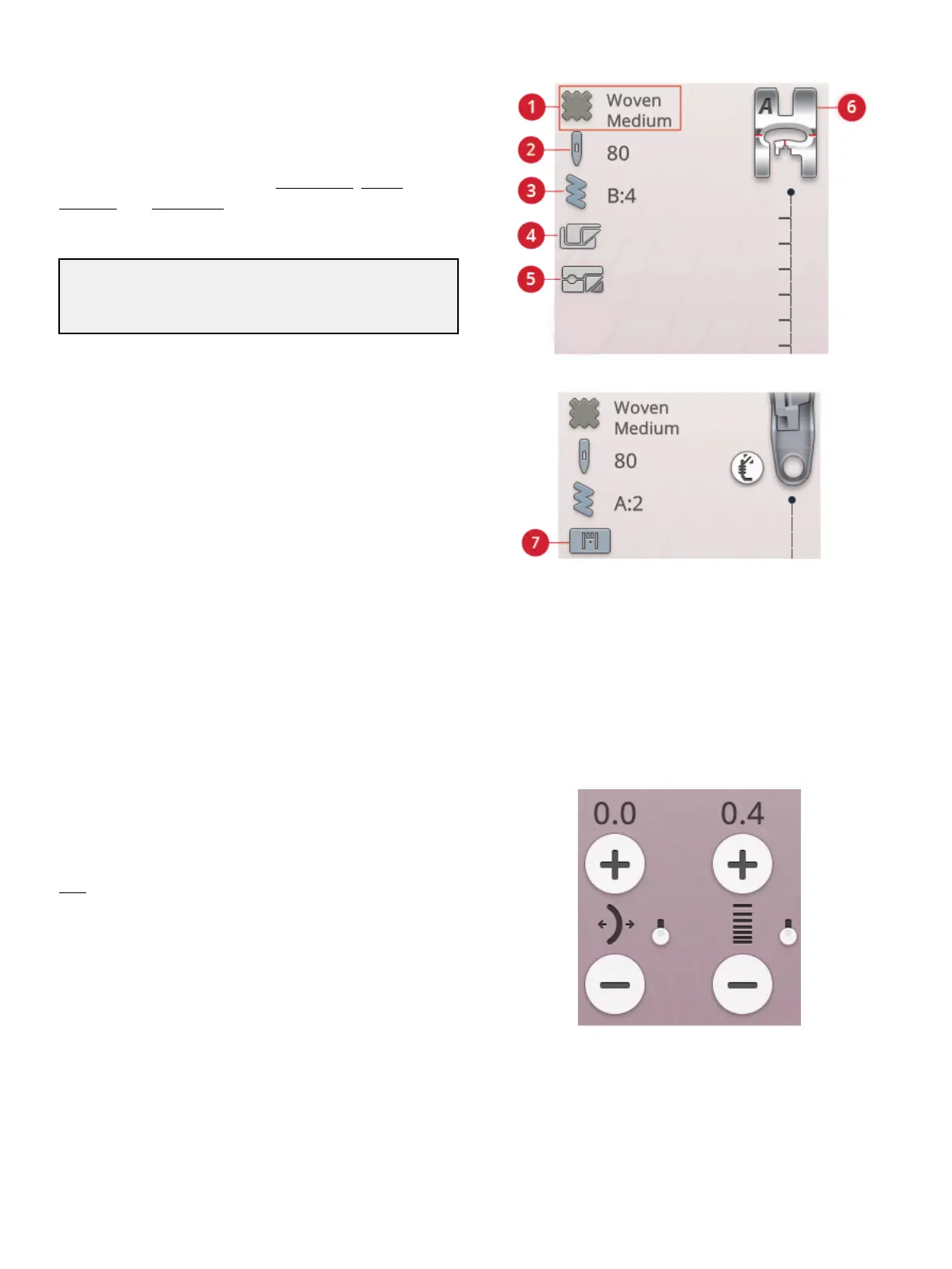
Sewing Recommendations
1. Fabric selected
2. Needle recommendation
3. Stitch selected
4. Stabilizer recommendation
5. Glide plates
recommendation
6. Presser foot
recommendation
7. Straight Stitch Plate
recommendation
Your machine will show the selected fabric and the active
stitch. It will also show sewing recommendations which are
set automatically depending on the selected fabric, active
stitch and current settings. You can change the selected fabric
directly, by touching the fabric icon. The following
recommendations can be shown: presser foot, needle,
stabilizer, and glide plates. The Straight Stitch Plate
recommendation will be shown when a free motion option is
selected with a straight stitch.
Tip: We recommend that you use the stabilizer guide in
JoyOS ADVISOR™ for detailed information about the different
stabilizers.
Stitch Settings
Your machine will set the recommended settings for each
selected stitch. You can make your own adjustments to the
selected stitch. The changes will only affect the selected stitch
and will be reset to default when selecting another stitch or
turning your machine off. To save your adjusted stitch, touch
save.
The controls available on the screen will change depending
on what stitch or program is loaded. Some stitches have
more than one control, and an alternative switch bar will
appear. Touch the alternative switch bar to change to an
alternative control for a different stitch setting. Touch it again
to change back to the previous control. The different stitch
settings are described below.
Note: When trying to exceed minimum or maximum settings for width
and length, a warning sound will be heard. The default setting is always
shown in black numbers.
7 Sewing 87













 To Next Page