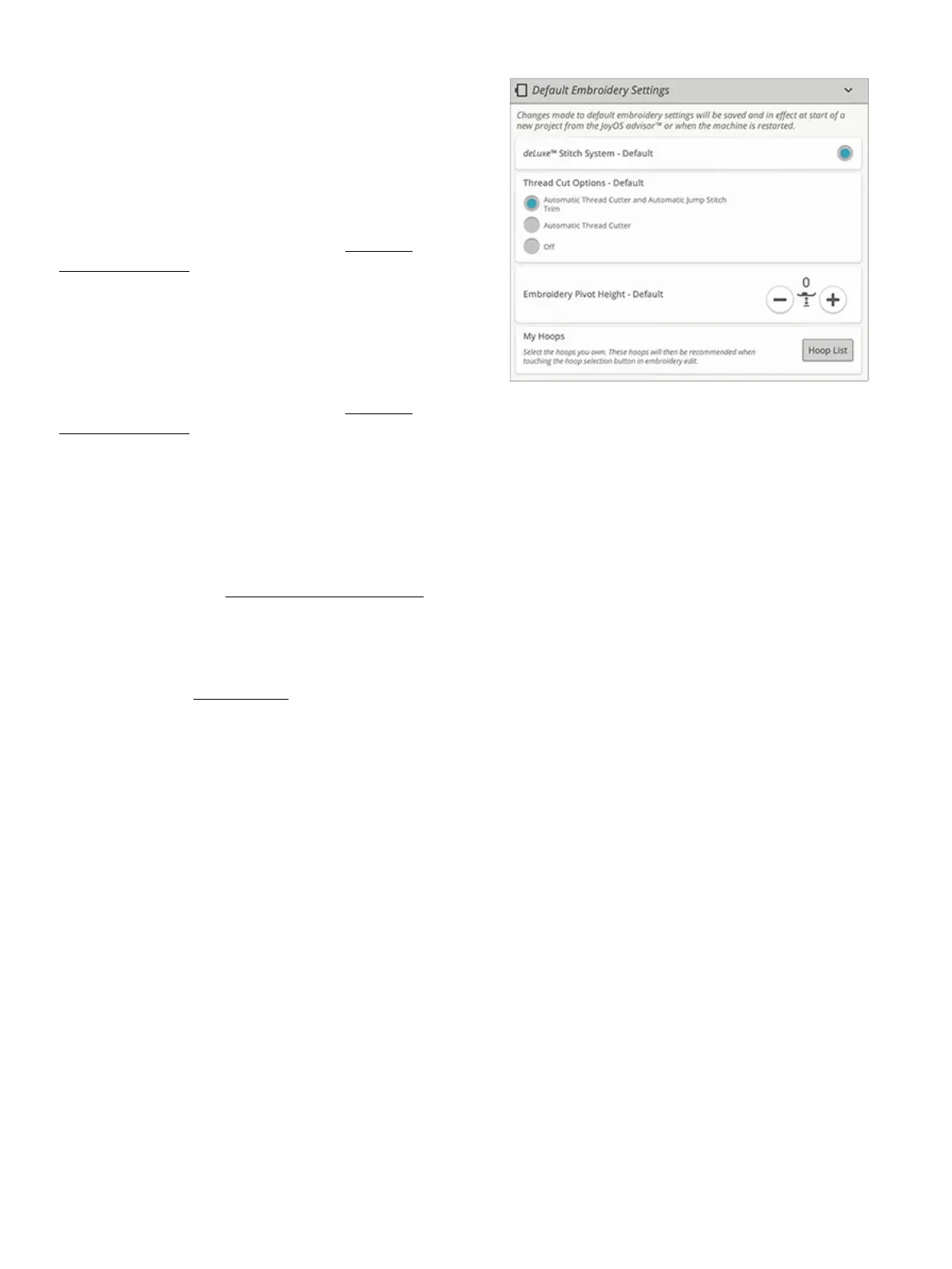
Default Embroidery Settings
All settings made in the default embroidery settings will be
saved, even when turning your machine off.
deLuxe™ Stitch System – Default
When selected the deLuxe™ stitch system will automatically
be selected in the temporary embroidery settings for all new
projects loaded from the JoyOS ADVISOR™ feature. For
more information see the description in the temporary
embroidery settings.
Thread Cut Options – Default
When selected the thread cut option will automatically be
selected in the temporary embroidery settings for all new
projects loaded from the JoyOS ADVISOR™ feature. For
more information see the description in the temporary
embroidery settings.
Embroidery Pivot Height – Default
If the embroidery pivot height is set in default embroidery
settings it will automatically be set to this value in the
temporary embroidery settings for all new projects loaded
from the JoyOS ADVISOR™ feature. For more information
see the description in the temporary embroidery settings.
My Hoops
Select your preferred hoops and selected hoops will be
displayed first in the hoop selection list.
When you first load a design, the machine will select the
most suitable hoop among the ones you have selected in my
hoops.
Note: In the hoop list you will find that some hoop sizes are followed by
a letter. These are specialty hoops. For example, E stands for endless
hoop, T for texture hoop and M for metal hoop.
11 Settings 161













 To Next Page