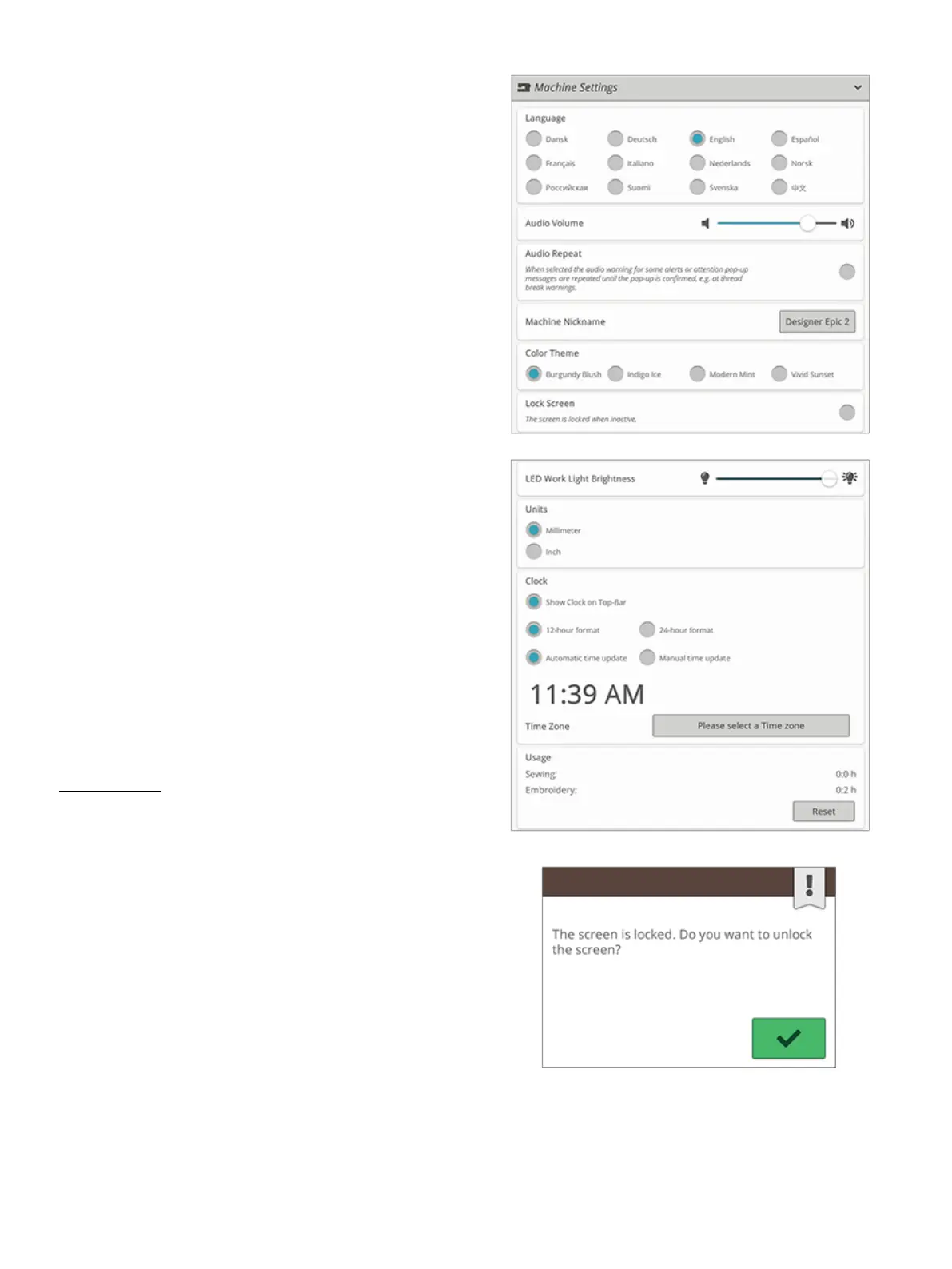
Machine Settings
All settings made in the machine settings will be saved, even
when turning your machine off.
Language
Select your desired language on the screen. All texts in the
machine will be changed.
Audio Volume
Change the audio volume using the slider bar. All sounds in
the machine will be affected when the audio volume is
changed. When the slider is all the way to the left, the volume
is muted.
Audio Repeat
When active, the signal for some warning alerts or attention
pop-up messages will be repeated in intervals until the pop-
up is closed.
Machine Nickname
Touch to select a nickname for your machine. This can be
useful when owning more than one machine, to distinguish
one machine from another when working in mySewnet™. The
name will be shown on the screensaver.
Color Theme
Change the color theme of the machine screen. Choose
between four color theme options. This will change the color
of the screen background, menus, and programs.
Note: To change the background color of your embroidery area please see
Background Color
Lock Screen
If there is the possibility of bumping the screen and changing
the stitch or settings while sewing, it is easy to lock the screen.
When selected, the screen is automatically locked whenever it
is inactive for ten seconds. A pop-up is shown on the screen
and will remain locked until you touch OK in the pop-up.
LED Work Light Brightness
Adjust the brightness of the LED lights to adapt to the light
conditions in your sewing room. Simply move the slider to
the right to make the LED lights brighter or to the left to
make them less bright.
Units
Touch millimeter or inch to set the measurement unit you
prefer.
162 11 Settings













 To Next Page